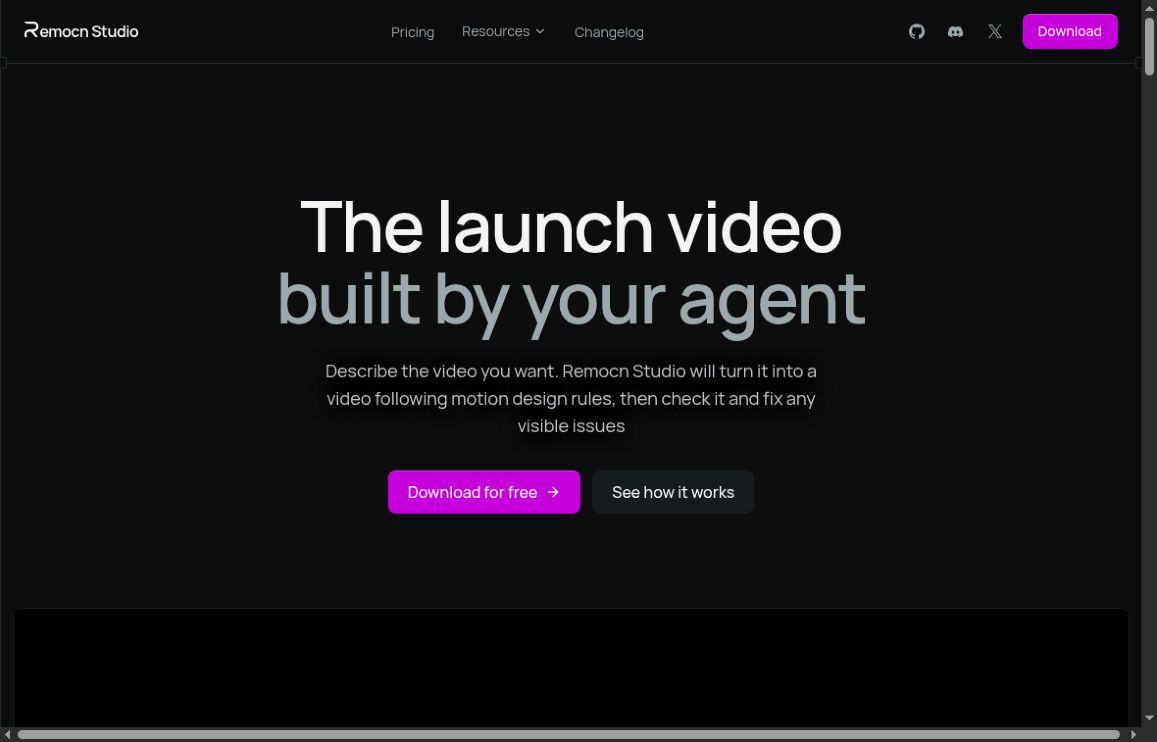
Remocn Studio is an open-source desktop application for creating videos with a coding agent. Instead of handing you only a finished clip, its workflow produces a Remotion project that can be inspected and revised. It is aimed at work such as product launches, feature announcements and motion-led explainers.
Image: Screenshot of the official Remocn Studio homepage, captured October 22, 2026.
The attraction is control over the underlying project. The trade-off is a workflow that depends on a compatible agent and a code-based rendering environment. This documentation-based overview was checked on October 22, 2026. We have not installed the studio or benchmarked its rendering.
How Remocn Studio works
According to the official repository, you describe the video and a coding agent builds the motion design as a Remotion project. You review a live preview, give feedback and refine elements. It is not a conventional track-based editing timeline.
The documented production flow moves through analysis, brand direction, script, motion, build, choreography and review. That structure is useful for a launch video: it makes room to decide what the audience should learn before concentrating on animation.
Mac and Linux support
The Remocn Studio homepage currently emphasizes its Mac app. For Linux availability, the official release notes provide the more specific evidence: the 1.1.0 release is dated October 12, 2026. The changelog identifies Linux support as a significant addition, alongside macOS. Linux downloads include AppImage, Debian and RPM formats for supported architectures.
The subsequent 1.1.1 release, dated October 13, addresses a freeze triggered by a shader-panel loop when a video was open. This is a reason to check the current release before evaluating the software, not evidence that all possible stability issues are resolved.
A worked example: a feature announcement
Imagine a small software team announcing a new export feature. It has approved screenshots, a logo and a short list of changes. The goal is a clear 30-second explanation, not an invented customer testimonial or an animation that implies features the product does not have.
Prepare an evidence-based brief
List three scenes: the problem, the real workflow and the result. Supply only screenshots from the version being announced. Note the exact interface labels, required disclaimer and final call to action. If a feature is still limited to certain plans, include that limitation in the brief so it does not vanish during script compression.
A useful starting instruction would be: “Create a short feature announcement using these approved screenshots. Explain the export workflow in three scenes. Keep interface text readable, preserve the logo, and do not invent customer results. Present the script and scene order before building the animation.”
Approve the sequence before polishing
Review the proposed script against the real product. Ask whether a first-time viewer can follow the story without pausing. Cut unnecessary claims before adding motion. GPTOnline’s Video Script Generator can help organize an initial outline, but someone still needs to verify every product statement.
Give precise visual feedback
Replace vague instructions such as “make it premium” with observable requirements: keep a label visible longer, reduce competing elements, or show the full button before the next scene. Review one change at a time when possible. A technically valid project can still have poor pacing or unreadable text.
Review the final export, not just the preview
Watch the actual output from start to finish. Check audio levels, text readability, image cropping and the closing frame. Verify that the video shows the current product and contains no private information. Keep the project and its necessary assets together so a later correction does not require rebuilding from a flattened clip.
What is free, and what may cost extra?
The studio is distributed as free, MIT-licensed software. That does not make every dependency, connected service or production asset free. The repository explicitly points out that Remotion has its own licence and companies may need a company licence. A connected coding agent or media service can also have separate charges.
Before using it for client work, check the licences of the renderer, fonts, music, stock footage and supplied images. Open-source application code is not permission to reuse any brand asset or copyrighted material found elsewhere. For a differently structured video workspace, compare ngram’s documented features and credit model.
Fit and limitations
Remocn Studio is a plausible fit for creators who want editable motion-led videos and are comfortable working with coding agents. The repository documents macOS and Linux requirements, an installed signed-in agent, and export options including MP4, WebM, GIF and ProRes up to 4K. Check the precise requirements for your machine before adopting it.
If your main task is fast manual cutting on a familiar timeline, this approach may require a change of habits. Likewise, keeping a project locally does not establish that a connected agent never sends inputs to its provider. Review that provider’s data handling before using confidential material.
The practical evaluation is straightforward: try a small, non-sensitive project with clear acceptance criteria. Judge whether you can understand, correct and export the result reliably. Editable source is valuable when it supports a repeatable review process, rather than becoming another file nobody on the team can maintain.