
Beacon by Asymptote Labs is a memory and session-observation tool for developers using AI coding assistants. It brings activity from tools such as Claude Code, Codex, and Cursor into a shared history and helps turn useful lessons into knowledge that later agents can retrieve. It is designed for the developer who keeps explaining the same repository conventions or wants to understand what happened during an agent session.
Its usefulness depends partly on where you want that history stored. Beacon offers local software and a cloud service, and those choices have materially different data-handling implications.
What changed recently?
The official CLI changelog records two recent updates. Version 1.3.56, dated November 5, 2026, adds four Beacon Intel tools to the local MCP server for inspecting MCP servers and skills before use. These tools make network requests when invoked, with documented package-name handling and opt-outs.
Version 1.3.58, dated November 7, restricts log access on first package installations across Linux, macOS, and Windows. Upgrades or reinstalls that retain existing configuration and logs keep their previous mode. These are recent changes to an existing product, not evidence that Beacon first launched in November.
What can Beacon help you inspect?
The official website describes a history spanning multiple coding-agent tools. Sessions can capture prompts, responses, tool activity, edits, and token information. The aim is to make previous work easier to revisit when you change assistants or resume a task.
Cloud analysis groups findings around risks, reusable workflows, and working habits. That can help you look for repeated corrections, unproductive retries, or a process worth turning into a skill. Treat these findings as suggestions to inspect, not automatic proof that a workflow is secure or that a proposed skill is correct.
Local software and cloud setup are different choices
The official repository provides MIT-licensed software and describes local-first storage. However, its interactive endpoint setup signs in and preselects Beacon Cloud, with an explicit Local opt-out. Signing in alone does not forward agent activity; confirming the managed setup connects the machine.
Read that choice carefully before accepting the setup defaults. Local-only or self-hosted software does not by itself send agent activity to Asymptote, while connecting a source to Beacon Cloud enables the hosted workflow. Also review separately invoked network features rather than assuming that every feature is offline.
Beacon pricing and access
Public installation guidance covers macOS, Windows, and Linux. On the pricing page checked November 9, 2026:
- Beacon Cloud: US$0, including 50 findings and past-session search through MCP.
- Cloud Pro: displayed at US$20 per month with annual billing, with unlimited findings and additional memory and MCP features.
- Cloud Team: available, but the page shows conflicting prices between its plan card and comparison table. Confirm the total and billing terms before purchasing.
- Enterprise: custom pricing.
The Pro figure is an annual-billing monthly equivalent, not a verified month-to-month offer. The terms specify U.S. dollars, with applicable taxes shown at checkout. Subscriptions to the coding assistants you use with Beacon are separate.
Read the cloud data terms before connecting work
The terms revised October 15, 2026 permit research uses of eligible content sent to Beacon Cloud unless you opt out. Those uses include model training and publishing, selling, or licensing de-identified datasets. The terms allow up to 30 days after opt-out to stop research use and remove content from research and evaluation datasets. Opt-out does not require already-trained models to be retrained or previously distributed datasets to be recalled.
The terms also warn that automated masking may miss sensitive information. Even Metadata only mode can send structural details such as paths, repository names, and command lines. Obtain employer or client permission where needed, review the capture mode, and make the research-use choice before forwarding confidential sessions. Open-source software licensing does not make the hosted service’s data terms irrelevant.
A practical first evaluation
Hypothetical example: a developer switches between two coding assistants while maintaining a personal open-source project. Both assistants keep missing the same test convention.
Start with a non-sensitive session and deliberately choose the storage destination. Inspect the captured history, identify the correction that mattered, and review any proposed reusable skill against the repository’s current instructions. In a later session, check whether the second assistant can retrieve and correctly apply that lesson.
Also check what was captured unnecessarily. A useful evaluation measures whether the recovered context saves explanation without preserving secrets, stale instructions, or misleading conclusions. This scenario is a suggested test, not a claim of measured improvement.
Beacon is a reasonable candidate for developers who need continuity across coding tools and are willing to manage capture carefully. For other approaches to developer productivity, explore our AI tools directory.
Source note: Official product information was checked on November 9, 2026. This profile is not a hands-on test; features, pricing, and terms can change.
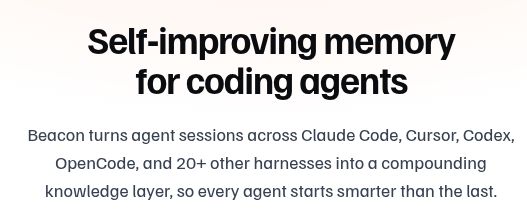
Product image: screenshot of the introduction on the official Beacon website by Asymptote Labs, captured November 10, 2026.
Featured image: Screenshot of the official Beacon website icon rendered from its public SVG asset in a native image viewer, captured November 10, 2026. Source: Beacon’s official icon asset.