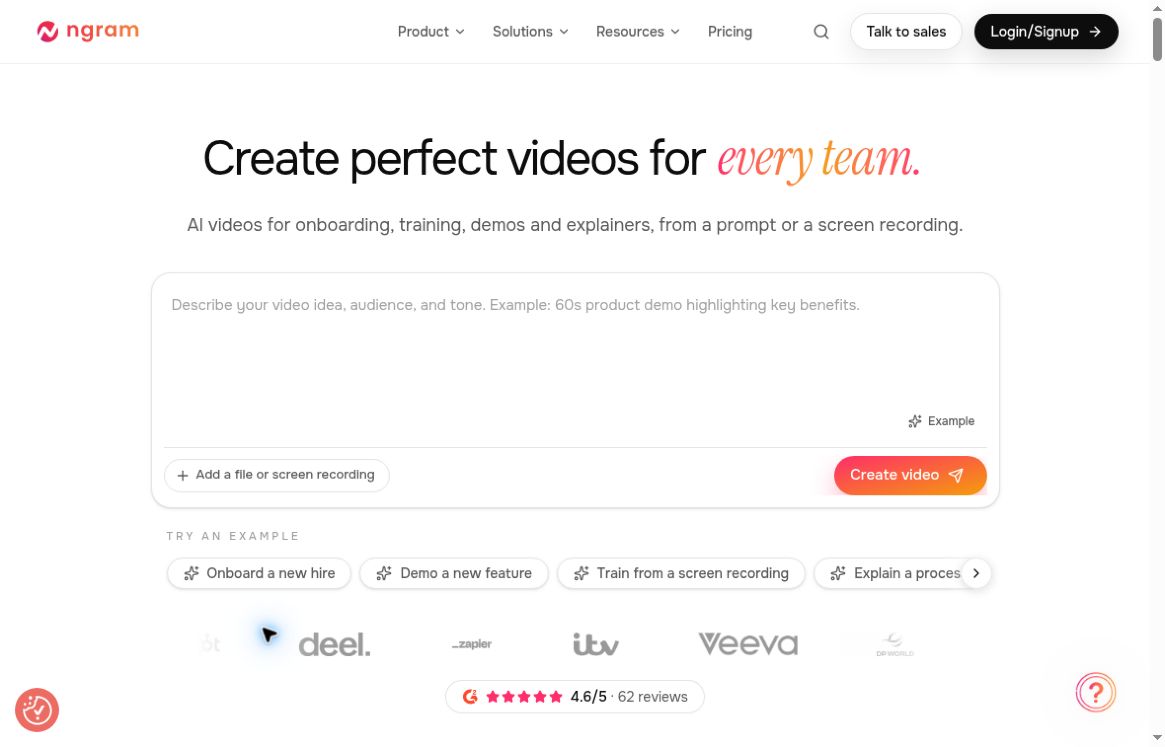
Official ngram homepage, captured October 19, 2026. Source: ngram.com.
ngram is an AI video workspace for turning a brief or existing source material into an editable business video. Its main attraction is the sequence: describe the audience and outcome, review a production plan, then revise the generated result. That makes it worth considering for product explainers, onboarding clips and internal training when a team has the knowledge but little editing time. This review examines official product information and documentation; it does not claim hands-on testing or guaranteed production quality.
What is ngram?
The platform accepts starting points such as prompts, documents, URLs and recordings, then brings scripting, scenes, narration and visuals into one workspace. A finished project can be revised through natural-language requests or available editing controls. The official ngram website positions it around repeatable business communication across product, marketing, sales, support and people teams.
A useful distinction is the review step before production. You can challenge the proposed script, visual direction and pacing before approving generation. This is particularly relevant when a video must follow a real product flow: a polished animation that shows the wrong feature would create more work than it saves.
Features that matter in practice
- Source-led creation: use approved reference material to give a video more grounding than a short prompt alone.
- Plan approval: review the script and production details before the video is made.
- Conversational revisions: request a shorter opening, clearer explanation or change to a specific moment.
- Brand controls: supported Brand Kit settings bring organization assets into the workflow, with access varying by plan.
- Sharing and downloads: public watch links are available on Free; downloading the finished MP4 requires a paid plan.
The documentation hub separates creation, editing, branding, export and developer integrations. It also distinguishes the current experience from older V1 workflows. Check the guide for the interface you actually have rather than assuming an older tutorial describes every current control.
Where ngram could fit your work
Product launches: turn an approved feature brief and a clean screen recording into a short walkthrough. A good first assignment would explain one change, demonstrate it and end with a single next step. Avoid combining a release announcement, full tutorial and sales pitch in one clip.
Customer onboarding: create a focused explanation of one recurring task, such as inviting a teammate or completing an account setup. Supply the actual sequence and terminology. Keep policy details in the source document so reviewers can check whether the video preserved them.
Internal training: convert a procedure into a concise visual introduction, with a human owner checking the finished narration. Video can introduce a process, but employees still need access to its authoritative written instructions when exact steps matter.
These are suggested evaluation projects, not measured outcomes. To judge the tool fairly, choose a clip your team already understands and compare the time spent briefing, correcting and reviewing with your existing workflow.
How to start without wasting generations
- Create an account and check the available credit balance.
- Prepare a narrow brief naming the intended viewer, the main message and the action the viewer should take.
- Attach permitted sources, then inspect the offered model, length, voice, presenter, format and brand settings.
- Read the credit estimate and proposed plan. Correct factual or structural problems before approving it.
- Watch the full result, request targeted revisions and verify the selected version before sharing or downloading.
These steps follow ngram’s first-video guide. For a product demo, an example brief could be: “Make a 45-second onboarding video for new workspace administrators. Use the attached recording for the exact clicks, explain only teammate invitations and end by asking viewers to invite one colleague.” This is an editorial example, not a tested prompt.
Pricing, credits and export limits
The official pricing page lists Free, Basic, Premium, Ultimate and custom Enterprise options. Free currently includes 600 one-time credits without a credit card. Paid plans offer monthly or annual billing, with different credit capacities and export quality. Check the live checkout for the final amount, currency and tax treatment; this review does not assign an unverified currency to the public dollar-symbol prices.
Credits are the practical budgeting unit. The public pricing page shows premium AI video generation at 10 credits per second and a cheaper-model option at 3 credits per second. Its duration illustrations assume credits are spent on generation. They should not be read as a guaranteed number of completed videos.
Actual generated duration and revisions can affect usage. The credits guide explains reservations and final charges, so inspect the in-product estimate and Usage history. The export guide also makes an important distinction: a playable preview may appear before the downloadable MP4 has finished rendering.
Limitations and checks before publishing
AI-generated factual claims, captions and interface depictions need a review pass. For sensitive or proprietary source material, examine the account’s data settings before uploading: ngram’s terms distinguish paid customer content from Free-tier content, which may be used for improvement or training unless the user opts out prospectively. Obtain the required rights and consent before using another person’s voice, face or assets.
The terms also limit Free-tier outputs to personal, non-commercial use; business publishing requires a paid plan.
Feature availability also depends on plan and workflow. Do not assume that an older V1 export option, an advertised maximum resolution or a particular model will apply to every new project. If you want another point of reference, GPTOnline’s InVideo overview is a relevant starting point for comparing video-creation workflows.
Verdict
ngram deserves a small, well-defined evaluation if your bottleneck is turning existing product knowledge into a reviewable video. Its appeal is the combination of planning, generation and revision. Start with one short non-sensitive project, check the complete output and actual credit use, and only then decide whether its workflow fits your team’s publishing needs.