SpeakON combines voice-input software with an optional physical device, while its newer Agent direction focuses on turning spoken requests into tasks. The key purchasing distinction is easy to miss: voice typing, a hardware bundle and priority beta access to Agent are not the same thing. This guide separates them before suggesting a low-risk way to evaluate the workflow.
What is SpeakON Agent?
The official Agent page presents a sequence in which a spoken request becomes structured tasks, relevant context is gathered, and the user reviews actions before approval. Its demonstrations include notes, calendar events and messages. These are vendor examples, not results independently tested for this article.
SpeakON is operated by NOTTA PTE. LTD., according to its privacy policy. It is a distinct device-and-app product, not simply a new name for the Notta service. Do not assume that a Notta subscription, feature or integration automatically transfers to SpeakON.
Why the recent Agent update matters
SpeakON’s official newsroom lists October 20, 2026 coverage introducing its personal Agent for iPhone. That is evidence of the recent Agent positioning, not a claim that the original SpeakON product first launched then.
The practical question is whether you only need to capture words or also want help preparing follow-up work. A well-written note can be useful without account connections. Sending that note to someone, creating an event or acting across services introduces additional permission and verification requirements.
Free software, paid device and beta access
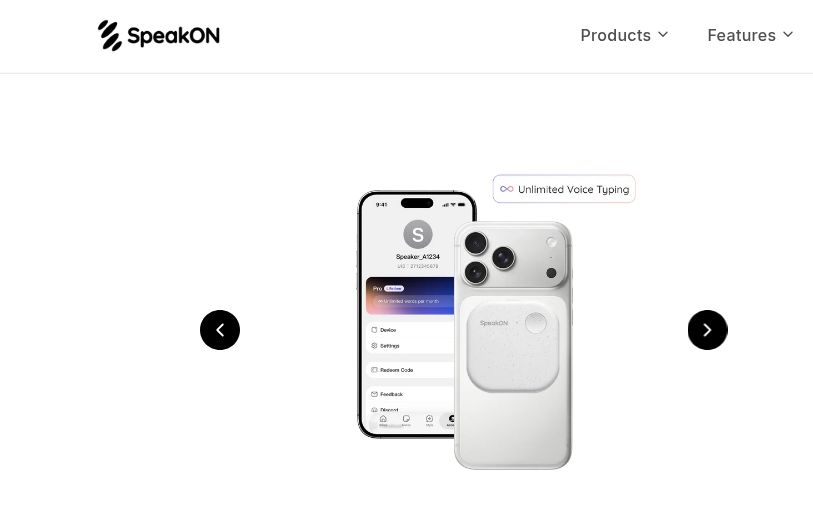
At the time checked, the official Agent page describes a software-only Free option with 2,000 words per week and no hardware requirement. Its one-time Pro Lifetime bundle includes a device, unlimited voice typing and core features. Crucially, the Agent benefit is described as priority beta access, not guaranteed immediate access to every demonstrated action.
Before paying, confirm your account’s eligibility, supported phone and app version, available connections, regional checkout currency, taxes and delivery. This article does not quote a numeric purchase price because the displayed dollar symbol alone does not establish the applicable currency and final regional cost. A lifetime voice-typing offer should not be read as a promise of unlimited future agent execution.
A hypothetical workflow: turn a note into a draft
Suppose you finish a short planning call and want to prepare a follow-up for a colleague. Begin with ordinary, non-confidential details and ask for a draft rather than immediate delivery:
Create a note saying that I will send the revised outline on Friday. Draft a short follow-up to Morgan, but do not send it or create a calendar event. Ask me which Morgan if the recipient is unclear.
This is an example evaluation request, not a guaranteed supported command or a report of a successful test. If Agent is unavailable to your account, evaluate voice capture and text editing separately instead of assuming that buying hardware unlocks the whole example.
What to check before approving an action
- Names: did it preserve the correct colleague, project and organization, rather than selecting a plausible match?
- Dates: replace “Friday” with the actual date before any commitment reaches another person.
- Meaning: verify that a tentative idea has not become a promise, deadline or instruction.
- Destination: inspect the exact recipient and service, not just the polished message.
- Result: after an approved action, check the destination application before repeating it. A prepared draft is not proof of delivery.
Privacy and practical limitations
The privacy policy covers recordings, transcripts, generated text, notes and information associated with connected services. Review what you are providing and which permissions each connection requests. The presence of a physical button does not, by itself, establish that processing is entirely local or that sensitive content never leaves the phone.
For a first trial, use invented names and harmless sample notes. Avoid workplace secrets or other people’s private information until you understand the applicable handling rules. Keep human approval for outward-facing messages and commitments, even when a demonstration makes the sequence look automatic.
If your main need is capturing speech at a computer rather than initiating phone-based actions, our Talkhawk voice-dictation overview provides a separate option to examine. Choose around the task and platform you actually use—not the number of actions shown in a promotional sequence.