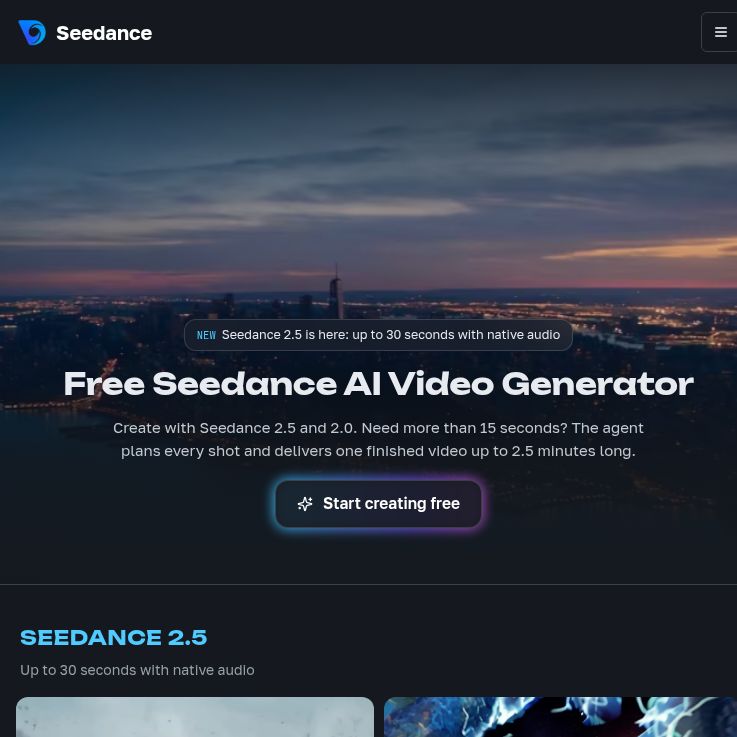
Updated October 18, 2026. Seedance TV is an independent browser-based AI creation platform at seedance.tv. It offers access to several video models through one account and a shared Credit balance. This article covers that service and its prices, rather than treating it as ByteDance’s own website.
Screenshot of the independent Seedance TV platform homepage, captured October 18, 2026. The page includes provider claims and example visuals; no video was generated for this review.
Who operates Seedance TV?
The Seedance TV homepage explicitly says the platform is not affiliated with, endorsed by, sponsored by, or operated by ByteDance. Its Terms of Service name ASTROINSPIRE LTD as the operator.
Seedance is also the name of ByteDance’s video-model family. ByteDance publishes its own Seedance 2.5 model information. A subscription to seedance.tv is a purchase from the independent platform; it should not be presented as a ByteDance subscription or official API account.
Video features and model limits
Seedance TV supports text-to-video, image-to-video, and reference-based workflows. Its homepage also lists models from other providers, including Veo and Kling. The service runs in desktop and mobile browsers, with downloadable results and no required app installation.
- Seedance 2.0: the platform’s model page describes text, image, video, and audio inputs, joint audio-video generation, and clips up to 15 seconds at up to 1080p.
- Seedance 2.5: the service’s 2.5 page describes clips up to 30 seconds, reference inputs, and audio generation. Available resolution and mode settings must be checked in the generator. Its homepage currently lists up to 720p for this model.
- Video Agent: the agent workflow organizes a brief and reference assets into a production plan, lets users review intermediate work, and provides reusable project assets. The homepage advertises assembled videos up to 2.5 minutes; that is a multi-shot workflow, not the length of every individual generated clip.
These are documented capabilities, not results verified in a hands-on test for this article. Subject consistency, believable motion, speech, and accurate product details still require review. A model’s maximum resolution does not mean every mode or free account offers that setting.
Seedance TV pricing and Credits
Pricing checked October 18, 2026, in USD; applicable taxes appear at checkout.
Plan
Mini
- Monthly billing: $39/month
- Annual billing, paid upfront: $336/year, equivalent to $28/month
- Credits per month: 400
Standard
- Monthly billing: $80/month
- Annual billing, paid upfront: $672/year, equivalent to $56/month
- Credits per month: 1,600
Plus, base allowance
- Monthly billing: $160/month
- Annual billing, paid upfront: $1,344/year, equivalent to $112/month
- Credits per month: 4,800
Annual plans release Credits monthly, not as one yearly balance. Monthly allocations do not roll over. Add-on packs are listed with 90-day validity. Generation costs depend on the model, length, resolution, and audio settings; check the displayed charge before starting.
Advertised video counts assume the cheapest settings. Paid plans list watermark-free output and commercial-use rights subject to the terms. Cancellation takes effect after the current billing period.
What does the free allowance include?
New accounts are advertised 12 starter Credits without a card. These do not promise daily replenishment. Free Seedance and Veo videos have a watermark. Starter-credit expiry was not established; check your account conditions.
Do not assume starter Credits will cover whichever model is featured in a headline. The exact model and settings determine whether the balance is sufficient.
Example workflow: a product-video concept
This hypothetical workflow shows how to plan a small experiment; no video was generated for this review.
- Define one purpose. Suppose you want a 15-second concept for a ceramic mug. Write a three-shot outline: a wide desk scene, a close-up of the handle, and a final product composition. Avoid implying performance claims that have not been substantiated.
- Prepare cleared references. Use your own product photographs with a plain background. Remove unrelated customer information or people. Note details that must remain unchanged, such as the handle shape, glaze color, and logo placement.
- Make a focused prompt. For the first shot, try: A blue ceramic mug sits beside a closed notebook on a light wooden desk. The camera slowly moves forward. Soft window light. Preserve the mug shape and color. No added text or people.
- Inspect the estimate. Select the actual model, five-second duration, aspect ratio, resolution, and audio options. If the screen quoted four Credits per clip, two versions of each of three shots would require 24 Credits. That is a budgeting example, not a fixed rate for all models.
- Approve the visual before expanding. Compare the handle, printed marks, proportions, and reflections against the source photograph. Regenerate or change the brief if the object changes. A visually attractive clip can still be unsuitable as a truthful product demonstration.
- Finish and check. Assemble approved shots, add accurate copy in an editor if necessary, inspect audio and transitions, and review the export at the intended viewing size. Keep the brief, reference permissions, and final file with the project.
Commercial use, privacy, and refunds
The terms allow personal or authorized commercial use, but users remain responsible for input rights and necessary licensing. Real-person references require the permissions specified in the terms, and the service is restricted to adults. Uploads depicting minors are prohibited. Realistic synthetic portrayals of a real person or event must be clearly labeled as AI-generated under the platform’s rules.
The privacy policy says it collects prompts and generation history and uses created content for processing, support, and improving its video-generation algorithms. It allows disclosure to service providers in specified circumstances. Do not assume uploads are excluded from service improvement or suitable for confidential client material without further confirmation.
The refund policy lists a three-day window after an initial subscription purchase, a maximum of 20 Credits used, and an 8% processing deduction. Credit-pack purchases are non-refundable. Read the current terms before committing, especially if you are considering annual billing.
Who should consider it?
Seedance TV may be useful for creators who want a browser interface for trying video models, planning visual concepts, or iterating on social-video drafts. A production team should first establish its acceptable revision cost, asset-permission requirements, output checks, and data-handling needs. The service’s marketing examples do not guarantee that a particular brief will work on the first attempt.
For other video workflows, explore GPTOnline’s Videos category.