Updated October 17, 2026
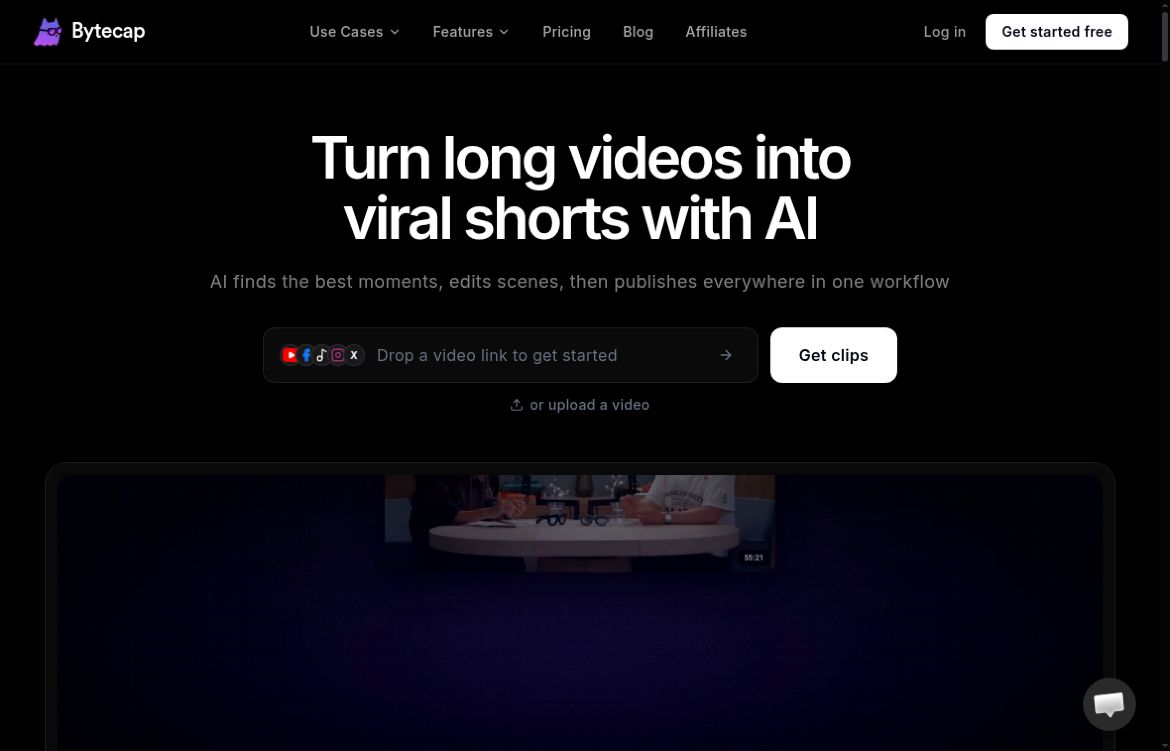
Screenshot of Bytecap’s official homepage, captured October 17, 2026. Marketing copy and a provider demonstration are shown for identification; no video was uploaded or clipping result tested.
ByteCap AI is a browser-based video workspace for turning recordings into shorter, captioned videos. Its current offering combines clip selection, editing, reframing and publishing tools. It can be useful for a podcaster, educator or marketing team with existing footage to reuse, but the generated clips still need an editor’s judgment.
What ByteCap Does
The Magic Clips workflow accepts a video upload or supported link and suggests shorter segments. ByteCap describes using signals such as hooks, pacing, reactions and visual changes to select candidates. Treat those suggestions as a shortlist: a compelling excerpt also needs enough context to represent the speaker accurately.
The platform’s tool directory includes editable captions, caption translation, reusable brand assets, B-roll, thumbnails, hook titles and faceless-video creation. These features address different jobs. Captioning transcribes existing speech; a faceless-video workflow can involve generated narration and visuals. Neither should be assumed to reproduce facts or pronunciation perfectly.
Auto Reframe is presented as a way to convert horizontal footage into an editable vertical project. Check the crop after processing, especially when a speaker points to a slide, an object moves across the frame or several people appear. An automatic crop can preserve a face while losing information the viewer needs.
A Practical Podcast Example
Suppose you have permission to reuse a recorded interview and want three short clips: one answer to a common question, one practical demonstration and one takeaway. Import a representative section, review the proposed segments and compare each against the source recording before editing.
- Keep the question or enough setup to make the answer understandable.
- Correct names, numbers, technical terms, speaker changes and caption timing.
- Inspect vertical framing and keep captions clear of faces and platform controls.
- Check the rights and relevance of music, B-roll and generated visuals.
- Watch the exported file with sound, then without sound, before scheduling it.
This is a suggested workflow, not a report of hands-on testing. We have not uploaded a recording, measured transcription accuracy or compared ByteCap’s clip suggestions against human editors. A vendor’s virality score or testimonial does not guarantee views, retention or sales.
Plans, Credits and Limits
The current pricing page displays:
- Free: 50 monthly credits, watermarked exports and 1080p at 30 fps. Long-video AI clipping is excluded in the comparison table.
- Starter: $15 per month with 150 credits and no watermark.
- Pro 1: $29 per month with 300 credits; the main card advertises 4K/60 fps and higher-priority processing.
- Business: a custom quote with negotiated allowances.
Paid clipping uploads are listed at up to four hours and 8 GB. Credits are feature-dependent: the displayed calculator equates 30 captioning minutes with 30 credits, which should not be generalized to clipping or generated video.
The page contains inconsistent comparison sections for some fonts, automation counts and publishing options. Confirm the selected pack, feature allowances and export settings before payment. We verified displayed dollar prices, not a currency code, tax-inclusive total or annual checkout offer. Credit rollover and precise charging rules for every tool were not established.
Publishing Is Separate from Exporting
The content-calendar page describes scheduling and connected-account publishing for services including YouTube, TikTok, LinkedIn and X. However, it labels Instagram and Facebook as coming soon, even though the pricing comparison lists them. Confirm which destinations are actually enabled in your account before choosing ByteCap for a publishing pipeline.
Creating a vertical video suitable for a platform does not establish that direct publishing to that platform is available. Connect only the accounts needed for your work, check the requested permissions and review the destination, visibility and scheduled time before enabling an automated post.
Billing, Content Rights and Privacy
ByteCap’s terms, dated February 22, 2026, require users to be at least 18. Paid subscriptions recur and are charged in advance. Cancellation keeps paid access through the billing period. Fees are generally non-refundable; requests made within seven days may be considered at the company’s discretion, rather than being a guaranteed refund.
The terms say users retain their content and give ByteCap a service-delivery license, but third-party AI and media terms still apply. You must have permission to upload and reuse the material. Ownership language is not a guarantee that generated output is unique or cleared of third-party rights.
The privacy policy, also dated February 22, 2026, describes account and usage information, external AI processing and stored authorization tokens for connected services. It says video projects and uploads are deleted after three months of inactivity, or on request. Keep your own copies of important source files and finished work.
The policy states that uploaded content is not used for marketing, while also explaining that submitted material goes to AI providers to deliver requested features. Do not interpret this as zero sharing, zero retention or a universal no-training guarantee across providers. Review the applicable processing arrangements before uploading confidential client recordings.
ByteCap is best evaluated with the kind of footage you actually produce. Check usable clips, correction time, export quality and credit consumption together. Compare other editing workflows in our AI tools directory if you need different controls or a confirmed publishing destination.