Updated: October 17, 2026.
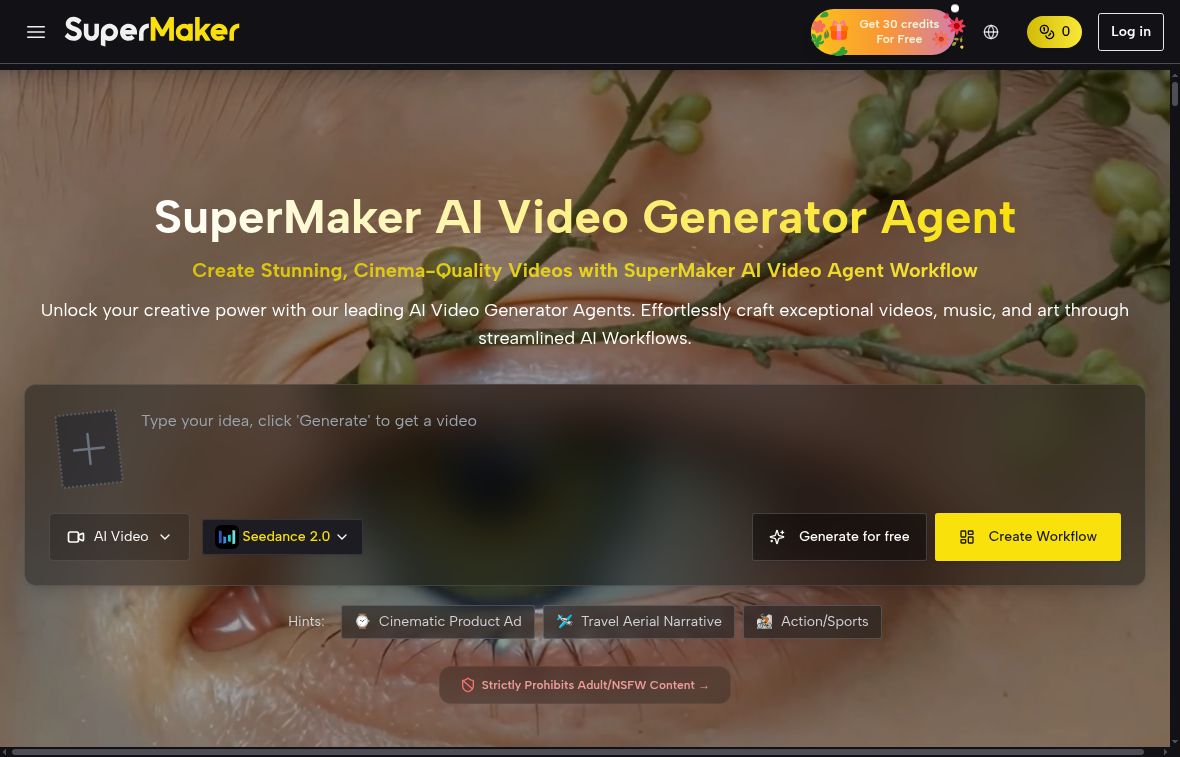
SuperMaker AI is a creative platform for generating video, images, voice and music. Its website combines text-to-video and image-to-video tools with a conversational interface and a node-based Canvas Workflow Studio. It can be useful for developing visual concepts and short media assets, but the site’s “cinema-quality” language is a marketing claim, not a result we have independently tested.
What can you make with SuperMaker AI?
- Video: start with a written idea or an image and choose an available generation model or effect.
- Images: create standalone visuals or reference assets for a video project.
- Voice and music: generate narration or musical material alongside visual assets.
- Connected workflows: the Canvas Workflow Studio describes linking text, image and video nodes into a multi-step project. The chat interface is presented as another way to develop creative ideas.
The official homepage advertises several third-party models and effects. Availability, controls and credit costs can differ by model; a feature listed for one model should not be assumed to apply to every tool.
A practical way to evaluate it
For example, a small business could explore a short product-video concept using a product photo it owns. This is an illustrative workflow, not a hands-on test of SuperMaker:
- Choose one short scene and prepare a reference image you have permission to upload.
- Describe the subject, action, framing and desired style. Check the selected model and displayed credit charge before generating.
- Inspect the result for changes to the product, unwanted text, inconsistent motion and other errors before making further generations.
- Add narration or music only after checking the relevant permissions and output quality. Review the finished file before sharing it.
This approach makes the platform easier to assess than assuming that one prompt will produce a complete, publication-ready film. We have not measured generation speed, character consistency or production quality.
Pricing and free credits
The following amounts were displayed on SuperMaker’s pricing page on October 17, 2026. The page uses a dollar sign; it does not explicitly identify the currency code in the visible plan cards. Confirm currency, taxes, billing and current terms before paying.
- Free access: the page advertises 10 credits with login and 30 credits a week through check-ins. These are limited promotional credits, not unlimited free generation.
- Monthly billing: $29.90 per month for 800 credits per month, or $49.90 per month for 1,800 credits per month.
- Annual billing: $100 per year for 2,400 credits per year, displayed as $8.30/month; $288 per year for 9,600 credits per year, displayed as $24/month; or $360 per year for 21,600 credits per year, displayed as $30/month. The displayed monthly equivalents are not monthly-payment plans.
- One-time purchase: $199.90 for 4,900 credits or $499.90 for 14,900 credits.
The free-plan card marks HD watermark-free downloads, unlimited Canvas projects, faster generation and private generation as unavailable. The paid cards list these features as included. The site’s “up to” output counts should not be added together as separate allowances: video, image, music and voice use the shared credit balance, and actual costs depend on the selected service.
The subscription page states that unused credits roll over. Its refund policy sets conditions, including a request within 10 days, unused purchased credits and a valid reason. Eligible partial refunds are proportional to remaining credits; exclusions apply. Cancellation language should not be read as an unconditional money-back promise.
Commercial use, privacy and limitations
- Check rights before publishing: the terms require rights and permissions for uploaded or created content. We could not verify a blanket commercial-use license covering every model and output, so a paid plan alone should not be treated as complete rights clearance.
- Review sensitive uploads: the privacy policy describes collection of account/payment information and cookie-based analytics and advertising. It does not clearly settle every question about retention or training use of creative uploads. Ask the provider before uploading confidential client material.
- Age restrictions: the terms require users to be at least 18, or the age of legal majority where they live if higher. Educators should not assume the platform is available for direct use by children.
- Quality varies: inspect generated visuals and audio rather than relying on promotional promises of studio-level output or perfect synchronization.
Platforms and who it may suit
SuperMaker is available through its website, and its official site links to an iOS app and an Android app. App availability and in-app prices may vary; do not assume the web plans and app offers are identical.
It may suit adult creators, marketers or small production teams comparing an integrated set of generation tools. Projects requiring predictable costs, confidential uploads, specific commercial permissions or dependable character continuity need closer evaluation. Browse other AI tools to compare the workflow and limitations that matter for your project.
Review basis: public product, pricing and policy pages checked on October 17, 2026. No account purchase, generation benchmark or hands-on output test was performed.