Updated October 17, 2026
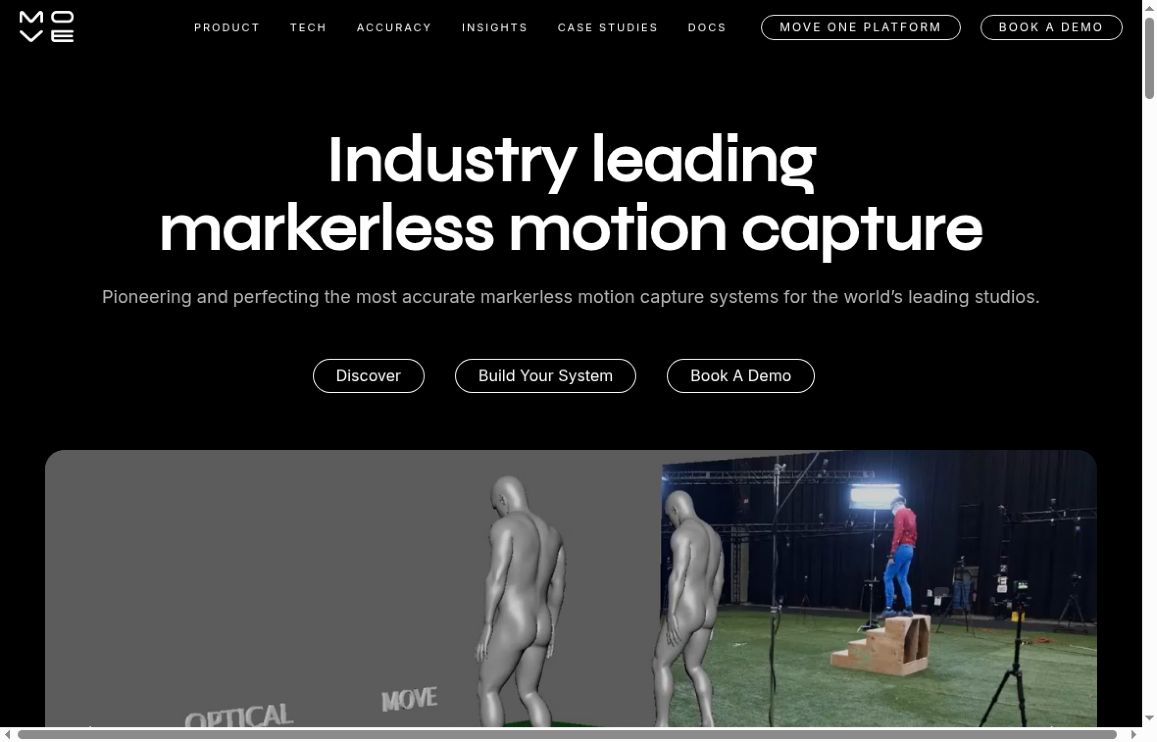
Image: screenshot of the public Move AI homepage (move.ai), captured October 17, 2026, for product identification. The vendor demonstration shown is not a GPTOnline hands-on test.
Move AI makes markerless motion-capture tools that turn filmed human movement into animation data. Its products serve different workflows: a solo animator working from one camera has different requirements from a studio installing a multicamera stage. The current website emphasizes Genesis, while the official knowledge base continues to document Move One and its web platform.
Move One and Genesis: Choose the Right Workflow
Move One is documented as a single-camera iPhone application, with a related browser platform for uploads, a gallery and subscription management. It is a capture-and-processing workflow, rather than a promise of live animation streaming. The single-file upload guide supports MP4, MOV and AVI files up to 1 GB. It recommends a stationary camera, one person centered in the frame, Full HD and at least 60 frames per second; it also warns that uploaded footage can produce variable results.
Genesis is the studio-oriented system featured on the current product page. Move describes local processing through a desktop application and Nvidia GPU, using a wired setup with 6–12 Z-Cam cameras and lenses. The page lists capture volumes up to 20 × 20 meters, one-to-eight-person capture, timecode support and checkerboard calibration. Those are vendor specifications, not independently measured performance results. A suitable room, cameras, installation and computing hardware still matter even though performers do not wear marker suits.
Genesis also advertises Peel Capture integration and support for feeds from some existing mocap cameras. Ask Move to confirm your exact camera models, operating system, capture volume and export pipeline before budgeting for a system. Its configurator is described as illustrative, so a displayed estimate is not a complete production quote.
Exports and Practical Uses
Move One’s export documentation lists FBX, USDC, USDZ, Blender files and MP4 options. The Blender-file option requires Blender 4 or newer; biomechanics output is listed for the platform gallery. Choose the format your animation pipeline actually accepts.
For games, the output can provide a starting point for character movement. For film, previs or animation teaching, recorded performance can become material to retarget and refine. Move publishes Unreal Engine retargeting instructions, but importing a file is not the same as delivering a finished character performance. Rig mapping, timing and contact cleanup can remain part of the job.
A Useful First Test
Suppose you need a short walk-and-turn animation for a game character. Record a consenting adult performing a simple ten-second take with the camera fixed and the whole movement visible. Follow the capture guidance, process a short sample, export it and retarget it to the intended character.
Check whether the feet slide, the turn transfers correctly and the hands or limbs need correction. Then try a representative harder movement before committing to a larger shoot. Compare the total capture, processing and cleanup time with your existing workflow. This is a suggested evaluation exercise; we have not recorded footage, processed a take or benchmarked Move AI for this article.
Pricing and Credits: Confirm the Applicable Plan
The official Move One pricing article currently displays the following monthly amounts, plus VAT or the equivalent in your currency:
- Starter: $18 with 60 credits.
- Standard: $48 with 180 credits.
- Plus: $225 with 240 credits.
- Advanced: $490 with 700 credits.
That article lists 30 one-time free credits, no rollover of monthly allowances, and a charge of one credit per person-second for s1 or two for s2. It lists recording limits of 30 seconds for free users and 60 seconds for paid users. It also describes paid overages and says purchased credits require an active subscription.
Important pricing limitation: these are the knowledge-base figures, not a verified checkout offer. The public pricing URL it links to returned a 404 during this review, and we could not verify the live platform’s plan selector, currency code, annual terms or overage rates. Confirm those details before subscribing; do not treat older plan tables as a quote. Genesis requires a separate sales discussion. API pricing is also separate from an app subscription.
Move’s cancellation guide distinguishes platform subscriptions from legacy App Store billing. Cancel through the channel that manages your subscription; the guide says access continues until the current billing cycle ends.
Licensing and Performer Privacy
The Move One EULA grants a conditional output license rather than simply saying you own everything generated. It assigns motion-data and output rights to Move, requires permissions from contributors, and restricts competing-product and AI-training uses. It also grants Move rights to use supplied materials for product development, training and improvement. The EULA also provides for automatic subscription renewal. Confirm the applicable agreement and client-use permissions before uploading commissioned or confidential performances; do not assume an older “commercial plan” label settles every licensing question.
The privacy policy, dated August 21, 2025, covers video-related metadata, derived motion and output, and describes service-provider sharing, possible international transfers and purpose-based retention. It also discusses demonstrating product capabilities and improving services with data. Local Genesis processing should not be used to infer that every Move product keeps all information offline. Ask about the chosen deployment, retention and contractual data-use terms.
Move AI is worth evaluating when you need animation data from a recorded performance and can budget for capture setup and cleanup. Start with a small, representative test and a confirmed license and price, rather than assuming guaranteed accuracy, real-time output or savings. For other workflows, browse our AI tools directory.