Notion AI brings writing assistance, search, meeting notes and agent workflows into a Notion workspace. It is most useful to evaluate around work you already keep there: finding a decision, turning notes into a draft, or organizing a small project database. Access depends on your plan, workspace settings and the feature you use.
Originally published March 20, 2025. Updated October 15, 2026. This guide is based on official documentation and public pricing information. We did not submit prompts, connect an account, record a meeting or run a hands-on product test for this update.
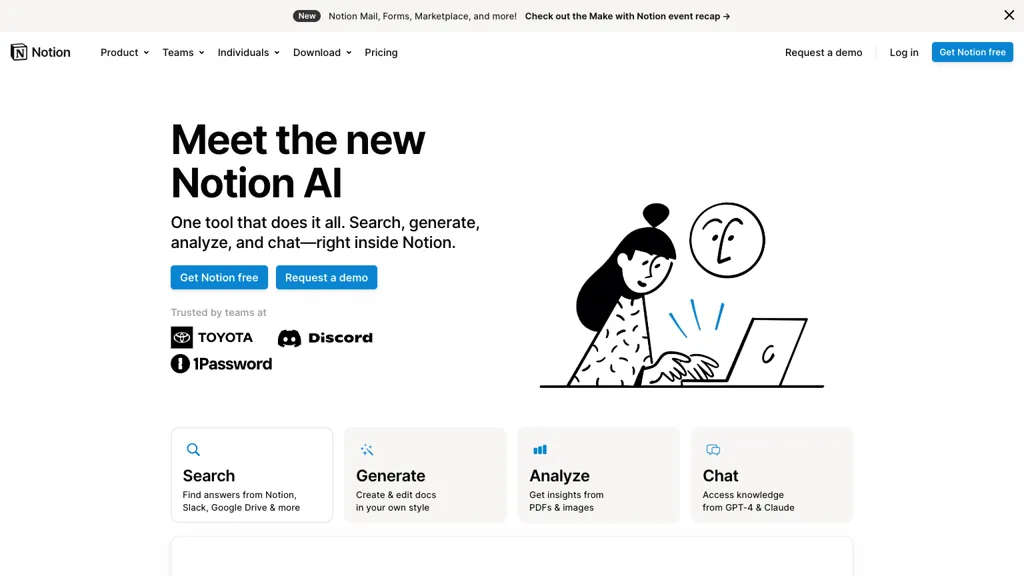
Archival image retained from the original 2025 article: a Notion AI promotional page with a person using a laptop and Search, Generate, Analyze and Chat cards. Its interface, model names and offers may differ from the current product. It is not a GPTOnline test result.
What Notion AI can do
The official feature overview describes several ways to work with Notion AI:
- Write and revise: Draft content, summarize a page, adjust wording and translate text.
- Find information: Search accessible workspace content and supported connected apps. Research Mode can combine work sources and web information into a report.
- Organize work: Create databases and use autofill to extract or summarize information into properties.
- Work with files: Use uploaded material as context and prepare downloadable outputs for supported tasks.
The personal Notion Agent can create and edit pages and databases within your permissions. Some operations remain outside its scope, including changing page-sharing permissions, managing workspace billing or security, and starting AI Meeting Notes. Review proposed changes and check important conclusions against the original material.
Plans and AI allowances
As checked on October 15, 2026, the pricing page distinguishes the following access levels:
- Free and Plus: Limited AI trial access. Paying for Plus does not by itself provide the Business AI entitlement.
- Business: Includes Notion AI, subject to feature-specific allowances and settings. The published starting rate is US$20 per member per month with annual billing, corroborated by Notion’s annual-plan pricing reference.
- Enterprise: Custom pricing, with additional administrative and security controls.
Notion’s trial documentation does not promise a fixed recurring free quota. A new AI response, including a retry, can consume the trial allocation. Once it is exhausted, the documented upgrade path is Business or Enterprise.
Business and Enterprise have six-hour and monthly usage allowances for certain features, including personal Agent chat, page translation and image generation. Access can pause until the relevant window resets. Administrators can enable paid credits for additional usage; this option is off by default. Premium models use credits separately and need administrator approval to become available.
Check the current currency, billing interval and checkout total before subscribing. Plans are billed upfront per member, per workspace and renew automatically.
What Notion credits cover
Notion credits are a shared workspace add-on for Business and Enterprise. They cover Custom Agents, Workers, premium models and enabled usage beyond the AI allowance.
- Monthly credits: $10 per 1,000 credits, resetting each month. Unused credits do not roll over.
- Annual credits: $13 per 1,000 credits, paid upfront and usable until the subscription renews. Unused credits expire at renewal.
For in-product billing, the credit type follows the monthly or annual plan; sales-managed arrangements can differ. The credit page lists these dollar amounts separately from the base subscription, so confirm your checkout currency and total. Annual credits provide a flexible yearly pool but cost more per unit. These charges should not be described as a flat-price, unlimited AI add-on.
Custom Agents handle configured recurring work through schedules or events. They use explicitly granted sources and permissions. Start with a narrow workflow, inspect its activity and measure credit use before expanding its responsibilities.
Example: a weekly project update
This original exercise uses invented project facts. It illustrates how to evaluate an AI-assisted workflow; it is not a result produced by Notion AI during our review.
Create three short practice pages without confidential information: a project plan targeting Friday’s launch, a design note confirming that the onboarding copy is approved, and a QA note reporting a failed payment-retry test with no owner assigned.
- Give specific sources: Reference those three pages rather than asking for an update from the entire workspace.
- Set the task: Ask for a brief with completed work, blockers, missing owners and the next decision. Require a source reference for each factual statement and prohibit inventing dates or assignees.
- Check the central distinction: Friday is a target, not evidence that the release is ready. The approved copy is completed work; the payment issue is still unresolved.
- Review the next step: The brief should flag the missing owner and the need for a retest. It should not assign someone or announce a confirmed launch without your decision.
- Approve before sharing: Open the cited pages, correct any omissions and check the intended audience’s access before sending the update.
A useful evaluation measures whether the accepted brief is accurate and saves review time. A polished paragraph that quietly turns an unresolved issue into completed work fails this exercise.
Connected apps and meeting notes
AI connectors generally require Business or Enterprise, although the personal Gmail connector is free to connect on all plans. That exception does not remove AI usage limits. Supported sources include Slack, Google Drive and Microsoft Teams. Setup permissions and supported actions vary by app.
Allow time for indexing: Notion documents up to 36 hours for initial ingestion and up to three hours or longer for new content. Connector search is aimed at finding and summarizing information; Notion cautions against relying on it for complex calculations or broad data analysis across large collections.
AI Meeting Notes can transcribe conversations and produce summaries, with a ten-hour daily limit per user. It is available on Business and Enterprise, plus eligible mobile subscriptions that include AI. Desktop capture can use system audio and the microphone. Browser and mobile capture use the microphone, so remote participants may be missed when you use headphones. Obtain participants’ consent before recording, and check names, decisions and action items in the transcript.
Which apps are available?
The main Notion mobile app is available for iOS and Android, alongside the web and desktop experience. Feature availability differs across platforms.
The separate Notion Agents app requires an iPhone running iOS 26 or later; its documentation does not list Android or iPad support. It supports personal-Agent chats and conversations with existing Custom Agents. Use the documented web or desktop workflow for building and managing Custom Agents. Do not assume that every function in one Notion app is available in the other.
Privacy checks before connecting data
According to Notion’s AI security practices, Notion and its AI subprocessors do not train models on customer data by default, and AI respects existing access permissions. Workspace settings can permit data sharing to improve Notion AI, so review the actual configuration.
Retention depends on the plan and feature. Enterprise workspaces receive zero retention with LLM providers by default; non-Enterprise providers retain customer data for no more than 30 days by default. Administrators can enable certain data-retaining models. These provider terms do not mean that workspace content is never stored by Notion.
External agents require separate review. For example, Claude agents in Notion are outside Notion’s zero-retention commitment because their stateful operation stores session data with Anthropic. Recording and uploaded-file workflows also have their own handling rules.
Notion describes a privacy program addressing GDPR, CCPA and other standards. That is not a guarantee that every use meets your organization’s obligations. Before adding confidential material, check which services receive it, who can access the results, the relevant retention settings and your organization’s approval requirements.
Is Notion AI a good fit?
Consider it when your team already maintains useful pages and databases in Notion and can check AI-assisted work against reliable sources. Start with a bounded task such as the project-update exercise, then compare accuracy, review effort and total plan or credit cost with your current process.
If you mainly need occasional rewriting, begin with the available trial responses before committing to a higher workspace plan. For a narrower writing-assistant comparison, see our Grammarly AI guide. Keep important decisions, external messages and changes to shared work under human review. Pricing, model choices and feature limits can change, so use the linked official pages before making a purchase.