
Updated October 23, 2026. Based on official documentation; no hands-on workflow test was performed.
| Name | Flowith AI |
|---|---|
| Overview | Flowith AI is an advanced productivity tool that leverages a canvas-based interface to facilitate multithreaded AI interactions. Its current documentation describes Agent Neo for multi-step tasks and Knowledge Garden for organizing source material and context. These tools support research and creative work, but generated results still need review. |
| Key Features & Benefits |
|
| Use Cases and Applications |
|
| Who Uses? |
|
| Pricing |
Prices, credit allowances and model entitlements vary with the billing period and promotions. Check the official pricing page and checkout before subscribing. Current official sections give inconsistent credit figures, so no numeric allowance or price is quoted here. Ask Flowith directly about any custom team or enterprise offer. |
| Tags | AI Productivity, Canvas Interface, Autonomous Planning, Knowledge Management, Multimodal AI |
| App Available? | Available through a web browser. The official onboarding guide also lists an iOS-app download option. Check current device compatibility, store availability and feature access; desktop and Android availability were not independently verified for this update. |
A practical way to use the canvas
- Set the task: state the goal, intended audience and desired output. Add only source files you are permitted to use.
- Explore and check: use separate branches for alternatives, inspect the agent’s actions and compare claims with the original source material.
- Review before sharing: check calculations, citations and generated assets, confirm credit usage, and grant edit access only to intended collaborators.
See the Agent Neo guide and sharing-permissions guide. This editorial workflow is not a performance guarantee. The use of Agent Neo here follows current documentation and does not establish that the earlier Oracle Mode was formally renamed or discontinued.
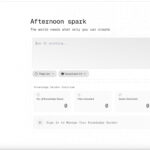
Image: existing Flowith workspace screenshot showing the prompt area and Knowledge Garden. Source: Flowith; original capture date unknown, reviewed October 23, 2026. This historical interface is for product identification, not proof of current model or agent availability.