Updated October 29, 2026
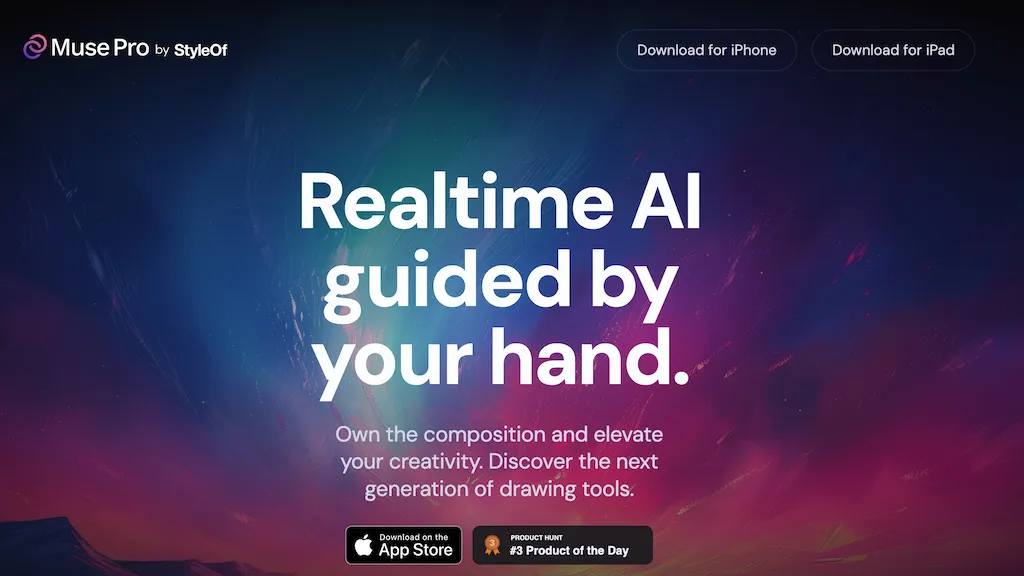
Image: an earlier Muse Pro website view retained for product identification; original capture date unknown, reviewed October 29, 2026. Its Product Hunt ranking and creative-performance wording are historical provider promotions, not independently verified results. “Own the composition” is not a confirmation of legal ownership of generated content.
| Field | Details |
|---|---|
| Name | Muse Pro |
| Overview | Muse Pro is StyleOf’s AI-assisted drawing app, promoted primarily for iPad. It combines brushes and layers with drawing-guided generation, text prompts and controls for changing an image’s direction. These tools can support visual exploration, but they do not guarantee improved drawing skills or a finished professional illustration. |
| Key features & benefits |
These are provider-described features, not measured performance results. |
| Use cases and applications |
Review generated details and export quality before using an image in a client project or print job. |
| Who uses? | Artists and illustrators, digital-art enthusiasts, creative professionals, designers and hobbyists who want an AI-assisted sketching workflow. |
| Pricing | The US App Store listing checked October 29, 2026 shows a free download with in-app purchases: Muse Pro Weekly at US$8.99 and Muse Pro Monthly at US$29.99. Free download does not establish unlimited free AI use. Trial eligibility, included usage and feature entitlements were not verified; check the purchase screen and local storefront before subscribing. |
| Tags | AI Drawing, Digital Art, Creative Tools, Artistic Assistant |
| App available? | The listing specifies iOS/iPadOS 16.4 or later, macOS 13.3 or later on an M1-or-newer Mac, and visionOS 1.0 or later. It is designed for iPad and marked not verified for macOS. These are listed requirements, not device tests; Android availability was not verified. |
A practical sketching example
For a hypothetical poster of a small greenhouse, draw the main building and plant shapes yourself, then describe the mood and colors you want. Explore a few variations, pause the AI while adjusting the composition and keep lettering separate so you can check it carefully. Inspect edges, plant shapes and any generated text before exporting. This is an illustrative workflow, not an image generated or tested for this review.
Privacy, rights and output checks
Use reference images and other assets you are authorized to upload. AI enhancement can alter details rather than merely sharpen them; inspect the result at the intended size and do not assume that upscaling makes every image suitable for print. Keep a separate copy of work you cannot afford to lose.
Apple’s developer-reported privacy label lists identifiers, usage data and diagnostics as data not linked to identity; Apple has not verified those disclosures. The linked full privacy policy and terms could not be retrieved during this review, so retention, AI-training practices and detailed content-use rights remain unverified. Avoid confidential client material until you have checked the applicable arrangements.
Sources checked October 29, 2026 (UTC): official Muse Pro website and its linked US App Store listing. No app was installed, account created, subscription activated or artwork uploaded or generated.
The legacy Twitter and Instagram links in the “Find them online” section were not confirmed as current official accounts during this review. The linked App Store listing identifies StyleOf as the developer; no app installation or subscription was tested.