Updated on October 20, 2026.
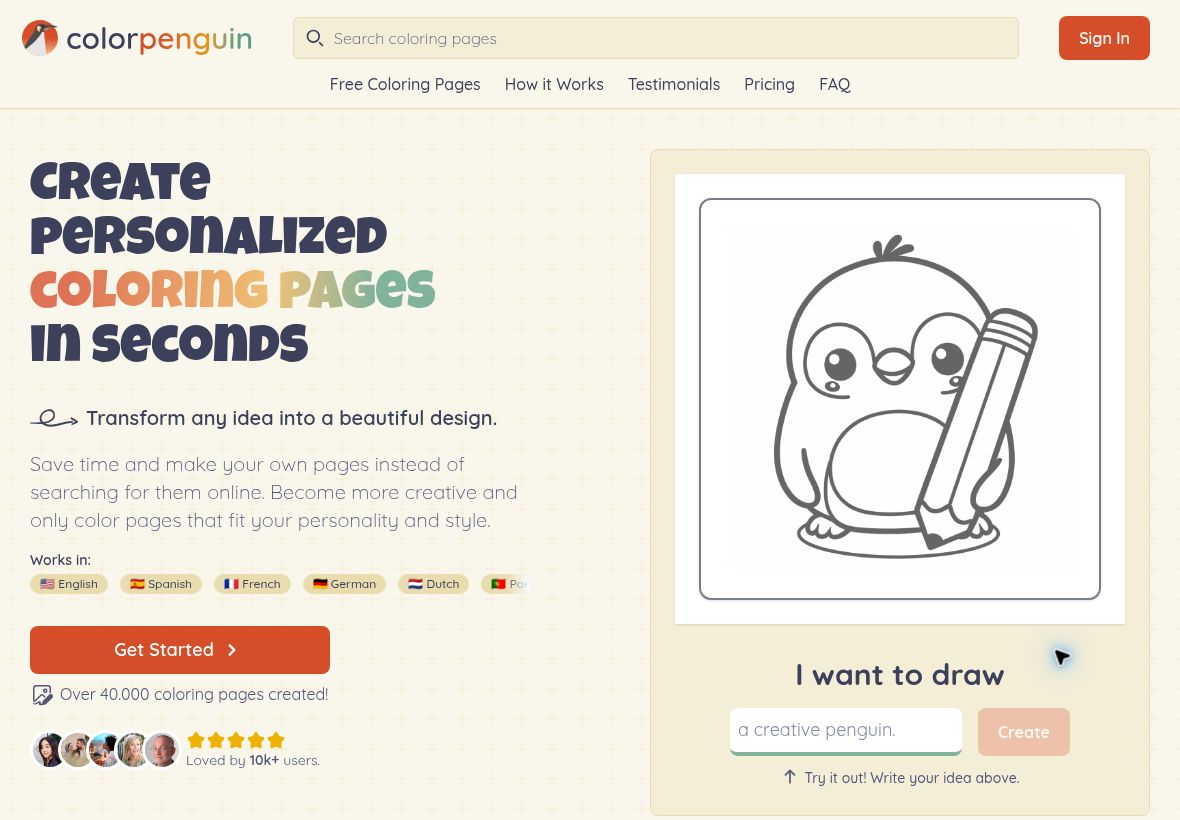
Featured image: screenshot of Colorpenguin AI’s official website, captured October 20, 2026. The default penguin illustration and unfilled demo form are the provider’s presentation; no image was generated in this audit. Speed, adoption and review claims are unverified provider claims. Editorial identification only; no hands-on product test.
ColorPenguin AI turns written ideas into printable coloring pages. Its official website also offers photo-based creation on paid plans, age-based complexity settings, and PDF or PNG export. It is designed for personal activities, educational materials, adult coloring, and, on the appropriate plan, commercial coloring-book projects.
Creating a page around a specific idea
The documented workflow starts with a description, followed by an age setting. Preschool options emphasize large, simple shapes; older-child settings add moderate detail; teen and adult settings support more intricate patterns. The site shows styles such as Bold & Easy, mandala, text-based designs, and zentangle.
For a classroom animal theme, describe a single recognizable subject and a simple setting. For an adult coloring project, ask for a more detailed composition while keeping the main shapes distinct. After generation, inspect the page before printing: line quality, accidental filled areas, small details, and misspelled text can make an otherwise attractive image difficult to color.
The provider acknowledges that complex descriptions can produce unclear results. Exporting a file does not establish that its anatomy, lettering, educational facts, or print layout are correct. This review checks documented features and does not claim to have generated or printed sample pages.
Free, Premium, and Business plans
The pricing page shows these monthly offers. Dollar amounts are reproduced as displayed; the page does not identify an explicit currency code, so confirm currency, tax, and the full commitment before paying.
| Plan | Monthly price | Allowance and key limits |
|---|---|---|
| Free | $0 | 5 images per week; public, square, standard-quality, watermarked pages; personal use |
| Premium | $7.99 | Up to 500 pages per month; private-page option, tall/wide/square formats, high-resolution output, no watermark, photo input, and up to 4 pages at once; personal use |
| Business | $29.99 | Up to 1,000 pages per month; Premium features, bulk download/delete, and commercial use |
CSV batch generation is still labeled “coming soon” on Business and should not be treated as available. The Yearly selector shows Premium at $5.99/month and Business at $22.49/month, both billed yearly with the same monthly page allowances. These are annual-plan monthly equivalents, not month-to-month charges; confirm the full annual payment at checkout. Its money-back statement is conditional: Premium or Business users must request a refund in writing within 30 days of purchase, have used no more than 20 generations, and include details of their experience.
Private designs and commercial use
Free-plan creations are public. Paid pages can be made private; this does not mean every paid creation is automatically private. Check the actual visibility setting before using personal photos or work-in-progress material. Use images you have permission to upload, and avoid including a child’s identifying details in public designs.
The service terms distinguish personal use on Free and Premium from commercial use on Business. Paying for Premium removes the watermark but does not grant the Business commercial-use entitlement. The provider’s ownership wording is also not a guarantee that an AI-generated page is legally protectable or free of third-party rights. Check characters, logos, reference photos, and any publisher’s requirements before selling a book.
Choosing the right use case
The free allowance can help evaluate simple themes, while Premium adds output formats and privacy controls for regular personal creation. Business is the relevant offer when selling generated pages is part of the plan. For an educator, confirm that the intended classroom distribution fits the provider’s permitted use instead of assuming every educational use is covered.
ColorPenguin is accessed through its website. A current official native mobile-app listing was not verified. Compare related creative products in our AI tools directory. Official sources checked October 20, 2026.