Updated October 18, 2026. Artbreeder AI is a browser-based collection of tools for generating, mixing and editing images. It combines text prompts, image references, visual controls and community remixing, making it useful for exploring character designs, scene ideas and different visual directions.
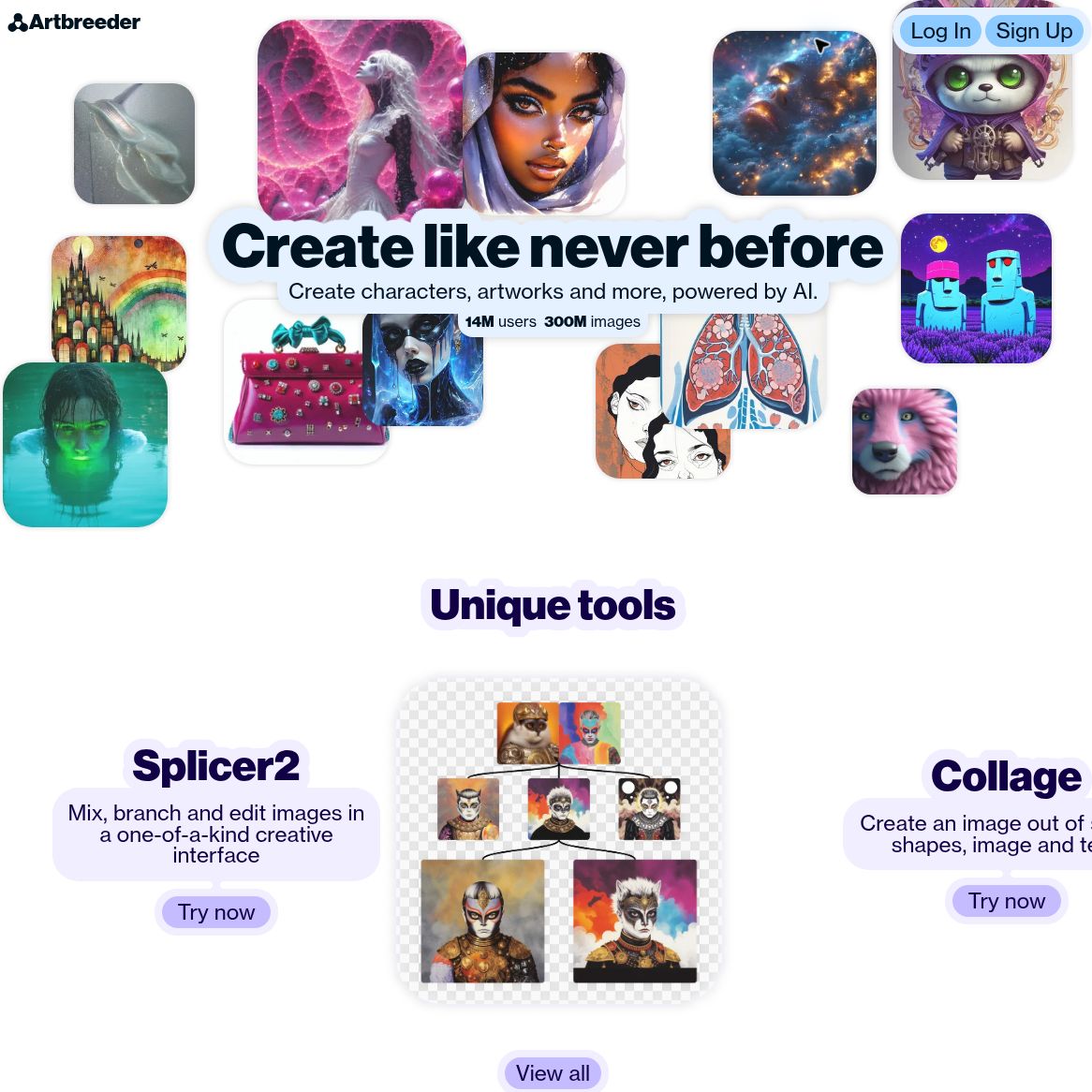
Screenshot of the official Artbreeder homepage, captured October 18, 2026. Example images and audience figures are presented by the provider; we did not generate images or verify those figures.
The current product extends beyond the original gene-slider workflow. Its official tools directory includes Splicer 2, Mixer 2, Prompter, Composer, Collager and Animator alongside older tools. This overview reflects official pages checked on October 18, 2026. We did not generate images or test a paid account.
Which Artbreeder tool should you use?
- Splicer 2: explore branching image variations through mixing and editing. It suits a process where you want to compare several directions from a starting image.
- Mixer 2: combine image references and text guidance to develop new concepts. The official announcement describes using up to four input images and refining the generated prompts.
- Prompter: start from text or use supported instruction and inpainting modes to change an image.
- Composer: combine references for style, content and composition, with controls for directing their influence.
- Collager: use shapes and images to guide the layout of a new image.
- Animator: generate motion from text and images. The tools directory marks it as a Pro feature.
- Legacy Splicer and Outpainter: use gene-based image variations or expand an existing image beyond its original boundary.
The official update log documents new models and workflow changes. For example, its September 2026 update describes multiple starting images for supported Prompter instruction models and a 30-day history for recent generations. Save work you want to retain rather than treating a temporary generation history as a permanent archive.
What is it useful for?
Artbreeder is especially relevant during visual exploration. A writer might compare fictional character directions, a game designer might assemble a mood board, and an artist might experiment with composition before doing more precise work elsewhere.
Use generated concepts as options to review. Similarity to a reference, consistency across a series, readable text and exact anatomy can vary. A large number of variations does not guarantee an original, production-ready or legally cleared result.
Pricing and credits
The official pricing page offers monthly and yearly billing. Dollar prices ($) are reproduced as displayed; the currency code and tax treatment were not specified. Confirm both at checkout.
- Free: the current public plan data lists 3 credits per month.
- Starter: $8.99 with monthly billing and 100 credits per month. Annual billing is $89.88, shown as $7.49 × 12, with 1,200 credits per year.
- Advanced: $18.99 with monthly billing and 275 credits per month. Annual billing is $191.88, shown as $15.99 × 12, with 3,300 credits per year.
- Champion: $38.99 with monthly billing and 700 credits per month. Annual billing is $371.88, shown as $30.99 × 12, with 8,400 credits per year.
The lower annual-plan figures are monthly equivalents, not month-to-month prices. Paid benefits listed on the page include privacy controls, no ads, Google Drive sync, unlimited image generation in Composer and Splicer fast mode. Unlimited Composer generation should not be read as unlimited use of every model or operation.
Check each tool’s credit charge. The estimated SDXL image counts do not apply universally. Rollover, refund and regional billing conditions were not verified.
A practical character-design workflow
Suppose you are developing a fictional explorer for a game. A useful experiment would be:
- Define the brief. Write down the silhouette, clothing, palette and setting. Use your own references or material you have permission to upload.
- Pick a starting method. Try Prompter for a text-led concept, Mixer 2 for reference-led exploration, or Collager when placement matters most.
- Change one variable at a time. Compare lighting or costume variations while keeping the main character direction stable. Save the versions worth revisiting.
- Inspect details. Look for inconsistent accessories, distorted hands, unwanted text and accidental resemblance to a real person or protected character.
- Prepare a usable reference sheet. Record prompts and source images, check visibility and usage rights, and export the selected concepts for further refinement.
This is a suggested workflow, not an image-generation test. Start with a small credit budget and judge the result against your own brief.
Public images, private mode and commercial use
Artbreeder’s support page describes its images as public-domain CC0 material that can be reused commercially. Its published terms of use, dated November 20, 2019, require users to apply CC0 to created images and to have the necessary rights for uploaded material. Keep the original image link and credit a source when appropriate.
Private mode is listed as a subscriber feature. Support says images created in that mode remain private after a subscription ends. For confidential client work, verify the setting before creating or uploading, and ask how private mode interacts with the published licensing terms. We did not verify private-mode behavior or receive a project-specific confidentiality commitment.
CC0 does not resolve every possible rights issue. Creative Commons explains that trademark, privacy and publicity rights can still apply, and that CC0 provides no general warranty. Check those issues before using a recognizable person, logo or third-party reference in commercial work.
Access and practical limitations
The official service is accessed through Artbreeder’s website. Tool availability and credit costs depend on the current interface, model and plan; this review did not establish a separate official mobile app or test every browser.
Choose Artbreeder when experimentation, remixing and visual variation are central to the task. If you need strict confidentiality, precise repeatability or a fixed output specification, verify those requirements before committing a project.
For other approaches, browse the GPTOnline AI tools directory.