Updated October 15, 2026.
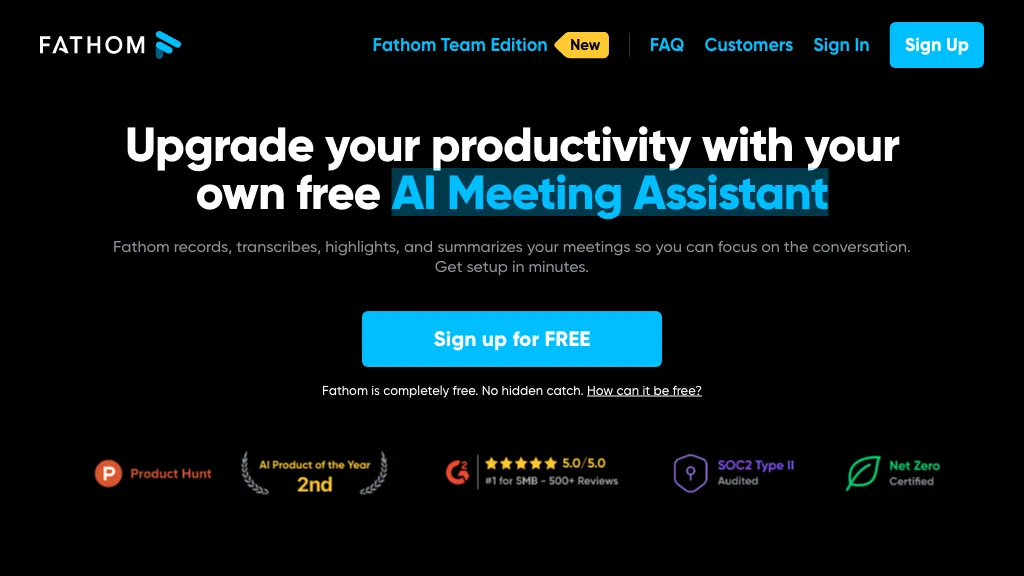
Image: Historical Fathom homepage retained from the original listing. Its promotional text and badges do not establish current plan terms or tested performance.
Fathom is an AI meeting assistant for capturing conversations, finding details in transcripts, and preparing meeting summaries. It can be useful when you need to revisit a decision or turn a discussion into a checked list of next steps. The practical questions are which capture options your device supports, what your plan includes, and whether everyone has agreed to the recording.
This page keeps its original Fathom 2.0 listing title, while the information below covers the current service. The official Fathom website now redirects to fathom.ai. This is the meeting assistant from Fathom Video Inc.
This overview is based on a review of Fathom’s official documentation. We did not test the product or record a meeting for this article.
What Fathom does
Fathom provides recordings, searchable meeting transcripts, summaries, and shareable clips. Depending on the plan, its AI features can extract action items, answer questions about meetings, and produce different summary formats. Connected workflows can send meeting information to services such as Slack, HubSpot, and Salesforce. These capabilities are described on the official product site; they should be evaluated against your own meeting process.
Its value depends on what happens after capture. Someone still needs to check whether a proposed deadline became an agreement, whether the right person owns a task, and whether a customer approved a change. Treat a generated recap as a reviewable working document before copying it into a project tracker or customer record.
Devices and languages
Fathom supports Zoom, Google Meet, and Microsoft Teams meetings on Mac and Windows. Its device guide excludes Linux, Chromebooks, tablets including iPads, webinars, and breakout rooms. Standard meeting links and your organization’s meeting policies also affect compatibility.
The newer Fathom 3.0+ experience is rolling out on Mac, with Windows continuing to support the previous experience. Fathom’s October 2 upgrade guide describes 39 languages for native-language summaries and translated action items, with availability varying by rollout phase. An older language guide lists 38 transcription languages. Check your account’s experience and the specific language you need rather than assuming every language feature is identical across versions.
There is also an iPhone app for in-person conversations and reviewing meetings. Its current limits include no Android app, no telephone-call recording, and no offline capture. Optional voiceprinting identifies the account holder who opts in; that choice is separate from obtaining permission to record other people.
Free plan and pricing
Fathom’s Free plan includes unlimited recordings, storage, and transcriptions. Its Free versus Premium guide limits advanced summaries to the first five calls each month, after which General/Enhanced summaries remain available. Premium adds AI action items, follow-up emails, and Ask Fathom. Free and Premium CRM sync is limited to three users per email domain.
The pricing page lists these per-user rates:
- Premium: $20 monthly, or $16 per month with annual billing.
- Team: $19 monthly, or $15 per month with annual billing; two-user minimum.
- Business: $34 monthly, or $25 per month with annual billing; two-user minimum.
- Enterprise: a sales quote, with additional organization-wide controls.
Team adds shared collaboration features; Business adds CRM field updates and coaching tools. Annual rates are monthly equivalents for an annual commitment. For example, two Team seats at the annual rate total $360 per year before tax.
Fathom’s terms specify U.S. dollars unless otherwise stated, additional applicable taxes, and automatic subscription renewal. The pricing page advertises a 90-day guarantee, while the terms describe fees as non-refundable. Get the applicable refund conditions confirmed before paying; do not assume that the marketing label overrides your purchase terms.
Before you record
Agree on one person responsible for capture, tell participants what will be saved, and obtain the required consent before starting. Fathom’s terms prohibit using the service when a participant refuses recording. Check your organization’s policy and relevant local requirements for confidential or sensitive discussions.
Fathom’s consent-email guide has important limits: same-day and unscheduled meetings do not trigger those emails, and eligibility depends on the platform and experience. No response to an email does not stop normal capture. A declined request disables automatic recording for that meeting. Verify consent directly instead of treating an enabled setting as proof that everyone agreed.
Review automatic recording and sharing settings separately. Fathom can send attendees a summary with a recording link, a summary alone, or nothing. Choose deliberately before a client call. A transcript-only mode also creates information that needs an appropriate audience.
For Teams, Fathom documents that its Notetaker cannot record an end-to-end encrypted meeting. Its Teams setup guide also explains lobby and bot-policy restrictions. If those protections are required, ask your administrator about an approved workflow rather than weakening them just to enable capture.
Privacy and retention
Fathom’s security FAQ reports U.S. data storage and SOC 2 Type II compliance. Review its Trust Center and your organization’s requirements before using it for restricted material. A certification claim alone does not establish that every meeting is appropriate to record.
The privacy policy distinguishes two kinds of model use: third parties are not authorized to train their models on personal information or meeting content, while Fathom may use de-identified meeting data to improve its own models, depending on account settings. Users can opt out of that in-house use. The policy also says that simply stopping use leaves the account and its information in place unless the account is actively deleted.
Organizations needing automatic deletion should check retention policies. Fathom currently reserves that feature for Enterprise and requires contacting its team to configure it. Decide who can share recordings, how long your team needs them, and who handles deletion requests before building a large meeting archive.
A project-review example
This fictional scenario illustrates a review process; it is not a hands-on product test. A small design studio meets a client to discuss a booking-page redesign. After everyone agrees to capture, the project lead wants three outputs: approved changes, unresolved questions, and named task owners.
During the conversation, the client suggests launching next Friday but says budget approval is still pending. Afterward, the lead checks the transcript around both statements before writing the recap. The launch date stays tentative, the budget question stays open, and the designer’s next step is a revised mockup rather than a full build.
The lead then checks names, numbers, deadlines, and permissions before sharing the reviewed summary. For an initial evaluation, use a low-stakes discussion with explicit permission and compare the result with your own notes. That reveals whether the workflow handles your terminology and decision-making style without relying on a vendor accuracy claim.
Who should consider it?
Fathom is worth evaluating for individuals who regularly revisit online meetings and teams that want a shared record of customer discussions. Device restrictions, recording policies, advanced-summary limits, and retention requirements should drive the choice of plan.
If you are comparing meeting assistants, our Otter AI overview provides another starting point. Compare both against the same checklist: supported meetings, consent, review effort, access controls, and total cost. Visit Fathom’s official site to confirm the current options available to your account.