What is TwinMind for Desktop?
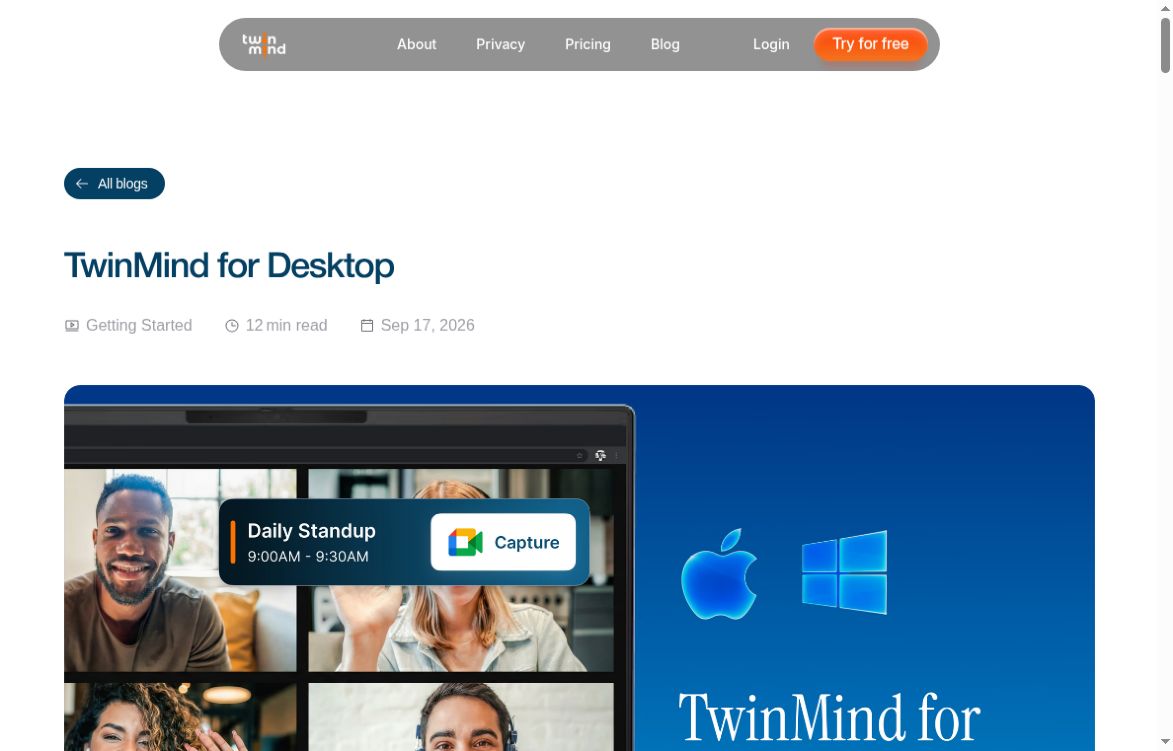
TwinMind for Desktop combines meeting note capture with voice dictation on Mac and Windows. The official desktop guide describes a floating control that lets you capture a conversation or turn speech into text at your cursor. The appeal is practical: fewer manual notes during a discussion and less typing afterward. It is worth evaluating as a way to reduce administrative work, while keeping responsibility for checking names, decisions and commitments with the person using it.
A desktop expansion of an existing product
TwinMind is not a newly created product in October 2026. Its Product Hunt history includes earlier launches in 2024 and 2025, followed by a Product Hunt launch for TwinMind for Desktop on October 21, 2026. The vendor’s desktop guide was already dated September 17. That distinction matters when comparing coverage: the current development is the native desktop experience, rather than the invention of the underlying note-taking service. Public launch interest can help identify something to try, but does not establish transcription accuracy for your meetings.
Features that shape everyday use
The desktop guide describes hotkey dictation, a faster English-only mode and a multilingual mode supporting more than 140 languages. It also documents calendar reminders, meeting-detection prompts and notes accessible across devices through the account. These are vendor-described capabilities, not a guarantee of equal accuracy across every accent, language or microphone. Before relying on any generated text, check specialist vocabulary and numbers. A useful evaluation should include the actual headset, meeting application and working language you expect to use regularly.
Pricing and plan checks
As checked on October 21, 2026, the official help center lists Free, Pro at $14.99 per month and Max at $49.99 per month. Annual billing is displayed as $11.99 per month for Pro and $29.99 per month for Max. A seven-day trial is listed for Max. Confirm the billing period and current checkout total rather than treating annual equivalents as month-to-month prices. The free offering includes transcription, AI chats and summaries; check the current comparison for limits and paid features before subscribing.
Privacy and recording notice deserve attention
TwinMind’s privacy policy says it does not automatically announce recording to other participants. Users must handle the required notice and permissions before capture. Treat that as a setup responsibility, not an optional courtesy, and follow your organization’s meeting rules. This profile does not determine whether a particular recording is lawful.
The same policy says raw audio is not stored by default, while enabling Save Audio changes retention and permits use of that audio to improve TwinMind’s models. It also describes external speech and AI providers. “Audio not stored by default” should therefore not be read as “nothing leaves the computer.” Review these settings before discussing confidential work. The help center currently limits its Local mode to iOS, so do not assume the desktop app offers an equivalent local-only mode.
A low-risk first workflow
For a hypothetical first test, choose a short discussion with a colleague who has agreed to capture, using non-sensitive material. Write a separate checklist of three points you expect to discuss: a decision, an owner and a date. After the conversation, compare the generated notes with that checklist. Correct any uncertain wording before copying the result into your team’s records.
Then test dictation with a short status update in a scratch document. Include a project name, a number and a correction mid-sentence. Read the output before sending it anywhere. Compare the time spent checking and correcting with your normal method. If the tool saves typing but changes the meaning of commitments, narrow the use case until you understand that failure mode.
This proposed test is intended to help you assess fit; we have not run an independent accuracy or battery benchmark. Avoid evaluating only polished demonstrations, because your own audio conditions and vocabulary may differ.
Who is it best suited to?
The strongest reason to investigate TwinMind for Desktop is a recurring need for both conversational notes and voice typing. People who only need occasional summaries may want a simpler process. Teams handling sensitive information should review approved-tool policies before adoption, not after accumulating recordings. For adjacent options, read our Otter AI profile and Fireflies.ai profile. Compare workflow, recording notice, retention and correction effort rather than choosing solely from a feature list.