Otter AI is a meeting transcription and note-taking service for people who need searchable records of conversations. It combines speech-to-text, editable notes and sharing tools, with an AI notetaker that can join supported online meetings. Its usefulness depends on your meeting length, transcription language, recording permissions and chosen plan.
Updated October 15, 2026. Product information and public USD pricing checked on this date. This overview is based on official documentation, not a hands-on recording test.
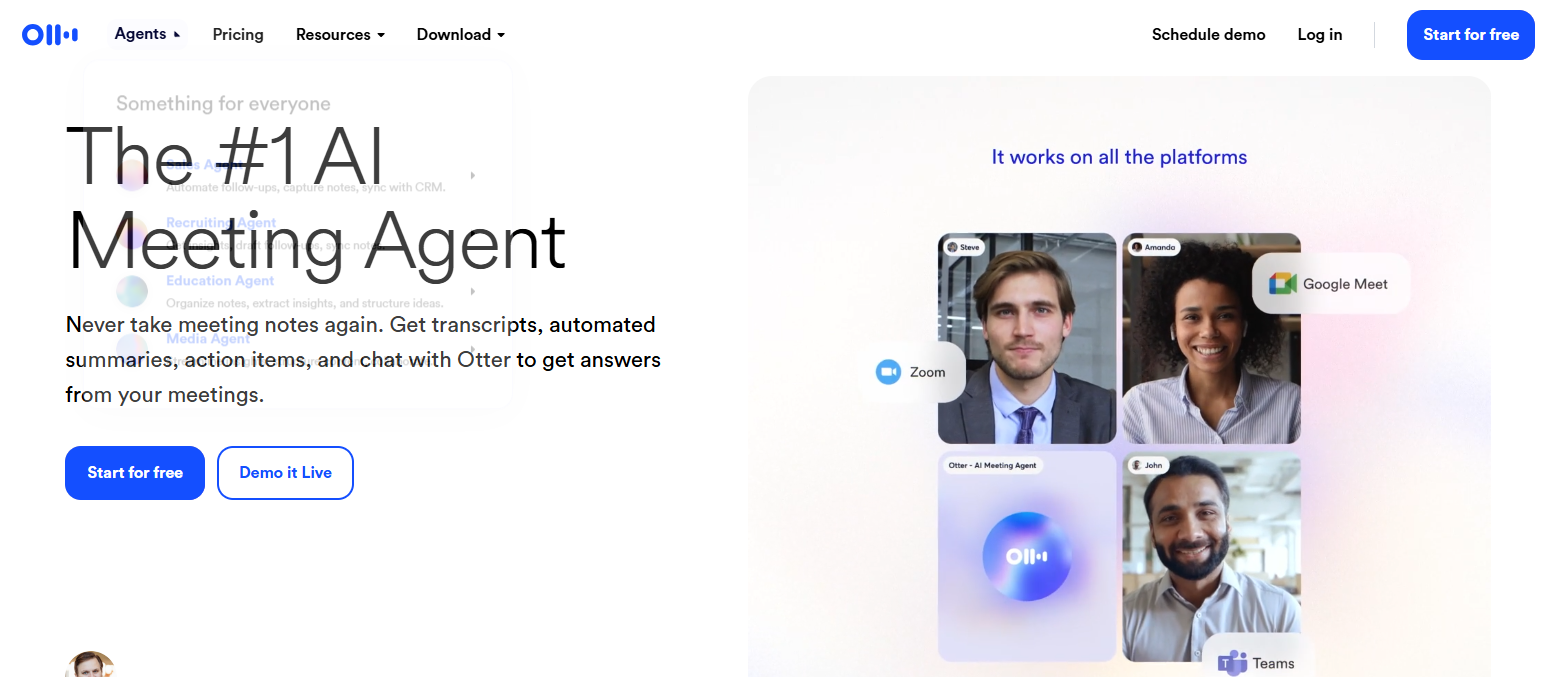
Image note: The historical Otter homepage image is retained from the original 2025 article. The current interface and offers may differ; this image does not document a GPTOnline recording test.
What Otter AI does
Otter turns spoken conversations into notes you can search, correct and share. You can record through the web or mobile app, import existing audio or video, organize conversations in folders, and give collaborators viewing, commenting or editing access. Playback helps you check a transcript against the recording. These capabilities make it useful for recurring team meetings, interviews and lecture notes where recording is permitted. See Otter’s product overview.
Imported recordings can also produce summaries, outlines and action items. However, background noise, overlapping voices, low volume and microphone quality can reduce transcription accuracy. Treat generated notes as a starting point for review, especially when names, figures or decisions matter. Otter’s import guide explains this workflow.
Meetings and apps
Otter AI Notetaker supports Zoom, Microsoft Teams and Google Meet. Whether it can join and record depends on the host, recording permissions and meeting settings. A waiting room or restricted access can prevent it from capturing the conversation, so check the setup before relying on automatic notes. Current support pages use Notetaker terminology; older material may refer to OtterPilot. See the meeting requirements and troubleshooting guide.
Alongside web, iOS and Android access, Otter offers desktop apps for macOS 12.3 or later and Windows 10 or later. The desktop app can capture audio while you wear headphones without adding a bot participant. That recording method still calls for appropriate notice and permission. Check desktop availability.
Supported languages
Otter supports transcription in English, Spanish, French, German, Japanese and Simplified Chinese. Vietnamese is not currently listed. Translation through Otter Chat is a separate feature and does not mean that every spoken language can be transcribed. See the supported-language list.
Select the language before recording. German and Simplified Chinese are marked beta; Chinese support covers spoken Mandarin with Simplified Chinese output. Generally, a recording uses one selected language, although French-selected conversations can switch to English. The interface remains English. Check Otter’s language-setting guidance before a multilingual meeting.
Pricing and limits
The following standard web prices are in USD per user. Annual figures are monthly equivalents with annual billing. Regional offers, temporary discounts and app-store billing may differ.
| Plan | Standard price | Recording and import limits |
|---|---|---|
| Basic | Free | 300 minutes monthly across transcription types; 30 minutes per conversation; three lifetime file imports. |
| Pro | $16.99 monthly, or $8.33/month billed annually | 1,200 shared minutes monthly; 90 minutes per conversation; ten file imports monthly. |
| Business | $30 monthly, or $19.99/month billed annually | Unlimited meeting and in-app recording minutes; four hours per conversation; unlimited import count, capped at 6,000 imported minutes monthly. |
| Enterprise | Contact sales | Unlimited meeting and in-app recording minutes; four hours per conversation; 6,000 imported minutes monthly with unlimited import count. |
Feature access and administration tools vary by plan. Confirm current limits and checkout pricing on the official pricing page.
Basic also limits accessible history to the latest 25 conversations; older ones are archived rather than deleted. Removing a conversation does not restore the minutes it used. These restrictions matter if you need an ongoing reference archive. See Basic plan limits.
A practical review workflow
For a fictional project check-in, imagine the team discusses moving a launch to Thursday, while a supplier delivery date remains uncertain. After the meeting, a reviewer checks those two points against the recording, corrects the product name and confirms who owns the supplier follow-up. The final notes distinguish the agreed launch date from the unresolved delivery question before anyone shares them.
This is an illustrative editing workflow, not an Otter test result. It shows why collecting a transcript and approving a reliable meeting record are separate steps.
Privacy and permission
Read the data terms before using Otter for confidential conversations. Its privacy policy describes improving its own AI with de-identified audio recordings and transcriptions that may contain personal information. A blanket claim that customer content is never used for training would be misleading.
Otter separately states that its external AI providers do not train on customer data or retain API submissions. Its privacy and security FAQ also describes consent requirements for human access to recordings and transcripts. These vendor statements should not be treated as guarantees that every use is risk-free or appropriate for sensitive information.
Otter’s terms place responsibility for required recording notices and consent on the user. Before recording, obtain the necessary permission, follow your organization’s policy and review auto-join and sharing settings. A bot appearing in a meeting does not by itself establish that every applicable consent requirement has been met. Verify important AI-generated details before distributing the notes.
Who should consider it?
Otter is worth evaluating when you repeatedly turn permitted conversations into reviewed notes and want recordings, transcripts and collaboration in one workflow. Before choosing a subscription, compare your actual recording lengths and import needs with the limits above, then check language support and your organization’s data requirements. If a transcript must serve as an authoritative legal, clinical or research record, assess the applicable requirements separately rather than assuming an AI summary is sufficient.
If you are comparing meeting-note tools, our Fireflies AI overview offers another option to assess against your recording, language and workflow needs.