Mudroom gives AI coding agents a separate copy of your project, then lets you decide which changes belong in the original. Its main purpose is to put a review step between an agent doing work and that work becoming part of your real files.
This overview is based on official documentation checked October 29, 2026, rather than a hands-on security or performance test.
What is Mudroom?
Mudroom is an open-source workspace for running coding agents in a Linux sandbox. Supported examples include Claude Code, Codex, Gemini CLI, OpenCode and Aider. The original project directory is not mounted into the agent’s environment. After a session, you can inspect a diff, apply selected files or individual changes, and undo an application.
On supported Apple-silicon Macs, it uses Apple’s container runtime with a separate virtual machine for each session. Other supported configurations use Docker or Podman. Those backends should not be treated as identical security boundaries.
What changed recently?
The official release history dates version 0.3.0 to October 20, 2026. That release added a firewall for locked and offline sessions using the Apple backend. Version 0.2.0, released October 11, added Windows command-line support; a subsequent 0.2.1 update addressed locked mode with a Podman machine on Windows.
Mudroom also appeared in an October 28 Product Hunt launch. That listing is a discovery event, not the date the software first existed. Its small launch audience and the repository’s early-prototype label are reasons to evaluate carefully, not evidence of established reliability.
Platforms, price and requirements
| Item | Published availability or cost |
|---|---|
| Software | Free, MIT licensed |
| Mac app and CLI | macOS 26 or later on Apple silicon |
| Intel Macs | macOS 26 or later; CLI only, built from source, with Docker or Podman |
| Linux and Windows | CLI with Docker or Podman; Windows 10/11, x86_64 or arm64 |
| AI access | Your agent credentials and applicable provider charges |
| Apple backend | Apple container CLI version 1.5 or later |
Free software does not include free model usage. Budget separately for whichever agent subscription or API you connect, as well as the local machine resources needed to run its environment. Check the current installation documentation for your platform before downloading.
A sensible first evaluation
The following is a hypothetical workflow, not a test we performed. Imagine a small website where a form displays the wrong validation message. The goal is one bounded correction, rather than asking an agent to redesign the entire application.
- Prepare a disposable project. Use synthetic form data and a clean backup. Remove credentials, private documents and unnecessary configuration before creating the session. Do not rely on a file being ignored by Git to keep it away from the agent.
- Write acceptance checks. Specify the expected message, the invalid input that triggers it, and one valid input that must still work. State which files or behaviors should remain unchanged.
- Limit connectivity. Decide which destinations are genuinely necessary for this task. Avoid expanding the allowlist simply because the agent asks for broader access.
- Review the complete change. Look for unrelated edits, dependency changes, deleted tests and newly introduced files. A small visible UI fix can conceal a much larger patch.
- Apply deliberately. Accept only changes you understand, then run your own checks in an appropriate development environment. Keep the original acceptance checks even if the agent proposes replacements.
A useful evaluation question is whether this workflow makes reviewing and rejecting unwanted changes easier for your team. Finishing one task quickly says little about protection against every failure an agent might produce.
Security and practical limitations
The project explicitly describes itself as an early prototype. Its Mac build is ad-hoc signed and not notarized. If that does not meet your organization’s software requirements, do not weaken those requirements to try it; wait for an acceptable distribution or obtain an approved evaluation path.
Copies can include ignored and untracked files. Mudroom does not automatically sanitize secrets, and network restrictions are not a substitute for deciding what data an agent may read. Authorized model connections can still carry information to a provider. Treat credentials and project contents as separate review items.
Finally, undoing a file application should not be interpreted as reversing every possible external effect. Keep the trial isolated from production services. Mudroom is most relevant to developers who want explicit patch review around agent work, provided they can accommodate its platform requirements and early-stage status.
For a related look at reviewing agent-generated patches, see our overview of Whiteboard’s AI code-review canvas. Compare the review workflow you need rather than assuming different tools provide the same isolation.
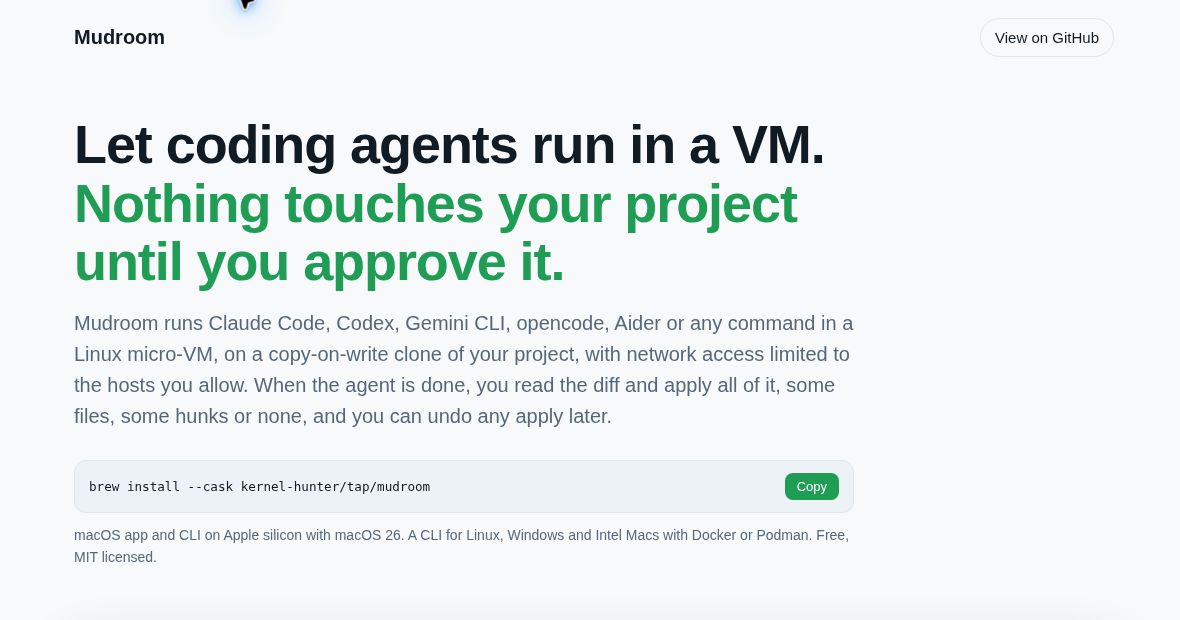
Featured image: screenshot of the official Mudroom website, captured October 29, 2026 for product identification. It is not a screenshot of a test performed by GPTOnline.