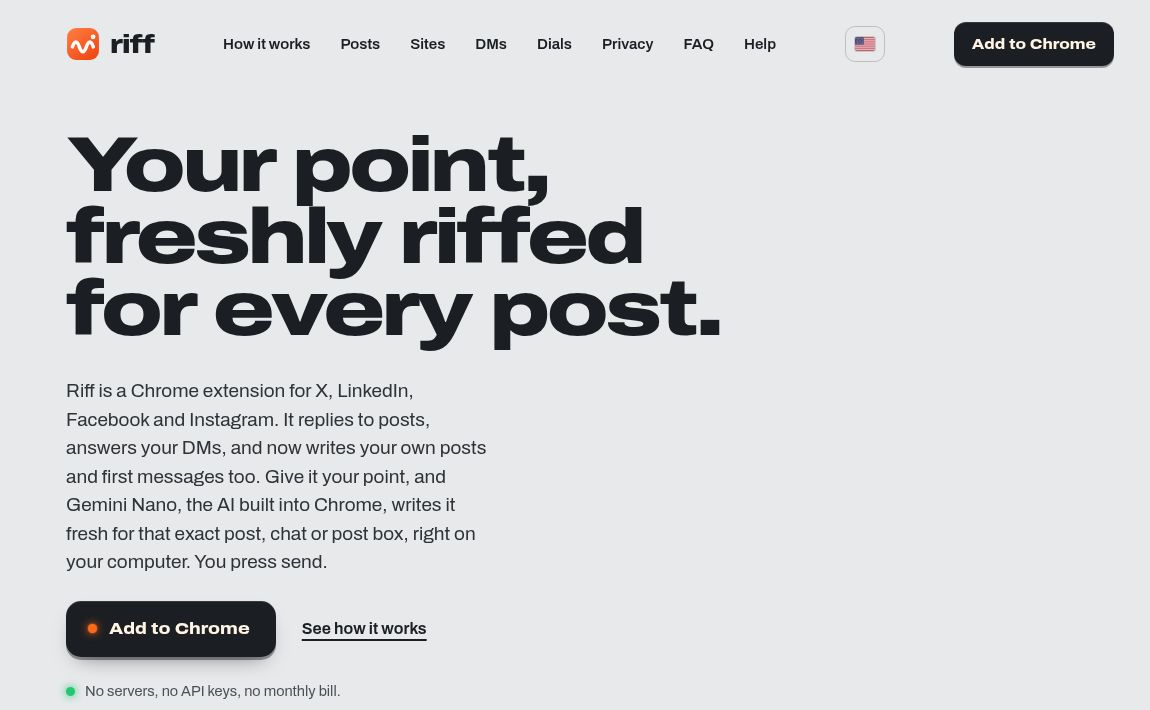
Riff is a Chrome extension for turning rough notes into social posts, comments, and chat replies. Its distinguishing feature is where the writing happens: the developer says it uses Chrome’s built-in Gemini Nano on your computer rather than sending the drafting work to a remote AI service. It inserts a draft into a text box; you review it and decide whether to send.
That makes Riff worth considering for desktop users who want help wording individual messages without adding another account or managing API keys. This overview draws on official documentation, not a hands-on product test.
What Riff can help you write
The official Riff website describes drafting for X, LinkedIn, Facebook, and Instagram. You can supply the point you want to make, adjust tone and pitch, request a shorter version, or start a new post from notes. Voice settings let you describe your writing style and provide examples.
Work chat is also part of the product. The Riff manual identifies X Chat, Slack, and Microsoft Teams as additions in version 0.4. Its workflow covers replying within an existing conversation and composing an opening message. Treat this as writing assistance, not inbox management: Riff does not decide which conversations deserve a response or complete your follow-up work.
Check the hardware before installing
Local AI still needs substantial computing resources. Riff’s published requirements are more demanding than simply having Chrome installed:
| Requirement | What to check |
|---|---|
| Browser | Desktop Chrome 138 or newer |
| Operating system | Windows 10/11, macOS 13 or later, Linux, or Chromebook Plus |
| Storage | 22 GB free on the drive containing your Chrome profile |
| Processing | A GPU with more than 4 GB video memory, or 16 GB RAM and at least four CPU cores |
| Initial download | An unmetered Wi-Fi or Ethernet connection for Gemini Nano |
The requirements page excludes phones and tablets. The model download is a separate setup step, so do not judge installation readiness by the extension’s download size alone.
A practical drafting workflow
Here is a hypothetical work-chat example, not an observed Riff result. A colleague asks whether a revised project can be delivered on Friday. Your notes say: “Can review the outline tomorrow. Friday delivery not confirmed. Need the final scope. Brief, friendly, no sales pitch.”
- Select the right conversation. Check the recipient and the latest message before asking for a draft. A reply suited to one thread may be misleading in another.
- State the boundaries. Include what you can promise and what remains undecided. Do not rely on a style setting to preserve an important condition.
- Review the substance. A suitable draft might say: “I can review the outline tomorrow. Could you send the final scope? I’ll confirm the delivery date after that.” This wording is illustrative, not generated test output.
- Inspect the inserted text. Check names, timing, links, and commitments inside the destination box before pressing Send.
Our AI rewrite checklist offers the same fact-first review approach. For social posts, also check that the draft does not turn a tentative observation into a claim or imply a relationship you do not have.
Platform and language limits
The Chrome Web Store listing specifies web-based Slack and Teams, not their desktop apps. For Messenger, the homepage directs users to messages on facebook.com rather than messenger.com.
Riff lists English, Spanish, French, German, and Japanese; available languages can depend on Chrome version. Do not assume support for an unlisted language. Nor does a manual Send button guarantee compliance with every platform’s rules: the content and how you use it still matter.
Privacy and pricing
The developer’s store listing says model inference and stored drafts, settings, and history remain on the device. These are developer disclosures, not findings from an independent security audit. Riff must read relevant page or conversation content to draft from it, and sending the finished message places that text on the destination service. On-device generation does not remove those separate privacy considerations.
Riff’s company announcement dated October 21, 2026 describes it as available at no cost, without an account or subscription. The practical costs are compatible hardware, storage, and the initial model download.
Riff is a focused option if you want local drafting in supported desktop websites and are willing to review every message. It is a poor fit if you need a phone app, automatic publishing, or a writing tool that works without the required local hardware.
Featured image: screenshot of Riff’s official public website, captured October 27, 2026. It illustrates the website, not a hands-on product test.