
Updated October 29, 2026
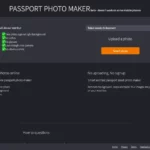
Image note: The featured image shows a historical public Passport Photo Maker form, retained for product identification. It is not a verified compliant passport photo or a hands-on test.
| Name | Passport Photo Maker |
| Overview | Passport Photo Maker at passportphotosmaker.com is a browser-based tool for preparing document-photo files. The provider describes country/document selection, automatic cropping and background removal. These functions do not establish that an output meets an issuing authority’s rules. In particular, background replacement or other digital alterations can make a passport photo unacceptable. |
| Key features & benefits |
The earlier claim that the tool accepts selfies with glasses was incorrect. Issuer-specific exceptions and application rules take precedence over a tool’s checklist. |
| Use cases and applications |
A template match is not a biometric certification or an acceptance guarantee. Digital and printed application routes may require different handling. |
| Who uses? | Travelers, immigrants and people renewing official documents who will check the relevant issuer’s photo requirements. |
| Pricing | The provider currently describes the tool as free and offers digital output rather than a printing or shipping service. Any third-party printing costs are separate. No paid plan or checkout was tested. |
| Tags | Passport Photo, Photo Preparation, Visa Photos, ID Cards, Official Documents |
| App available? | The website provides a browser-based workflow. A dedicated native mobile app was not verified; this is not confirmation that no app exists. |
Check the issuing authority before editing
For example, the U.S. Department of State’s passport-photo guidance calls for an original, unedited photo and generally requires glasses to be removed, with a documented medical exception. Do not assume an automatically replaced background is acceptable.
For a UK online passport application, the photo must be unaltered by computer software. The guidance says someone should help take a photo using your own device and that you should not crop it because the application handles cropping. This makes a pre-cropped or background-edited output unsuitable to recommend as a universal submission workflow.
A practical approach is to read the requirements for your exact document and application route first, take a fresh photo against the required real background, and keep the original unchanged. Use only processing the issuer permits; ask the issuing authority or an appropriate photo service if unsure.
Privacy and verification limits
The provider says photos remain on the user’s device and no signup is needed. This is a provider statement, not an independent technical privacy audit. Its linked privacy page and terms page could not be retrieved through the research tool.
Sources checked October 28, 2026 (UTC): the exact provider website, its US-passport information page, and the official U.S. and UK guidance linked above. No photo was uploaded, edited or submitted, and no acceptance or privacy test was performed. Other countries and documents have their own rules.