Updated October 16, 2026.
Retoucher AI refers here to Retoucher Online, an online tool for removing and replacing photo backgrounds. It is worth considering for product cutouts, portraits and simple promotional images when you can inspect each result before using it.
Review scope: This is a documentation-based overview of the public website. We did not create an account, purchase a plan, upload images or test editing quality, processing speed or downloads. Features below describe the provider’s published information, with gaps identified where current details could not be confirmed.
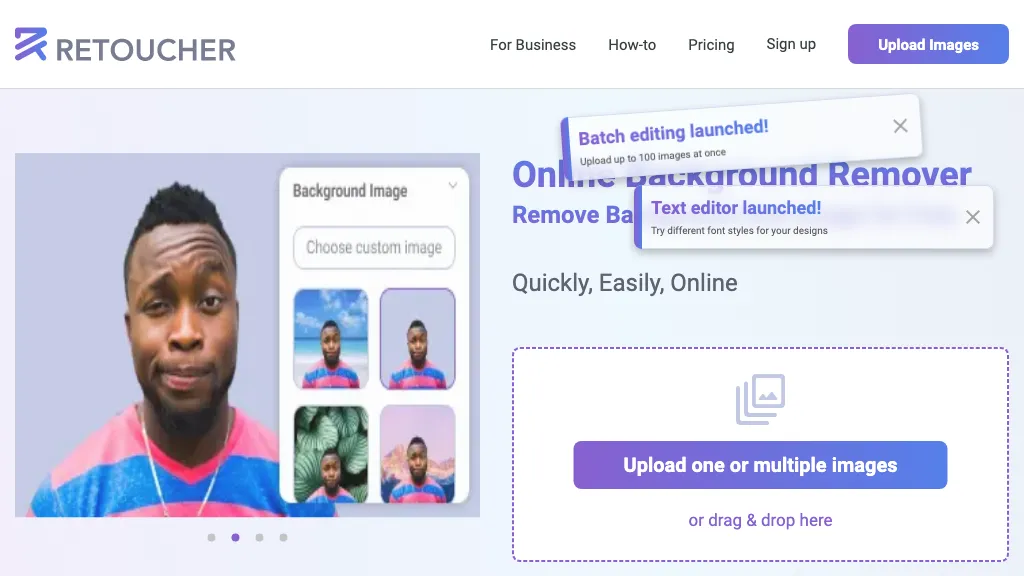
About the image above: This historical Retoucher homepage image shows a portrait, background options and launch banners for batch editing and a text editor. Its original capture date is unknown. It is retained from this listing and does not establish today’s interface, limits or results.
What Retoucher does
The official homepage describes automatic background removal, transparent or white backgrounds, and replacement backgrounds. Its editor is advertised with cropping, resizing, shadows, color adjustments and a manual eraser for areas needing cleanup. PNG and JPG downloads are described, alongside uploading multiple images and batch downloads.
These are useful building blocks for a consistent set of product pictures or a portrait placed on a different background. They do not establish flawless cutouts or approval by a selling platform. Inspect fine edges, holes, reflections and any detail that represents the item you are selling. Check the destination’s current image rules separately.
A practical editing workflow
- Prepare a clear original. Retoucher’s product photography guide recommends a plain background, adequate lighting, a centered subject and careful focus. Keep an untouched copy so you can compare the edited result with the source.
- Choose the intended background. The background changer page describes solid colors, supplied backgrounds and your own replacement image. Decide where the finished picture will appear before selecting a design.
- Review the subject closely. Compare the outline and important details against the original at a useful viewing size. The same page describes manual cleanup, but this review did not test how well that works on difficult subjects.
- Inspect the downloaded file. Check dimensions, file type, transparency where needed, and how the image looks on its destination background. Test one representative image before committing a whole catalog.
Retoucher also has a separate image resizer with width and height controls and JPEG or PNG output options. A preset is a starting point; verify the destination’s current requirements rather than assuming a named preset is up to date.
Pricing and limits
Checked October 16, 2026 on the official pricing page. It shows $ without identifying an ISO currency. Annual figures below are advertised monthly equivalents under the annual-payment option, not verified checkout totals.
| Plan | Displayed price | Main allowance |
|---|---|---|
| Standard | Free | 3 images/day; 1 GB storage |
| Pro | $9/month; $6.59/month with annual payment | 50 images/day, capped at 500/month; 10 GB storage; batch removal |
| Business | $18/month; $12.99/month with annual payment | 1,000 images/day and 1,000/month; batch and text editing |
| Enterprise | Contact provider | Up to 1 million images/month; API; unlimited storage |
| 10-image pack | $6 one-time | Advertised without a time limit |
The Business monthly cap is still 1,000 despite its matching daily figure. Confirm currency, taxes, annual charge, renewals, cancellation timing and export/file-size limits before purchasing. The current batch-upload cap was not independently established.
Business access and apps
The business page promotes shared projects, team permissions, organizational storage, API integration and Windows/Mac applications with offline working. It directs interested customers to request a demo. We did not verify installers, API documentation, offline operation or which subscription includes these features.
The homepage also uses inconsistent API wording, including a statement that it is still forthcoming, while pricing lists it under Enterprise. Treat business automation and desktop availability as points to confirm directly. The browser service is the clearest public entry point; this review did not establish an official iOS or Android app.
Refund conditions
The published refund policy describes a conditional 14-day guarantee for a first subscription purchase. It requires all of the following:
- The purchase was made within the previous 14 days
- The buyer is dissatisfied with output quality and has no use for the edited images
- Fewer than 50 images have been processed, at any resolution
- Neither the buyer nor their company has previously used this guarantee
The policy says refund requests are reviewed within 10 days. Other purchases are generally non-refundable, and subscriptions can be canceled. Cancellation alone is not a promise of a refund. Read the policy again before purchasing, especially if you plan to process a large initial batch.
Privacy, storage and image rights
The privacy policy covers information supplied through contact or business dealings, server logs, cookies and Google Analytics. It gives a retention period of up to three months for server logs. That statement does not establish how long uploaded photographs or edited projects are kept.
In the public material reviewed, we did not find a clear image-retention schedule, deletion procedure or statement resolving whether uploaded images are used for model training. For confidential product photography or identifiable people, get those answers before uploading. Keep your own copies rather than treating project storage as your only archive.
The site markets the service for business and e-commerce work, but we did not locate explicit commercial-use terms covering every output, supplied template or background. Confirm the applicable license when those assets matter. Use originals you are entitled to edit, and check rights for replacement backgrounds and recognizable people before publishing.
A fictional shop example
Illustrative example, not a test or customer case: Imagine a small shop preparing pictures of twelve handmade mugs. The owner wants a consistent catalog background and a separate promotional image for each color.
A sensible pilot would use just one mug first, choosing a photo with a visible handle opening and a glossy edge. After background removal, the owner would check that the opening remains clear, the rim is intact and the glaze color still matches the original. A halo or missing edge would be a reason to correct the result or choose another photo before proceeding.
Only after inspecting an actual export and confirming the current allowance would the owner apply the workflow to the remaining photos. Catalog images would be checked against the shop platform’s rules; decorative backgrounds would be reserved for placements where they are appropriate. This example illustrates a review process, without predicting Retoucher’s output or time savings.
Who should consider it?
Retoucher is a reasonable candidate for someone willing to start with a small, non-confidential sample and judge the result themselves. A team with strict privacy requirements, a fixed processing budget or a production API dependency should resolve the documented gaps before relying on it.
For another option to investigate while comparing background-removal workflows, see our Remove.bg overview. Compare each service using the same permitted sample image and its current official plan details.
Visit Retoucher Online to review the current service and confirm the details relevant to your project.