Updated October 16, 2026. This is a review of public product pages and policies, not a hands-on test. We did not upload images, generate swaps, create an account or test checkout, processing speed or output quality.
AI Face Swap in this listing means AIFaceSwap.io, a browser-based service with separate photo, group-photo, GIF and video tools. It should not be confused with other products using similar names. The homepage advertises free photo swapping without registration and says it supports JPG, PNG and WebP. Its FAQ says there is no native mobile app yet, although the website supports mobile use.
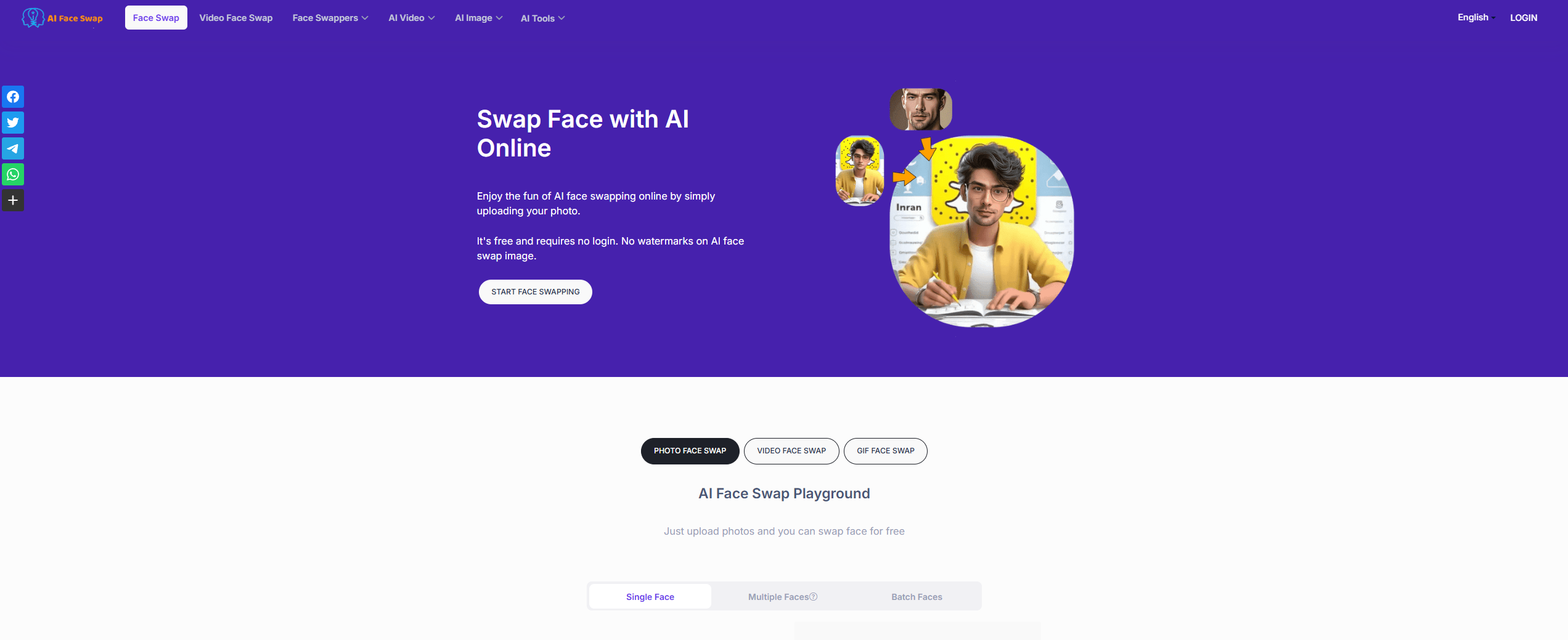
Image note: the retained homepage screenshot is historical. Its free-access, no-login and no-watermark marketing text does not establish current terms or results.
What the face-swapping tools support
- Photos: the main tool accepts an original picture and a replacement-face image. The provider recommends a clear face and directs group pictures to its separate multiple-face tool.
- Group photos: Multiple Face Swap lets users assign replacements to recognized faces. Its FAQ currently describes a maximum of five detected faces. That is a documented limit, not a test of detection accuracy.
- GIFs: the GIF tool accepts an animated file and a face image. Its instructions mention files up to 5 MB and under 10 seconds, while its free-use notice specifies under five seconds and three swaps per day at up to 24 fps.
- Video: the video interface lists M4V, MP4, MOV and WebM inputs and supports selecting faces for replacement. The page advertises up to six faces. It also warns that long-duration processing may be slow.
These are provider-described capabilities. Claims of seamless blending, professional consistency or generation in seconds have not been independently established here. For video, inspect the whole clip rather than judging a single preview frame.
Free access, credits and billing
The pricing page lists single-photo and group-photo swaps at zero credits, with 100 daily uses for visitors and unlimited uses for registered users. It also advertises three free video or GIF swaps every 12 hours. This differs from the GIF page’s daily allowance and shorter free duration, so check the selected tool before relying on a quota.
Displayed one-time packages include 500 credits for US$6.99, 1,800 for US$15.99 and 5,000 for US$34.99. The page describes these purchases as pay-as-you-go without recurring billing; its FAQ also discusses renewing subscriptions. Confirm which purchase type is selected. One-time-credit expiry was not clearly established in the reviewed pages.
The rules reserve basic video/GIF processing beyond 10 seconds for VIP users at one credit per second. Advanced video uses a face-count-based rate, and batch photos cost one credit each. Do not equate a credit balance with a fixed number of completed projects.
Refund caution: the refund policy accepts requests only when no paid credits have been used, while the terms call purchases non-refundable. Obtain clarification before paying if refund eligibility matters.
Consent, privacy and storage need attention
The content policy requires rights and permissions for uploaded material and prohibits deceptive content, explicit sexual content and non-consensual intimate imagery. For any real person’s likeness, obtain their informed permission for the intended edit and its audience. Ownership of a photograph alone should not be treated as that person’s consent.
Storage statements are inconsistent. The homepage says images are cleared after one day; the terms say uploaded files are deleted within two days. The privacy policy describes created content lasting 48 hours and uploaded material being held on remote servers in Hong Kong during service use. Yet the video and GIF tools promote permanent VIP storage. These statements do not establish a single reliable deletion deadline.
The privacy policy also describes collecting facial features, registration email, usage and device information, and using third-party analytics. Avoid sensitive or confidential images, read the policies before uploading and ask the provider which retention rules apply to the chosen tool and account. This review does not independently verify deletion, security or privacy protections.
A practical, consent-based example
Suppose two adult friends want a clearly fictional birthday-card image. Both own the relevant photographs and explicitly agree to this specific edit and sharing it with their small celebration group. A useful planning workflow is:
- Choose a non-sensitive picture with clear faces and confirm that everyone pictured agrees.
- Select the photo or group-photo tool according to the number of faces, then check the displayed quota and credit cost.
- Review the proposed result for mismatched edges, expressions, skin tones and unintended changes before considering it usable.
- Show the finished edit to both participants for approval and label it as AI-edited when sharing.
This is a hypothetical example, not a generated demonstration. Do not use face swaps to fabricate endorsements, impersonate someone or mislead viewers about real events.
Who should consider it?
AIFaceSwap.io may suit creators exploring permission-based visual jokes, reaction GIFs or clearly fictional concept material. The separate tools make the supported media types easy to identify, but conflicting limits, refund language and retention statements deserve attention. Start by resolving the conditions relevant to your project. The video FAQ limits its described uses to personal entertainment and prohibits content involving minors; permission alone does not establish commercial eligibility. For client work, also confirm image rights, participant approval and the final output requirements before treating a result as production-ready.
Related reading: our MiriCanvas AI guide covers a separate design platform.