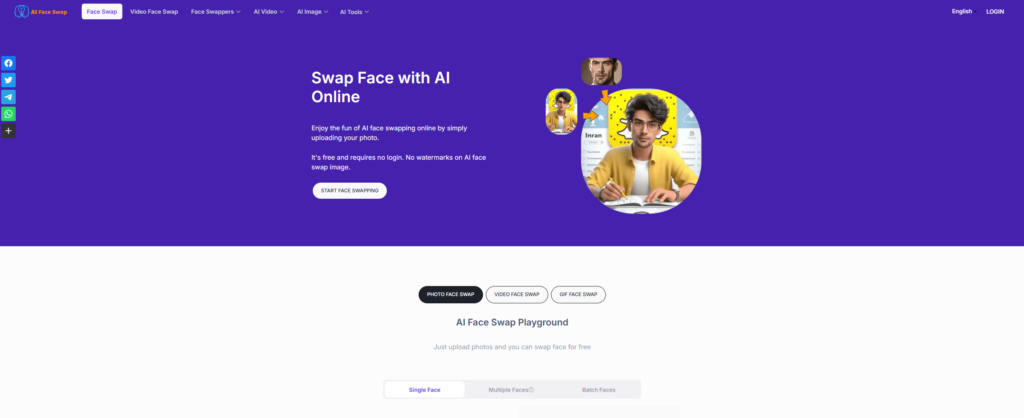

Nano Banana AI at nano-banana.org is a browser-based image generation and editing service. This listing covers that website and its published policies. Its Google-related marketing should be read alongside an important limitation: the pages reviewed did not establish a named legal operator or a verified ownership or affiliation relationship with Google.
Illustration: original AI-generated editorial artwork of a framed flower, color filters and inspection tools. It is not the website interface or a sample generated by the service.
Updated October 15, 2026. This is a review of public product information, not a hands-on image-quality benchmark. Features, prices and account conditions can change.
Which Nano Banana does this listing cover?
Google uses Nano Banana for its Gemini image technology. Its Gemini 2.5 Flash Image documentation explicitly associates that model with the Nano Banana name. Google DeepMind’s model page also presents the wider Gemini Image family and links to Gemini and Google AI Studio.
The destination reviewed here has its own account, credits and support arrangements. Its privacy policy describes processing through third-party AI providers without naming the image-model supplier. Its terms identify the service as Nano Banana, give a support email, and leave the governing-law field as “[Jurisdiction]”. These disclosures do not verify Google operation or a particular model version. Readers seeking Google’s own service can start from the official DeepMind page linked above.
Features and practical uses
The homepage advertises text-to-image and image-to-image workflows, background replacement, local edits without manual masks, canvas expansion, reference-guided styling and conversational refinement. Its upload interface lists JPEG, PNG and WebP, a maximum size of 5 MB, and up to three reference images. It displays a cost of three credits per generation.
These are provider descriptions rather than independently verified performance results. The same page describes the service as a preview. Claims about precise edits, stable identity and speed should therefore be tested against your own images. A separate ApiQik promotion links away from the site; that advertisement alone does not establish who operates the editor.
Potential uses include exploring a product-photo background, sketching an advertising concept or comparing visual styles. For final catalog images, check that the edit preserves real product attributes. A visually attractive result can still misrepresent color, packaging, proportions or included accessories.
Pricing and credit limits
The public pricing page lists Free with 10 monthly credits, Pro with 300, and Premium with 900. It also lists one-time packs of 210 credits for US$9.90, 700 for US$29.90, and 1,500 for US$59.90, described as non-expiring. Pack currency was confirmed in the live display. We omit monthly monetary amounts because that display did not specify their currency code.
Check the checkout total, billing interval, renewal terms and credit rules before paying. The terms say prices exclude applicable taxes. Budget for revisions as well as the first output, and verify how failed or rejected generations affect your balance.
The refund policy gives unused credit purchases a 30-day request window and describes prorated subscription refunds within seven days of starting. It excludes credits already used for generation. Do not treat the pricing page’s general money-back message as an unconditional refund promise.
Privacy and commercial-use checks
The privacy policy says it collects Google account details through OAuth and processes prompts and images using external AI services. It states that inputs are not used to train models and generated images are not permanently stored on its servers. Those are the provider’s statements, not an independent security audit or a complete account of downstream retention.
Before uploading confidential material, ask which providers receive it, how long inputs and outputs remain available, and how deletion requests are handled. Start an evaluation with an image you own that contains no personal or confidential information. The terms permit legitimate commercial uses and describe retained ownership subject to their conditions and applicable law; verify permissions for every source image and intended publication.
A small test before committing
For a hypothetical shop selling a desk lamp, try: “Place this desk lamp on a light gray studio background. Preserve its shade shape, base color and proportions. Add a soft shadow. Do not add text or accessories.” This is a suggested test, not a reported result from the service.
Compare the output with the original at full size. Inspect the shade, switch, power cord, base and shadow. Make one additional change and check whether previously correct details drift. Record the credits spent and whether the export meets your requirements. Our AI assistant acceptance-test worksheet can help structure pass/fail criteria and repeat checks.
Bottom line: Evaluate this website on its disclosed terms and your own small test. Confirm the operator, model and purchase conditions if they matter to your workflow before relying on it for paid production work.