
Updated: October 29, 2026
Thumbnail previews, not proven performance
| Name | YouTube Thumbnail Checker |
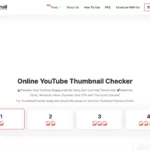
| Overview | ThumbnailChecker.com offers a browser-based way to compare thumbnail and title combinations before publishing. Its advertised workflow supports up to four previews, including comparisons with videos supplied by URL. Visual comparison can help with design review, but it does not establish which option will earn more clicks. |
| Key features & benefits |
The published upload instructions ask for files under 1MB. These are provider-described features and limits, not results of a hands-on test. |
| Use cases and applications |
|
| Who uses? | YouTube creators considering thumbnail and title designs. Commercial users should check the usage restrictions below. |
| Pricing | The provider advertises free access without subscriptions. No paid plan was verified. |
| Tags | YouTube thumbnails, thumbnail preview, title comparison, creator tools |
| App available? | The site describes browser access, including mobile browsers. A dedicated native app was not verified. |
How this differs from a measured A/B test
The provider uses A/B-testing language, but this review did not verify audience allocation, measured click-through rates or a statistically supported winner-selection process. Nor did it verify an AI system that automatically enhances a thumbnail. Treat a preview as a design aid, not proof of future engagement.
YouTube’s separate A/B-testing feature in YouTube Studio runs audience experiments for eligible videos and accounts. Its documentation describes comparing up to three title or thumbnail alternatives and evaluating watch time. That functionality belongs to YouTube, not to this independent preview website.
A practical review approach
Prepare images you have rights to use, vary one design choice at a time, and inspect small-screen readability, contrast and whether the title accurately matches the video. Record why you prefer each candidate rather than declaring a winner from appearance alone. Where eligible, use a measured audience experiment to assess performance. This is suggested editorial practice; no upload or experiment was performed for this review.
Usage rights and privacy
The site’s published terms describe personal, noncommercial use and restrict copying or redistributing site content. Do not assume that free access authorizes every commercial workflow; clarify the terms before using it for monetized or client work. Viewing another creator’s thumbnail does not grant permission to reuse their artwork.
The privacy policy describes logs and advertising cookies, but this review did not establish a thumbnail-specific retention or deletion schedule. Avoid confidential or sensitive uploads unless the handling meets your requirements.
Sources checked October 28, 2026 (UTC): official preview page, Terms of Use, Privacy Policy and YouTube’s own A/B-testing documentation. Published claims were reviewed; tool operation and performance were not independently tested.