vectorizer ai
Image Editing

Vectorizer AI

Visit website

Vectorizer AI converts raster images to SVG and other formats. Compare free previews, paid web downloads, API credits and supported vectorization workflows.

vectorizer ai

Updated: October 25, 2026.

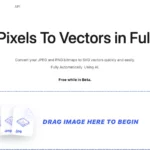
Historical image notice: The existing Vectorizer AI homepage screenshot displays “Free while in Beta.” That is an earlier offer, not current free production access. Its capture date is unknown; previews are currently free, while production downloads require the paid plan described below.

Name Vectorizer AI
Overview Vectorizer AI is an AI-driven solution designed to transform raster images such as JPEG, PNG, BMP, GIF and WebP into vector images. SVG is one supported export format, alongside PDF, EPS and DXF; PNG export remains raster. The tool fits shapes including circles, ellipses, rounded rectangles, stars and curves, and offers corner cleanup and optimization. Previewing a conversion is free, while downloading production results requires the relevant paid web or API plan.
Key features & benefits
  • ✔️ Converts supported raster images to vector images.
  • ✔️ Supports a diverse range of shape styles.
  • ✔️ Optimizes and cleans up corners for improved design quality.
Use cases and applications
  • Convert logos into scalable vector format for print workflows.
  • Create scalable vector graphics suitable for web designs.
  • Transform hand-drawn sketches into digital vector renditions.
Who uses?
  • Graphic Designers
  • Digital Artists
  • Web Developers
  • Animators
  • Marketing Teams
Pricing The official USD pricing separates free previews and API integration testing from paid downloads and production API use:

  • API usage: one credit per full image vectorization, not $1 per credit. A preview-only API request costs 0.2 credits.
  • Web App Unlimited: USD 9.99 per month for web downloads; API usage is not included.
  • 50-credit API subscription: USD 9.99 per month.
  • 100-credit API subscription: USD 18.99 per month.

Larger API subscriptions are available. Unused subscription credits can accumulate up to five times the monthly allowance; confirm applicable taxes and the selected currency before paying.

Tags Image Conversion, Vectorization, Graphic Design, AI Tools
App available? Browser-based web app, with an API and developer integration tools. The official product FAQ says nothing needs to be installed for web use; a standalone native consumer app was not verified.

Review the vector result and test its format in the intended design or printing software. The terms leave responsibility for uploaded-image rights and subsequent use of results with the user; conversion does not itself clear third-party rights.
KEEP EXPLORING

More tools to discover.

Historical AI Face Swap homepage with a purple background, face-replacement illustration, start button and photo, video and GIF tabs

Explore AIFaceSwap.io photo, GIF and video tools, with current credit pricing, conflicting limits, refund cautions and consent-based use.

Image EditingExplore
Historical Retoucher homepage with portrait background examples and batch-editing and text-editor banners

Review Retoucher AI's background-editing features, published prices and limits, refund conditions, and privacy gaps before choosing a plan.

Image EditingExplore
Two mountain-lake photo prints beside a teal paper chat bubble, paintbrush and magnifying glass.

Explore PixZap AI’s WhatsApp photo tools, credit costs, subscriptions and privacy policy. Learn what to check before uploading photos or buying credits.

Image EditingExplore
Pica AI homepage with Enlight your photos headline and Enhance, Face Swap and Headshot+ cards.

Explore Pica AI face swaps and headshots, its photo-tool move to Artguru, current free-access limits, privacy caveats and a practical portrait workflow.

Image EditingExplore
StockImagery AI

StockImagery AI helps creators produce hyper-realistic images, videos, and designs with AI tools like face swap, upscaler, and text-to-video.

Image EditingExplore
Find your next starting point