Updated October 17, 2026
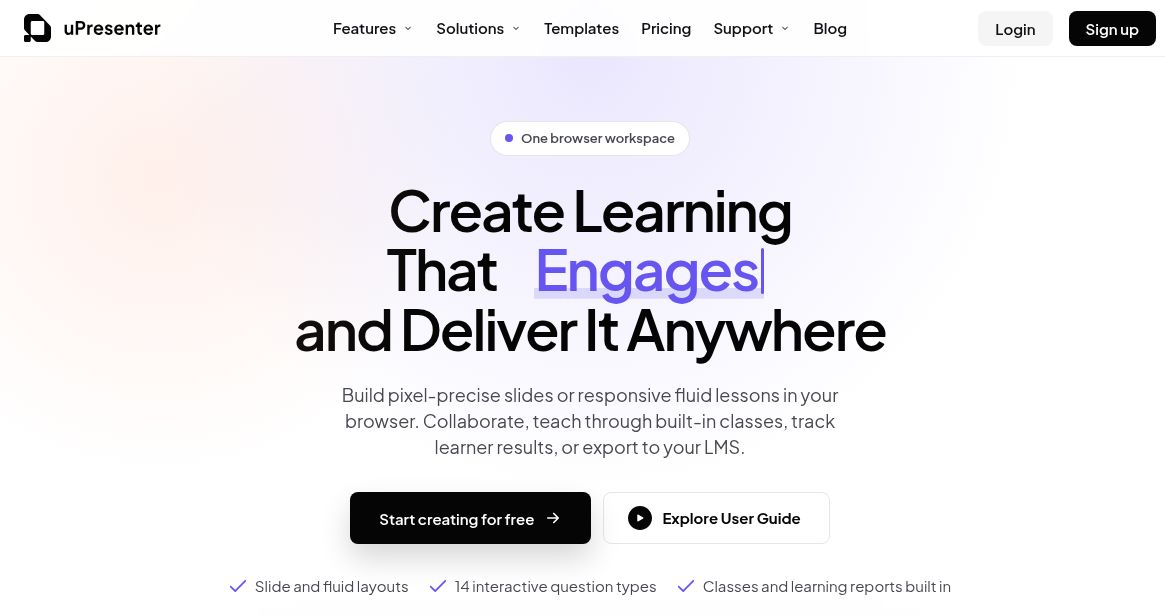
Screenshot of the official uPresenter website, captured October 18, 2026. Homepage marketing, not a hands-on authoring test.
uPresenter AI is a browser-based presentation and eLearning authoring platform from uLearnBox. It combines editable slides or responsive lessons with quizzes, collaboration and learner reporting. It is worth considering when you need a short lesson that people can complete and answer questions in, rather than a slide deck alone.
This overview is based on current public product documentation, not a hands-on lesson-generation or learning-outcome test. The official uPresenter website describes both direct online delivery and export to an existing learning management system.
What can you create with uPresenter?
- Presentations and fluid lessons: choose a fixed slide canvas or a responsive scrolling format, then arrange text, media and visual elements.
- Interactive assessments: the editor advertises 14 question types, including multiple choice, true/false, short answer, matching and hotspots. Questions can be graded or used as surveys.
- Team review: collaborators can edit or comment, with roles and version history.
- Classes and reports: organize lessons for learners and review attempts, scores, completion and time spent. Detailed answer tracking is a Pro feature.
AI can draft from a topic or imported PDF, DOCX, PPTX, XLSX or TXT document. You review the outline before building the lesson. The AI authoring documentation lists document limits of 5 MB on Free and 100 MB on Pro, plus text rewriting, image generation and narration. AI-generated question support is described separately from the editor’s full question-type range, so do not assume every interaction can be generated automatically.
The August 12, 2026 release notes add useful context to older descriptions: they list fluid layouts, an in-editor AI Agent, SCORM export and a redesigned editor. The platform remains useful for business presentations, but its current scope also includes structured training and classroom delivery.
Sharing, exports and practical limits
For online delivery, share a lesson or use a built-in class. Learners can open shared content in a desktop or mobile browser; sign-in requirements depend on your settings. Browser access does not establish that every editing task is equally comfortable on a phone.
Pro includes PDF and image exports, HTML5 packages, SCORM 1.2, SCORM 2004 (3rd Edition) and xAPI. According to the export documentation, an exported package is a fixed copy: after changing the source, export again and replace the LMS copy. Check your LMS’s supported format and test completion, resume behavior and quiz reporting before distributing a course. A PDF or image export should not be treated as an interactive assessment.
Pricing, credits and the free trial
The public pricing page checked for this update displays:
- Free: 250 AI credits at signup, 200 MB storage, collaborative editing and basic analytics; text-to-speech generations are limited to 1,000 characters.
- Pro annual: $48 per user per year, billed annually, with 5 GB storage, advanced analytics, password protection and the listed exports. Text-to-speech allows up to 8,000 characters per generation.
- Additional AI credits: one-time packs start at 2,500 for $5. Purchased packs are advertised as non-expiring; credits pay for AI tasks, not Pro access.
Prices exclude VAT. The visible dollar symbol does not establish the checkout currency. Confirm currency, taxes, seat count and the selected billing interval before paying. The current public card does not specify an exact recurring Pro credit allowance, so check that allowance and generation costs in your account rather than assuming 1,000 credits every month.
New accounts are offered a 14-day Pro trial without a credit card. The pricing FAQ says the account returns to Free afterward, preserving content while pausing Pro features. Paid subscriptions renew automatically unless canceled; the terms generally exclude refunds for the current period, subject to applicable law and discretionary exceptions. Their general trial clause also describes card-backed trials, so verify the actual signup offer before accepting billing.
A practical first-project workflow
Hypothetical example: a trainer wants a short lesson explaining a public library’s borrowing process. Start with an approved, non-confidential one-page guide and ask for five slides plus three questions. This is an example brief, not a tested uPresenter output.
- Define the audience and one learning objective, such as identifying how to renew a loan.
- Upload only material you may share, review the generated outline and remove details the source does not support.
- Check every answer against the guide. Give wrong answers plausible wording without making the correct answer ambiguous.
- Preview layout, narration and navigation. Ask a colleague to try it on the devices learners will use.
- Choose a link, class or supported LMS package. Run one test attempt and check that the recorded result matches what happened.
Teachers, trainers and consultants can adapt that workflow to their own materials. Completion percentages and quiz scores are activity measures; they do not by themselves prove retention, better teaching or successful training.
Privacy and content checks before uploading
The privacy policy, dated June 11, 2024, describes personal and usage data, service providers, analytics, advertising-related processing and international transfers. It does not establish a blanket no-training or zero-retention guarantee for uploaded lessons. Schools and employers should confirm their data requirements before uploading learner records or confidential documents.
The current terms require appropriate adult authorization for children below the applicable consent age, while the older privacy policy has separate under-13 and under-16 wording. Resolve the relevant requirements with the provider and your institution before enrolling children. Also review rights for uploaded documents, images and fonts; retaining ownership of your content is different from granting the service permission to process and display it.
uPresenter is most useful to evaluate with one small, representative lesson. Check its output, sharing controls, credit consumption and reporting before committing a larger course. For other options, browse our AI tools directory.