Gamma is an AI-assisted tool for building presentations, documents, websites and visual content. You can use it to turn a starting idea into a structured draft, then edit the content and design before sharing. Its free plan is useful for exploring the workflow, but AI usage, branding removal and advanced sharing depend on your plan.
Updated October 15, 2026. This overview is based on Gamma’s official documentation, not a hands-on generation or export test.
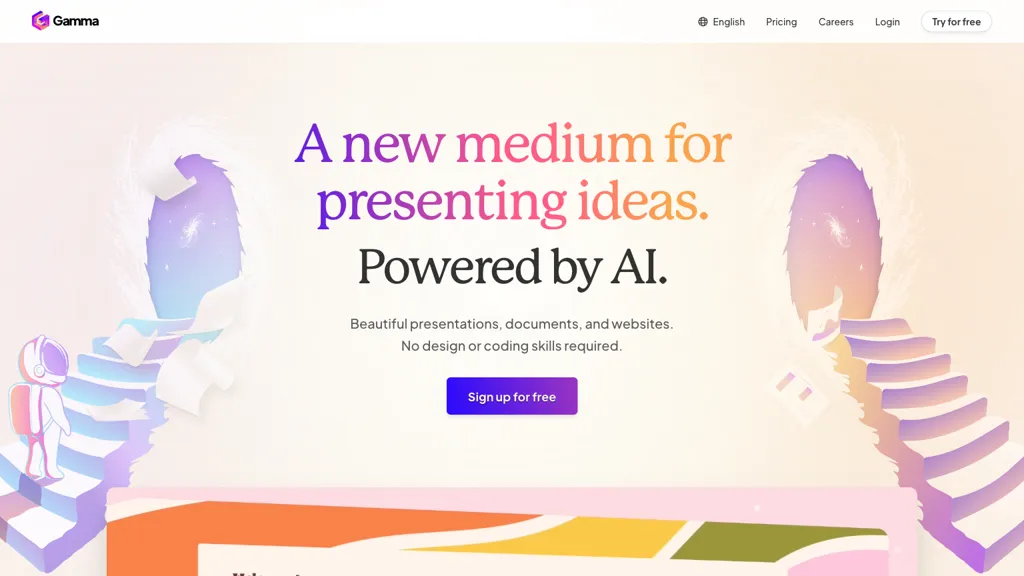
Image note: The retained image shows a historical Gamma homepage from the original listing. It may not show the current interface.
What can Gamma create?
Gamma’s current product lineup covers presentations, documents, websites, social content and images. This makes it relevant to people preparing a client introduction, explaining a proposal, organizing a lesson or sharing a short visual brief.
Free accounts can generate up to 10 slides per prompt. Plus and higher individual plans list up to 100 slides per prompt. These are generation limits rather than a promise about how much content belongs in a useful presentation.
For a practical first project, start with one audience and one decision you want the reader to make. Supply your own reliable facts, review the outline, and shorten anything that distracts from that purpose. Check names, dates, numbers and citations before presenting AI-assisted content.
Plans and AI credits
Gamma has a Free plan and paid individual plans called Plus, Pro and Ultra. Compare both the included features and the credit allowance, and check the current terms for the billing option you select.
- Free: New users receive 400 starter credits. They do not automatically refill.
- Plus: Includes 1,000 credits each month and removes Gamma branding from shared or exported content.
- Pro: Includes 4,000 monthly credits, with additional customization, detailed analytics, advanced sharing and API access.
- Ultra: Includes 20,000 monthly credits and access to more advanced AI models.
These allowances come from Gamma’s subscription guide. Paid subscriptions are billed per user. Annual options show an effective monthly rate but require the year’s payment upfront; credits still arrive monthly. Available billing options can differ from older help-center descriptions, so confirm the selected plan on the current pricing page and at checkout.
For credit-consuming features, the credit guide says costs vary by action, model and generation complexity. Unused paid-plan credits can roll over up to twice the monthly allowance. Paid users can buy additional credits, and Free users can earn credits through referrals. You can continue manual editing and non-AI work after credits run out. There is no reliable fixed number of presentations that every starter balance will produce.
Check Gamma’s official pricing page for the current amount, currency and billing option before subscribing. Taxes may apply. Confirm the total and billing period at checkout, especially when comparing an annual plan’s effective monthly rate with month-to-month billing.
Export formats and limitations
Gamma’s export documentation lists PDF, PNG and PowerPoint (.pptx). For Google Slides, the documented workflow is to export a PowerPoint file and upload it to Google Slides. Word (.docx) export is not currently supported.
Exported files follow Present Mode, so the editing view is not the final reference for layout. PDF exports are static; interactive elements and fillable fields do not carry over. Some visual effects can change, and Google Slides can substitute fonts from an uploaded PowerPoint file.
Check the downloaded file before sending it to a client or using it in a meeting. Removing the Gamma badge requires an active paid plan in the relevant workspace at export time.
Does Gamma have a mobile app?
Yes. Gamma’s mobile app guide lists iOS and Android apps in early access, currently available in the United States and Canada. They support creating, editing, presenting and sharing, although some desktop features are still unavailable. In other countries, you can access Gamma through a mobile browser. Availability may change.
Privacy and sharing
Before uploading confidential material, review Gamma’s data controls. For individual Free, Plus, Pro and Ultra workspaces, data use for training Gamma’s AI features is allowed by default. You can opt out in account Settings under Data Controls. Business and Enterprise workspaces automatically exclude content from training, with that setting locked.
Also inspect sharing permissions. Link access and workspace access both matter: workspace permissions can override an individual sharing setting. Pro and higher plans support password protection for Gamma documents, but that protection does not apply to published Gamma sites. Review who can view, comment or edit before distributing a link.
Example: a six-slide client update
The following is a fictional planning example, not a presentation generated or tested in Gamma. Imagine a small design studio explaining a website refresh to a client:
- Purpose: Explain the decision needed from the client.
- Current problem: Summarize an observed issue, using verified evidence.
- Proposed change: Describe one clear improvement.
- Scope: State what the project includes.
- Timeline: Add only dates the team has agreed to.
- Next step: Name the approval or feedback needed.
A starting instruction could be: “Draft a six-slide client update from the notes below. Use concise headings. Keep every supplied date and number unchanged. Mark missing information as ‘to confirm’ instead of inventing it.” Review the result against the original notes, then inspect its export before delivery.
Is Gamma a good fit?
Gamma is worth considering when you want help organizing a visual first draft and can spend time checking the content. The Free plan offers a way to explore that workflow without a paid subscription. Compare paid tiers when you need branding removal, more AI credits or advanced sharing.
For a document-and-workspace alternative, see our Notion AI overview and compare its workflow with the presentation format you need.
If your handoff requires a Word document, a fully interactive PDF or exact formatting in another presentation editor, check those requirements first. Choose the tool around the file and audience you need to serve.