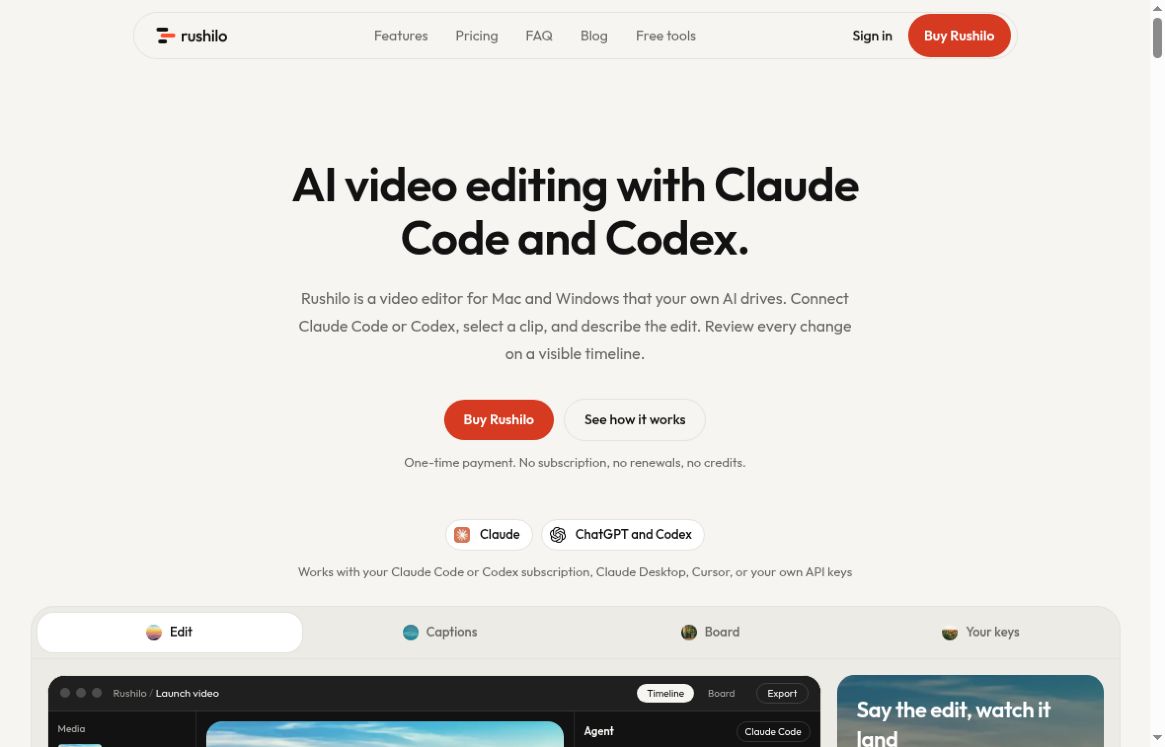
Rushilo is a desktop video editor for people who want an AI agent to work on footage they already have, while keeping the cuts visible and reversible. You connect your own Claude Code, Codex or another supported agent, describe an edit, and inspect the result on a timeline.
Image: Screenshot of the official Rushilo homepage, captured October 22, 2026.
The useful question is whether this arrangement fits your workflow and budget. Rushilo charges for its editor separately from the AI services you connect. This overview draws on its public documentation, checked on October 22, 2026; it is not a hands-on performance test.
What Rushilo does
The editor supports macOS and Windows. Its documented workflow combines timeline editing, a planning board, transcript-based cleanup and captions. Local Whisper transcription can generate captions after a model download. You can also connect supported providers for features such as voice or image generation, with those providers charging separately.
Screen recording is available on Mac, including cursor-focused zoom and presentation framing. Projects can be exported, and the documented YouTube integration offers a separate publishing step that asks for approval. For background on planning a video before editing, see GPTOnline’s Video Script Generator.
What changed in October
Rushilo’s official release history dates its first public release to October 11, 2026. Version 1.3.0, released October 17, expands editing and audio controls, adds batch export and introduces an agent preflight check. That check can flag issues such as missing media, black gaps, off-frame titles, low contrast and loudness problems.
Version 1.3.1, also dated October 17, addresses the agent panel selecting an older installed copy of Claude Code or Codex. These are documented changes, not evidence that every project will export correctly. A final watch-through remains important.
A practical workflow: shorten a product walkthrough
Consider a three-minute recording that needs a shorter version for a landing page. The following is a suggested editorial workflow, not a test result or a promise about processing time.
1. Define the story before asking for cuts
Write down the viewer’s question and the one action the video should demonstrate. Keep a copy of the original footage. For example: the viewer should understand how to create a project, invite a colleague and find the finished result. Mark any essential explanation that must not disappear when pauses are trimmed.
2. Request one limited change
Start with a prompt such as: “Shorten the opening pause and remove repeated setup instructions. Keep the three workflow steps in order. Do not remove warnings or change spoken meaning. Show me what changed before moving on.” A small request is easier to inspect than an instruction to make the entire video better.
3. Review the transcript and timeline together
Read captions for product names and numbers, then watch the corresponding footage. A grammatically clean transcript can still describe the wrong button or omit a necessary transition. Listen across cuts for interrupted words. If a change weakens the explanation, undo it rather than trying to repair several dependent changes at once.
4. Check the exported file
Choose the intended aspect ratio, review title placement and run the available preflight checks. Then watch the actual exported file, including its final frame and audio. Check that no private account information remains visible. Keep publishing separate from editing until a person has approved the final version.
Pricing and the real cost of using your own AI
At the time checked, the official homepage advertises one-time pricing from $19 and displays a $29 launch offer for three computers, alongside a $99 regular price. Device options include one, three or five computers. Confirm the selected device allowance, checkout currency, taxes and current offer before paying.
Those prices cover Rushilo, not unlimited AI. Your connected agent subscription or provider usage is separate. An existing subscription may make the arrangement attractive, but its usage limits still matter. Older directory listings can show different launch prices.
Privacy, licensing and important limitations
Under Rushilo’s terms, the licence is personal, non-transferable and limited to the selected number of computers. Updates are those the company chooses to release. Sales are generally final, subject to legal rights, so check requirements before buying rather than assuming a refundable trial.
Projects staying on your disk does not make connected AI processing entirely offline. Inputs needed for an AI request can go to that provider. Use footage you have permission to process and review provider terms before involving client material. The site also identifies its Windows installer as unsigned; assess that limitation rather than bypassing a security warning.
Who should consider it?
Rushilo is worth evaluating if you already use a compatible coding agent, edit existing footage and want to inspect each change. A browser-only workflow or a requirement for fully offline AI may point elsewhere. For another video-workspace approach, see ngram’s features and credit limits. Choose based on source footage, review controls and total cost, not the promise that an agent can finish every edit unattended.