
Updated: October 29, 2026
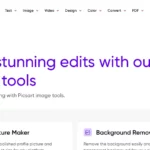
Image note: The featured image shows a historical Quicktools by Picsart image-tools page, retained for product identification. It is not a current interface capture or a hands-on test.
What Quicktools by Picsart offers
| Name | QuickTools by Picsart |
| Overview | Quicktools is Picsart’s collection of browser-based utilities for individual image, text, design and conversion tasks. Its image collection includes resizing, cropping, compression, text overlays and format conversion. The site also lists AI writing tools for social-media bios, slogans and business names. Quicktools is part of Picsart, but its individual web tools should not be confused with every feature of Picsart’s broader editor or mobile apps. |
| Key features & benefits |
The navigation also links to video utilities and broader Picsart tools, including background removal. Follow the individual destination to check its requirements; a linked Picsart feature is not necessarily part of the same Quicktools workflow. Not every utility uses AI. |
| Use cases and applications |
|
| Who uses? | Potential users include digital marketers, small-business owners, influencers, content creators, graphic designers and social-media managers. |
| Pricing | The official image-tools collection advertises free use without signup. No separate Quicktools premium tier was verified in this review. Broader Picsart products and mobile apps may have paid features, account requirements and platform-specific terms; their subscriptions should not be presented as Quicktools pricing. Check the individual tool before relying on a particular free feature. |
| Tags | Image editing, social media, marketing tools, graphic design, online utilities |
| App available? | Quicktools is presented as a web-tool collection. The iOS and Android links associated with this listing lead to the broader Picsart app, not verified dedicated Quicktools apps. Web-tool and app features may differ. |
A practical workflow to consider
For a social-media graphic, start with an image you have permission to use, choose the required dimensions, then use the relevant resize or crop tool. Add a short text overlay if needed and review the exported file for legibility, cropping and image quality. A slogan or bio generator can provide draft wording, but check accuracy, originality and suitability before publishing. This is a suggested workflow, not a hands-on Quicktools test or a guarantee of engagement.
Privacy, usage rights and product boundaries
The image collection advertises that it does not store images, but this should not be read as a claim that all Picsart services collect no personal data. Picsart’s privacy policy covers usage, device and other information. Check the policy and the particular tool before uploading sensitive content.
Use images and text you are entitled to upload. Picsart assets and community content have different usage conditions; free access to a tool does not establish unrestricted commercial rights to every asset or output. Check applicable commercial-use labels and terms before using material for a business.
Sources checked October 28, 2026 (UTC): Quicktools About, official image tools, hashtag tool, Picsart on the App Store, Picsart on Google Play, Terms of Use and Privacy Policy. Features are described from published sources; no upload, generation or paid workflow was tested.