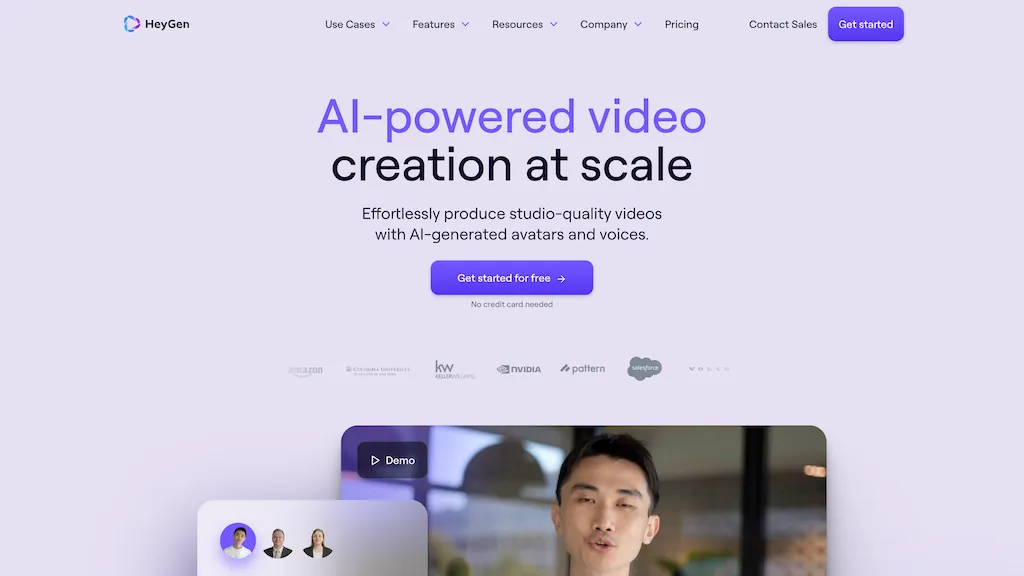
HeyGen is an AI video platform for turning scripts into presenter-led videos and adapting existing videos for other languages. It offers stock avatars, custom Digital Twins, voice tools and a browser-based editor. It is worth considering for product explainers, training and localized content when you can review the script and final delivery before publication.
Updated: October 15, 2026. This overview is based on HeyGen’s public documentation; it is not a hands-on performance test.
The featured image is retained from the original 2025 article. The current interface and offers may differ; it does not represent a GPTOnline video-generation test.
What can you make with HeyGen?
- Avatar-led explainers: Present a prepared script using a stock presenter or an authorized custom avatar.
- Training videos: Break a process into short lessons that can be reviewed and updated individually.
- Localized videos: Translate and adapt a source video, then check its wording, timing and pronunciation for the intended audience.
The current plan comparison lists 500+ stock video avatars and 30+ languages on Free, with 700+ stock avatars and 175+ languages and dialects on Creator and Pro. Availability depends on the plan and feature; a language count does not guarantee equal results for every voice or translation.
HeyGen pricing and included usage
The following public web prices are in US dollars. They are a planning reference; check the final billing amount, taxes and account-specific offer before subscribing.
| Plan | Published price | Main allowance |
|---|---|---|
| Free | US$0 | Limited video quota, with videos up to 1 minute |
| Creator | US$29/month; US$288 billed annually for the US$24/month equivalent | 600 credits/month; videos up to 30 minutes; 1080p export |
| Pro | From US$49/month | From 1,000 credits/month; videos up to 30 minutes; 4K export |
| Business | US$149/month for the first seat; US$20/month per additional seat | 1,500 shared credits/month; videos up to 60 minutes; 4K export |
| Enterprise | Custom quote | Contract-specific usage and capabilities |
Sources: official pricing, subscription details and annual billing details. HeyGen also identifies its public prices as USD in its pricing explanation.
HeyGen’s pricing page advertises three Free videos per month, while its more detailed help article specifies one to three depending on region. Check the allowance in your account. Additional Business seats share the same credit pool. Included custom-avatar slots can also vary by account age and region.
Credits and video limits
A 30-minute maximum video length does not mean a subscription includes 30 minutes of every generation type. Paid credit-based plans use a shared balance, and each model or feature can consume it differently. For example, the standard published Avatar IV rates are 16 credits per minute for a Photo Look and 31 for a Video Look. Translation and other generated assets also consume credits.
HeyGen warns that rates can vary by region and account creation date. Check the cost shown before generation and leave room for revisions. See the current credit guide.
On web subscriptions, unused monthly credits can roll over for one further billing cycle; annual-plan credits arrive monthly and can accumulate until renewal. Legacy unlimited subscriptions have separate conditions. The newer credit-based plans should not be described as unlimited video generation. See billing and legacy-plan guidance.
Web, mobile and API access
HeyGen has a mobile app as well as its web experience. Features and offers can differ across platforms. The mobile guide says Apple/Google subscription credits expire after 30 days without rollover, so check the billing channel before choosing a plan. Consult HeyGen for Mobile for current details.
API billing and LiveAvatar plans are separate from the main avatar-and-video plans. If your project needs automated generation or real-time avatar interaction, verify that product’s own pricing rather than assuming a Creator subscription covers it.
HeyGen Voice
According to the HeyGen Voice overview, Voice Clone adapts delivery to a scene, while Full Clone aims to retain the character of the original recording. Expressiveness Boost adjusts emphasis, rhythm and intonation. These are vendor-described capabilities; review your own script and pronunciation before relying on the output.
HeyGen says the model is included in its videos without an additional voice-model charge. The selected plan’s video quotas, credit limits and usage rights still apply. Its published API synthesis rate is US$30 per million characters; HeyGen confirms that API usage is billed in US dollars.
The API model documentation distinguishes instant clones, which are free to create during the preview, from professional clones that require a purchased voice slot. Speech generation is separately metered. The speech endpoint documentation also warns that OAuth requests, including MCP calls, round usage up per request, so the effective charge can be higher. Check the current model, clone type and billing method before estimating a project.
For a separate audio-focused workflow, see our ElevenLabs overview and compare the voice requirements of your project before choosing a tool.
Consent, commercial use and privacy
A video-based Digital Twin requires a consent recording from the person depicted. Creating an avatar for somebody else requires that person’s own recording, with identity matching the source footage. Follow the official consent requirements before preparing a custom avatar.
Free-plan output is restricted: HeyGen’s current Terms limit it to personal, non-commercial and internal evaluation use, excluding advertising, client work and monetization. The paid Creator, Pro and Business provisions permit commercial use subject to the Terms and necessary rights and permissions. Generated output is not guaranteed to be unique or free of third-party claims. Review the Terms of Service before using a video commercially.
Check data use before uploading: HeyGen’s Privacy Policy describes use of inputs for model training and enhancement and provides a contact-based opt-out request. Business and enterprise customer processing may instead be governed by their contracts. Avoid assuming every account has the same protections; review the applicable Privacy Policy and agreement before providing confidential scripts, client footage or voice recordings.
Example: planning a localized video
Imagine a fictional software company preparing a one-minute onboarding video in English and Spanish. This is a planning example, not a tested HeyGen result.
- Write one short source script and confirm the product instructions with the team responsible for the feature.
- Choose a stock avatar or obtain the required consent for a custom presenter. Check the intended commercial use against the selected plan.
- Review the displayed generation cost, then budget separately for translation and possible revisions.
- Have an English reviewer and a Spanish reviewer check the instructions, product names, captions and spoken delivery.
- Keep the approved script and source materials so future product changes are easier to track.
This workflow is most useful when a consistent presenter and repeatable script matter. Choose a different production approach if the job depends on filmed demonstrations, nuanced acting or footage that must document a real event. Whatever the format, review the exported video before publishing it.