Updated October 19, 2026. Reviewed and revised for current information.
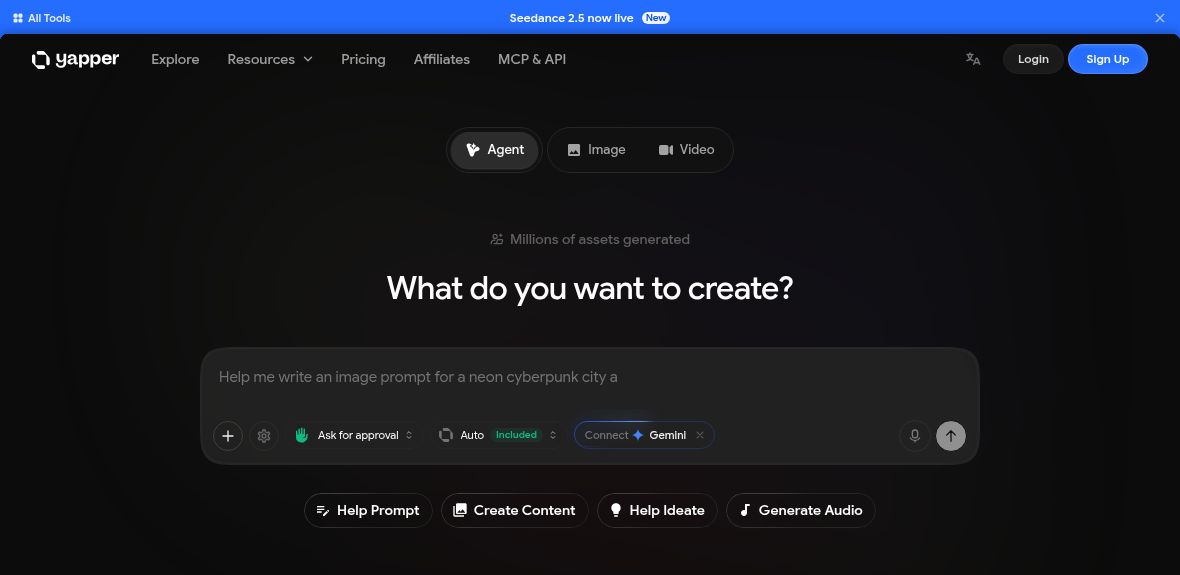
Image: Official Yapper homepage with an empty Agent composer, captured October 19, 2026. Model announcements, aggregate usage and Included wording are provider presentation, not verified output or plan entitlement; no prompt, reference media, generation or account connection was submitted.
Yapper AI is a creative studio for generating and editing images and videos. Its official website combines video generation, lip-syncing, image editing and project tools in one service. The current product is broader than a single deepfake or text-to-video generator.
Key tools and workflow
- Video generation: create clips from prompts and supported reference media. The public video workspace shows reference-image, video and audio inputs.
- Lip-sync and character content: create avatar-style videos and lip-synced scenes using the available tools.
- Image tools: generate and edit images, remove backgrounds, extend aspect ratios and upscale media.
- Project organization: organize images and clips in projects and folders, then refine videos in the timeline editor.
- Workflow tools: the homepage describes an Agent assistant, node-based Canvas, and MCP/API access.
These tools may suit storyboard drafts, short social clips, product-visual experiments or clearly labeled character entertainment. Review faces, motion, speech timing, text and factual content before sharing. Results and generation times depend on the selected tool and source material; a marketing claim about views does not predict an individual video’s reach.
Plans and credits
The pricing page, checked October 19, 2026, lists Personal, Creator and Max plans, with displayed allowances of 3,000, 7,000 and 22,500 credits per month respectively. A credit is a generation-cost unit, not a fixed number of finished videos. Model choice, duration and other settings affect consumption; check the operation’s displayed credit cost first.
Exact subscription amounts are omitted here because the reviewed page mixes discounted and rounded dollar displays and does not make the currency code explicit. Confirm the currency, selected billing cadence and total in the current offer. The site also offers one-time credit top-ups; the displayed bundles require an active subscription plan.
Licensing and other important limits
The live plan cards and FAQ place commercial-use licensing at Creator or above; Personal does not include it. The FAQ describes limited monthly credit accumulation, whereas the terms state that subscription credits do not roll over. Get clarification on credit expiry before relying on unused credits, and confirm the license covers your intended work.
The terms require users to hold necessary rights and consent, prohibit passing generated footage off as a real person speaking, and require AI-content disclosure. They also describe restrictive refund eligibility after successful generation or renewal. Check the complete current conditions before subscribing. Available models and features can change, so confirm the tool you need remains included.