
Updated October 29, 2026
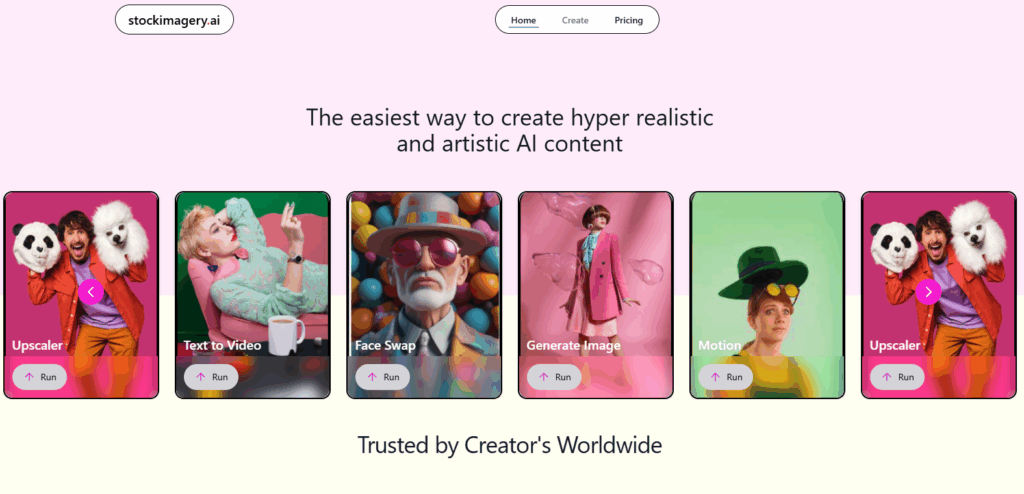
Image note: This historical Deep Art Effects homepage screenshot is retained for product identification, not as a current software interface or a hands-on test. Its promotional statements and New York Times reference are part of the provider’s page, not independently verified endorsements or an endorsement of GPTOnline. The original capture date is unknown.
| Name | Deep Art Effects |
| Overview | Deep Art Effects is an AI-assisted photo-editing product for applying artistic styles and working with image colors, backgrounds and enlargement. The provider advertises 4× image enlargement for its desktop software; this is not a guarantee of lossless detail recovery. Desktop and mobile editions have different features and processing arrangements. The provider also offers Deep Art Creator and Deep Art Studio, which should not be treated as interchangeable names for Deep Art Effects. |
| Key Features & Benefits |
Review results for artifacts, changed colors and inaccurate details. Enlarging an image does not establish that missing detail has been recovered accurately. |
| Use Cases and Applications |
|
| Who Uses? |
|
| Pricing | The mobile listings offer free basic features with paid in-app upgrades; Google Play also lists advertising. Provider terms distinguish free and paid desktop editions. Paid features, output sizes and subscription terms depend on the platform and edition. Current desktop prices and cross-platform entitlements were not verified; check the applicable store or ordering screen before purchasing. |
| Tags | AI image editing, artistic photo styles, mobile app, desktop app, colorization, image enlargement |
| App Available? | Yes. The official downloads page lists Deep Art Effects for Windows, macOS and Linux, plus Android and iPhone. Store listings confirm Android and iPhone/iPad versions from Deep Art AI GmbH. Check current compatibility and local availability before installing. |
A practical way to evaluate an edit
For example, start with a photograph you took of a garden and compare a painterly version with the original. Inspect fine branches, edges and colors before enlarging it for a print layout. Keep an unchanged original and check whether your chosen edition’s export size and watermark settings suit the intended use. This is a suggested workflow, not a test performed for this review.
The provider’s terms distinguish the software licence from rights in processed photographs and require users to have the necessary rights to their source images. They do not clear third-party copyright or likeness rights simply because an image has been edited.
Sources checked October 28, 2026 (UTC): the provider’s indexed product overview, official downloads, app-store listings and terms linked above. Direct access to the homepage timed out during research; other official pages and store listings were accessible. No software was installed, image processed or purchase made. Feature descriptions are provider-reported, not independently measured performance results.