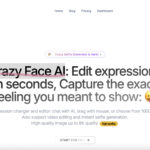

Updated October 31, 2026. Crazy Face AI advertises browser-based facial-expression editing. Its public pricing page currently displays a purchase pause while an upgrade is prepared. This review covers public descriptions, not a hands-on editing test or confirmation that new subscriptions or trials can be activated.
Historical screenshot: the retained homepage image shows Crazy Face AI branding, navigation, an emoji and promotional text about speed, templates, video and 8K output. Its capture date is unknown. It is not an editing result or proof that the advertised free access, performance or features are currently available; the purchase-pause notice above takes precedence.
| Category | Details |
|---|---|
| Name | Crazy Face AI |
| Overview | A web service marketed for changing expressions in photos, creating selfies and working with facial-expression videos. The homepage also describes animal-expression tools. These are provider-advertised capabilities, not independently measured results. |
| Key features & benefits |
|
| Use cases and applications | Possible creative uses include clearly edited thumbnails, humorous personal photos and consent-based portrait variations. These are potential applications, not evidence of higher engagement, improved advertising performance or viral reach. |
| Who uses? | The advertised workflows may interest creators, photographers, designers and marketers. This describes a potential audience, not a verified customer list or endorsement by anyone pictured on the provider’s website. |
| Pricing | The displayed Basic and Pro plans list 30 and 100 faces per month respectively, with monthly billing labels. Basic advertises a three-day trial and cancellation within that period. However, the page explicitly pauses purchases. Do not treat those displayed plans or trial terms as an available offer without confirmation. Currency, taxes, annual billing conditions and checkout availability were not independently established, so monetary amounts are not reproduced here. |
| Tags | AI photo editor, expression changer, face editor, selfie tool, creative video editing, thumbnail design |
| App available? | A browser-based service is advertised. A separately published native mobile app was not verified in this review; that is not proof that no app exists. |
How to assess an expression-editing tool
Start with a photo you own or have permission to edit. If another person is recognizable, obtain their agreement to the intended change and sharing context. Do not present an altered expression as evidence of what someone really felt, said or did.
Hypothetical example: a creator could plan two clearly edited thumbnail expressions using their own portrait, then compare whether each version matches the video’s actual subject. This is an illustrative workflow, not an output generated during this review or a promise of more clicks.
Inspect the eyes, teeth, face outline and surrounding background before using any result. Compare the output with the original and check the actual exported dimensions. A resolution label alone does not establish natural-looking details or suitability for print.
Access, privacy and limitations
The pricing page differentiates shorter video generation on Basic from longer-video support on Pro. In the browser-rendered plan comparison, Basic excludes 8K and the listed animal tools, while Pro includes them; the plain-text extraction alone omitted those exclusion icons. The FAQ defines one face usage as generating one face image, so five generated expressions count as five usages. These are displayed plan rules, not an activated subscription test.
No account was opened and no photo, video or facial data was uploaded. The linked Terms of Use page returned no readable text in the research tool and appeared blank in a separate browser check. Consequently, image-retention periods, training use, deletion controls, commercial-use permissions and refund conditions were not verified. A blank extraction does not prove that the policy is absent or that the service has closed. Review readable current policies before submitting identifiable images.
The three social links retained from the earlier listing match links in the current official website footer. Their individual account activity was not tested.
Sources and review scope
Reviewed October 31, 2026: official product homepage and official pricing page. The retrieved homepage was labeled crawled today. Although the research tool labeled its pricing snapshot two weeks old, a separate browser check on October 31 confirmed the purchase pause, plan inclusion icons and usage FAQ. The linked Terms of Use did not yield readable policy text. No checkout, editing performance, trial activation or mobile-app availability was tested.