campedia
Image Scanning

Campedia

Visit website

Campedia’s earlier photo-question workflow, identification and recipe uses, with current availability, pricing and verification limits explained.

campedia
Name Campedia
Overview The earlier GPTOnline article described Campedia as an AI camera app for asking questions about a photograph. Its stated uses included identifying everyday objects, plants and attractions, and suggesting recipes from photographed ingredients. That article attributed the image-question workflow to GPT-4 vision technology; the current model and capabilities could not be independently confirmed. On October 28, 2026, the original website returned a 404 error and the stored App Store link could not be retrieved. These access results do not establish that the app has closed.
Key features & benefits

Features described in the earlier GPTOnline listing, not verified current capabilities:

  • Questions about objects shown in a photograph.
  • Plant, landmark and attraction identification.
  • Recipe suggestions based on photographed ingredients.
  • Multilingual interaction: the earlier listing named English, German, French, Italian, Spanish, Japanese, Korean, Portuguese and Chinese. Current language coverage was not verified.
Use cases and applications
  • Prepare questions about an object or landmark encountered while traveling, then check the explanation against a reliable reference.
  • Explore possible plant identifications and compare distinguishing features rather than treating an image-based answer as certain.
  • Use ingredient descriptions as a starting point for meal ideas, checking the actual ingredients and recipe separately.
Who uses? The earlier listing suggested photographers, museum and gallery visitors, language learners, tourists, educators, students, business owners, collectors and antique dealers as possible audiences. This is not evidence of actual users or professional identification accuracy.
Pricing The earlier GPTOnline listing described a free version with possible paid premium features. Current download pricing, free allowances, subscriptions and billing terms could not be verified; no present offer is confirmed.
Tags AI Camera, Object Identification, Plant Identification, Recipe Creation, Multilingual Support
App available? Previously listed for iOS, with App Store ID6473403865. Current listing availability, device requirements and compatibility could not be verified.

A practical example

For an unfamiliar garden plant, prepare a photograph and a question about its leaf shape, then compare any suggested identification with a botanical reference. This is an editorial example, not a Campedia test or a basis for deciding whether a plant is safe to eat.

Sources and verification limits

Checked October 28, 2026: original Campedia website and stored App Store listing. The website returned 404 and the listing was inaccessible to the retrieval tool. No app was installed, photo submitted or answer generated. Current privacy, image-retention and processing terms were not available for review; do not assume photographs remain on the device or that answers are immediate or accurate.

KEEP EXPLORING

More tools to discover.

Earlier Imagetomp3 interface with an empty image-upload area and Convert to text button

Read the earlier GPTOnline description of Imagetomp3’s image-to-text workflow, with current access, starting-credit and privacy verification limits.

Image ScanningExplore

Read PIXMO’s earlier image-monitoring description and the original address’s unrelated destination, with current service and enforcement limits.

Image ScanningExplore
Earlier Thing Translator experiment page with Launch experiment and Get the code controls

Learn what Thing Translator’s camera-based language experiment did, its current inactive status, and how its public source code fits.

Image ScanningExplore
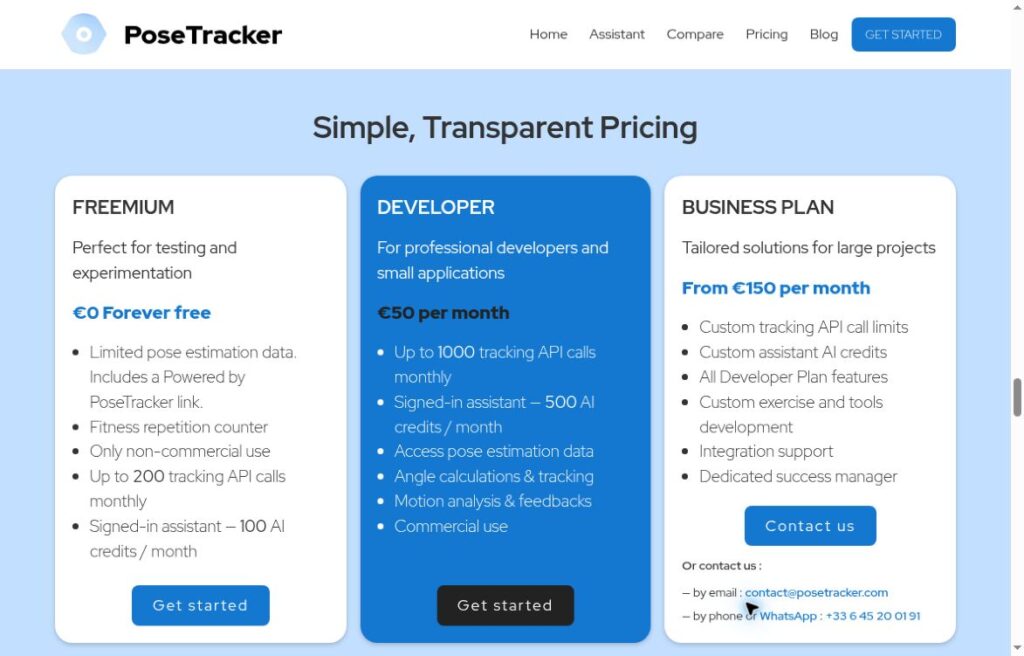
PoseTracker pricing page showing Freemium, Developer and Business plans

Compare PoseTracker’s SDK and WebView routes, free and paid limits, movement-analysis features and data considerations before building an integration.

Image ScanningExplore
MagiScan official homepage with its 3D and AR description and App Store and Google Play links

Explore MagiScan’s iOS and Android scanning workflow, export formats, paid-access limits and model-use terms before capturing objects.

Image ScanningExplore
Pixlyze image-selection interface with an empty upload area and supported image formats

Learn how Pixlyze’s image-upload interface is presented, what detector results cannot prove, and the pricing and privacy limits to check.

Image ScanningExplore
Find your next starting point