Updated October 15, 2026. This documentation-based review covers Bardeen’s published product information and policies. GPTOnline did not install the extension, connect accounts, scrape websites, or run an automation for this update.
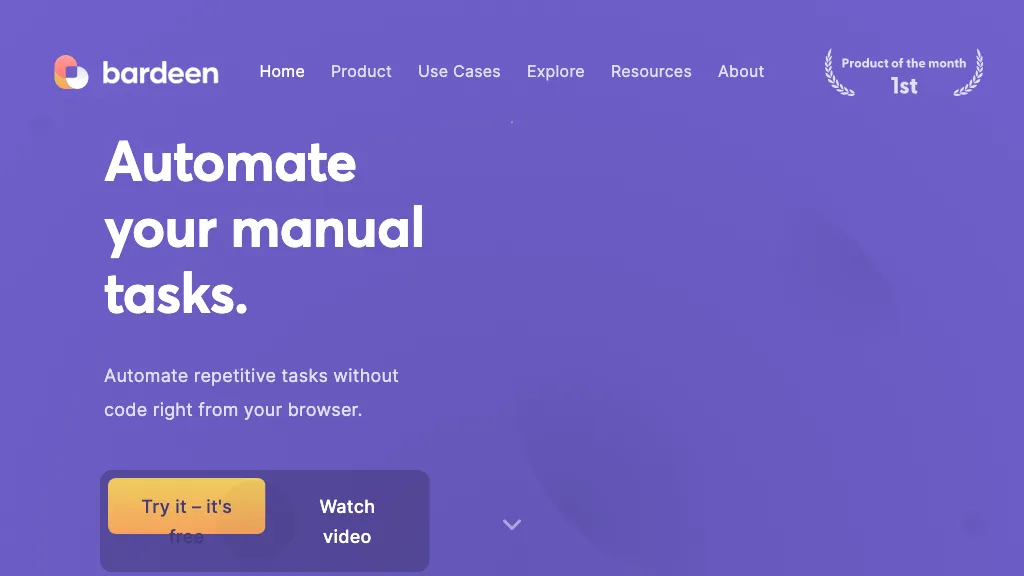
Historical Bardeen homepage image retained from the original December 2024 listing. Its free-access messaging is archival; see current plan conditions below. The image is not evidence of a GPTOnline automation test.
Bardeen AI combines browser automation with tools for extracting, researching, processing, and exporting information. Its current website emphasizes sales and go-to-market work, particularly finding and qualifying leads. For readers considering it for everyday data tasks, the useful question is whether a specific workflow can produce accurate, permissioned records at an acceptable cost. Start with a small, reviewable task before giving it wider access.
What Bardeen does
The official Chrome extension supports building workflows using natural-language instructions and a visual, no-code builder. The listing showed version 5.0.0, updated June 19, 2026, when checked. This is a desktop-browser product route. This review does not establish native mobile-app availability or equivalent support in other browsers.
Bardeen’s scraper documentation describes customizable templates, multi-page extraction, and background work in a separate browser window. Its AI tools can classify information and generate text. These capabilities still need field mapping and output checks: an AI-generated label or plausible summary should not silently become an authoritative business record.
The current integrations page highlights Google Sheets, Airtable, Notion, and CSV. It also explains moving data into CRMs through CSV import. Check the exact action you need rather than assuming that a named application has a live, two-way native connector.
Prices and credits
The published pricing page showed these paid options on the update date. Allowances are presented as additions to a 100-credit free allocation.
| Plan | Billing | Added credits |
|---|---|---|
| Basic | $10 monthly | 100 per month |
| Premium | $50 monthly | 1,000 per month |
| Premium annual | $480 yearly | 12,000 per year |
| Enterprise | Custom annual quote | Custom bulk allowance |
Unused credits expire at the billing period’s end. Scraping, web search, and AI actions are listed at one credit per output row; enrichment costs three. Imports and utilities are free, as are CSV downloads; the page’s Google Sheets export example charges per exported row. Multiple stages can therefore charge against the same record. The current page does not establish a fixed-duration trial.
The linked Terms of Service, dated June 27, 2024, specify US dollars and applicable taxes. They restrict the Free Plan to non-business, personal or not-for-profit use and reserve retroactive business charges. Do not equate complimentary credits on paid plans with the Free Plan; clarify the applicable offer before business use. Sales are generally final, refunds discretionary, and cancellation effective at period end without a prorated refund.
Where workflows run
Browser execution and cloud execution require different checks. Bardeen’s release notes describe cloud workflows and Always-On triggers that can operate while a local computer is off. Those descriptions date to 2024 and establish that cloud execution exists, rather than proving every current plan or action supports it. The scraper page separately describes work performed through the user’s own browser.
Before relying on a schedule, confirm the selected workflow’s execution mode, authentication requirements, available credits, and plan entitlement. The reviewed public pages did not establish one universal concurrency or maximum-row limit for every workflow. Ask for those limits for your intended workload. No-code setup also leaves practical maintenance work: recheck fields after page changes, verify permissions after reconnecting an app, and inspect partial results before retrying an interrupted export.
Permissions and data
Bardeen’s security page describes browser permissions for authentication, context-menu actions, and displaying its interface on websites. It says connected-app data is persisted in local browser cache while connection configurations and custom workflow information are stored on its servers. Read this alongside the execution mode; it is insufficient evidence for a promise that nothing ever leaves your device.
The Privacy Notice, dated March 7, 2024, specifically says personal information obtained through third-party APIs is not used to train generalized AI models, and API-obtained data is not retained. The Terms separately license User Content for service operation and improvement, including training, optimization, and development. These statements have different scopes; this review cannot conclude that every input is excluded from every form of training.
For evaluation, use nonsensitive material and connect only the accounts needed for the task. Confirm who can access the destination sheet and which service receives each field. Seek written clarification before uploading confidential material whose permitted processing is unclear.
A controlled catalog example
Consider a fictional stationery business with permission to reuse its own public catalog. It wants a review sheet containing SKU, product name, displayed price, currency, source URL, and capture date. The following is a proposed evaluation, not a workflow GPTOnline executed:
- Define the boundary. Select five approved product pages and a suitable business plan. Exclude customer information, private supplier records, and unrelated websites.
- Preview the extraction. Inspect the proposed fields before allowing any write. Check whether a sale price has been confused with the regular price, and leave absent values blank rather than inventing them.
- Use a staging sheet. Export the small sample to a separate review tab. Preserve source links so a person can compare every value with its original page.
- Check duplicates manually. Compare SKU and source URL against existing rows before appending. Treat duplicate detection as a requirement to verify, not an assumed automatic safeguard.
- Approve expansion. Review accuracy, missing fields, actual credit usage, and retry behavior before increasing the batch. Keep publication, purchasing, and outbound messages outside this workflow.
Bardeen’s scraper guidance calls for respecting website terms, limiting request volume, and avoiding personal-data collection without permission. Stop at access restrictions rather than treating automation as permission to bypass them. Adapt GPTOnline’s AI assistant acceptance-test worksheet to record field accuracy, duplicate handling, and human approval checks; it is a general worksheet, not a Bardeen benchmark.
Who should consider it
Bardeen is worth evaluating when repetitive, browser-centered data work has clear inputs and a human-review destination. It is harder to justify when the required access is unapproved, the budget depends on unlimited free runs, or nobody can maintain the workflow. Judge it on a permitted sample and the complete cost of its steps, then decide whether the saved effort outweighs setup and supervision.