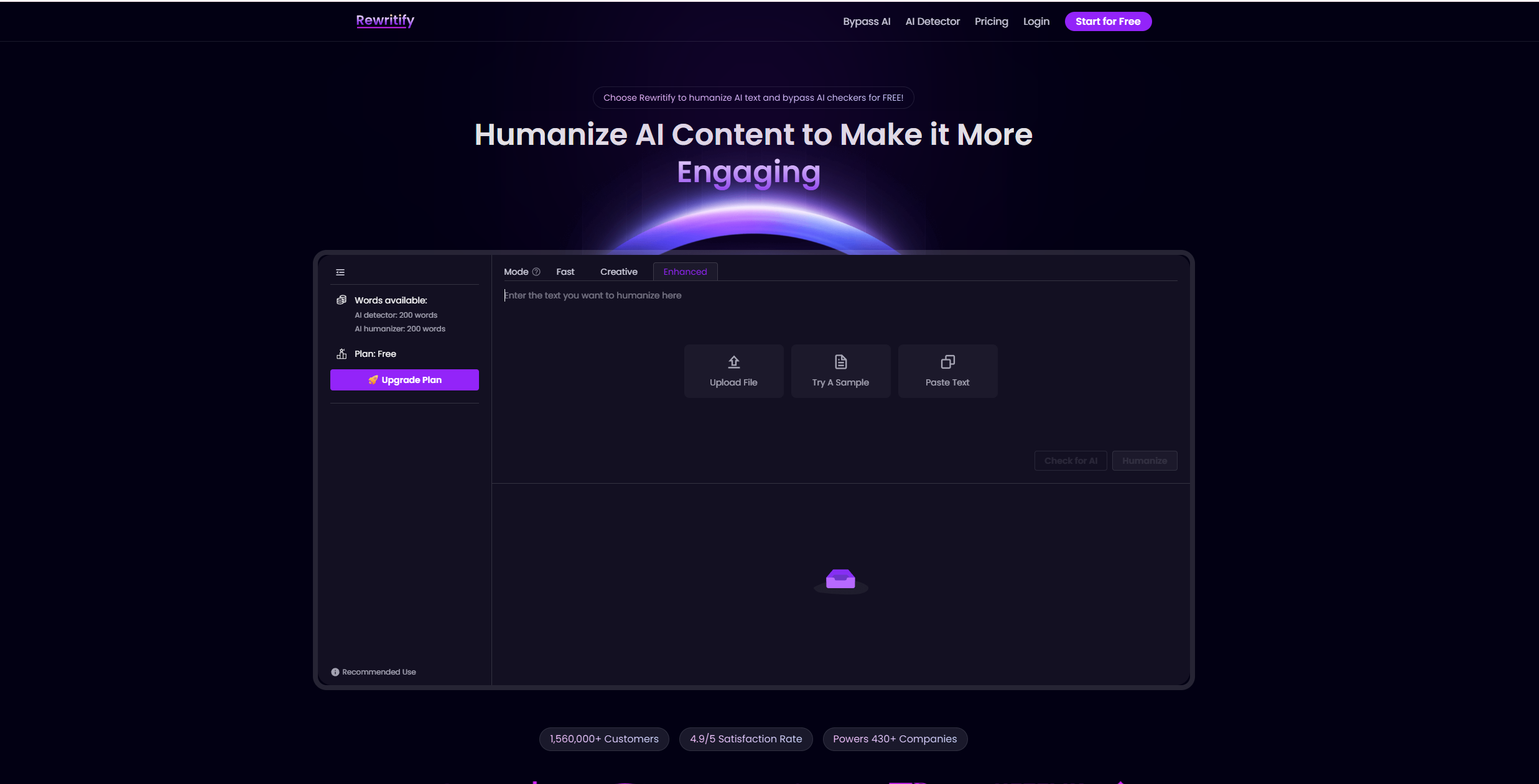
Archived Rewritify homepage image from the original December 2025 listing. Its free-word allowance, detector-bypass messaging, customer count, and satisfaction badges are historical marketing claims, not verified current terms or GPTOnline test results.
Updated October 16, 2026. This is a review of Rewritify’s public product, pricing, and policy pages. We did not run rewriting or detector tests, use a paid account, or check out. The editing example below is fictional and editor-written.
Rewritify AI is a browser-based rewriting service marketed as an AI humanizer. It may be worth exploring for alternative wording in a draft you are permitted to share. Judge any rewrite by its accuracy, clarity, and fit for the reader. This review does not establish that its output will evade detection, be original, or improve search rankings.
Features and access
The official interface offers text input, rewriting, and AI checking, with Fast, Creative, and Enhanced mode labels. These are available choices, not independently measured quality levels.
Rewritify advertises multilingual rewriting, but its published counts differ: the main feature section and pricing page say 30+ languages, while the homepage FAQ says over 50. Check your intended language before subscribing. A free trial is advertised; confirm the current allowance in your account because published trial figures vary.
We confirmed a web interface. The official pages reviewed did not establish a native mobile app, browser extension, or public API. This is a limit of the documentation review, rather than a claim that none exists.
Pricing and word limits
The pricing page identifies its currency as USD. Switching between its Monthly and Yearly selectors showed these rates. Yearly prices are expressed per month; the public page did not display an annual charge. Confirm the billed total at checkout.
| Plan | Monthly billing | Yearly selector: monthly equivalent |
|---|---|---|
| Basic | US$14 | US$9 |
| Ultimate | US$24 | US$16 |
| Unlimited | US$49 | US$16 |
- Basic: 5,000 rewriting words and 5,000 AI-checking words per month; 3,000 words per rewriting input.
- Ultimate: 50,000 rewriting words and 50,000 AI-checking words per month; 3,000 words per rewriting input.
- Unlimited: marketed as unlimited monthly rewriting, AI checking, and rewriting input size.
These are advertised limits, not a throughput test. Confirm the final charge, taxes, renewal price, and any applicable usage restrictions before paying.
The subscription terms provide for advance payment and automatic renewal. They allow cancellation through account management or support, with continued access through the paid period and no prorated refund. The separate refund policy requires a request within three days of the initial purchase and no more than 1,000 words used. Requests are reviewed; approval is not automatic. That policy also asks users to contact support before renewal, so cancel early and keep confirmation.
Privacy and commercial-use questions
The terms grant Rewritify and its partners a perpetual, irrevocable license to copy, store, and use submitted content to provide the service and improve its algorithms. Do not assume a no-training arrangement.
The same terms describe a personal, non-commercial license for plagiarism reports and restrict use for third parties. That wording needs clarification before client or business work, despite the site’s broader marketing. Ask the provider to confirm your intended use in writing.
The privacy policy says files may be collected and stored, warns against sharing personal information without permission, and provides a deletion-request route subject to retention obligations. It does not supply a fixed deletion deadline for submitted drafts. Start with non-sensitive text; obtain the necessary permission before submitting confidential, personal, or client material.
How to read its claims
- AI detection: Rewritify’s detector page advertises combined results from named detectors. We did not verify those integrations or measure their reliability. A displayed score is not proof of who wrote a passage.
- Detector avoidance: We found no basis in this review for a universal guarantee. Turnitin’s guidance explicitly acknowledges possible misclassification and calls for human judgment. Follow the relevant school, employer, or publisher policy on AI assistance.
- Originality: Changing wording does not establish permission to reuse an idea or passage. Preserve attribution, inspect source material, and check quotations yourself. We did not run a plagiarism assessment.
- Search visibility: Rewriting is not an SEO guarantee. Google’s guidance emphasizes useful, accurate content and warns that generating many pages without added value can violate its spam policies.
A useful editing exercise
Fictional example, not Rewritify output: You are simplifying a personal garden journal before sharing it with friends. The draft contains no private information.
Draft: “Following a period of three consecutive days without rainfall, I administered water to the balcony planters on Tuesday evening. I intend to inspect the soil again on Thursday.”
Editor-written alternative: “After three dry days, I watered the balcony planters on Tuesday evening. I’ll check the soil again on Thursday.”
The edit removes bulky wording while keeping the action, timing, and future plan. It adds no claim about plant health or the right watering schedule. Apply the same checks to a tool-generated version:
- Save the original and decide what you want to improve, such as sentence length or tone.
- Compare names, numbers, dates, uncertainty, and cause-and-effect claims against the draft.
- Reject invented details and restore any citations or qualifications that were lost.
- Read the result aloud and keep only changes that serve the intended reader.
Is it a good fit?
Consider a small, non-sensitive trial if you want wording alternatives and are willing to edit every result. Resolve the usage-license and data-handling questions before using it for paid client work. Choose a plan only after checking the billing period and the amount of text you actually need to process.
For a separate content-checking workflow, our Originality.AI guide discusses AI detection and plagiarism reports. To inspect Rewritify’s current offer, use the official Rewritify website.