Updated October 16, 2026
Originality.AI combines AI-text detection, plagiarism checking and editorial review tools. Its web application serves writers, publishers, agencies and education users. It can help prioritize passages for review, but its results cannot establish who wrote a document or whether someone broke a rule.
Review method: This is a documentation-based review of public product pages, help articles and policies checked on October 16, 2026. We did not create an account, purchase credits, upload documents or run detection tests. Features and prices below describe the vendor’s published offering, not independently measured performance.
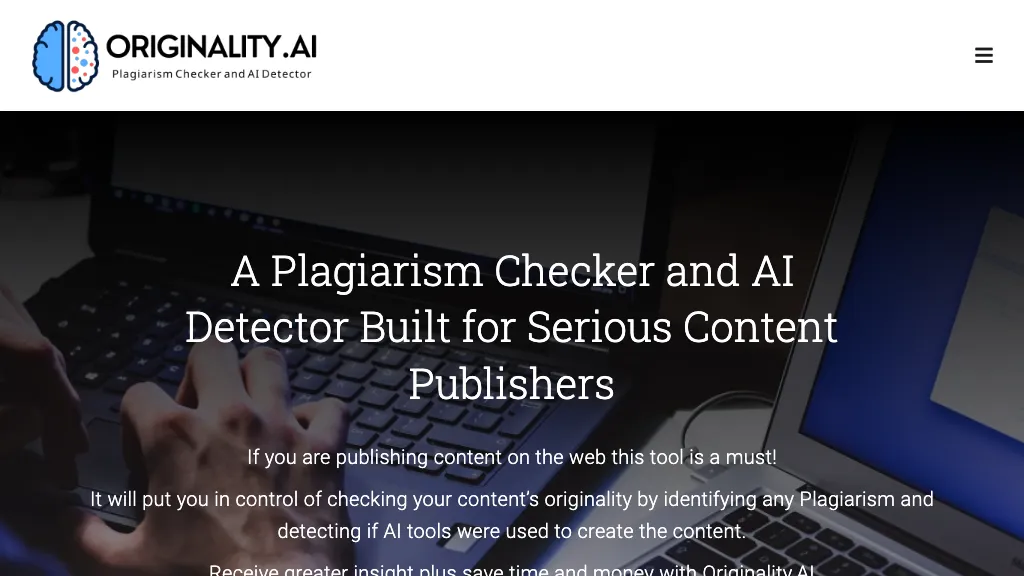
Featured image: archived Originality.AI marketing image retained from this listing. Its interface and promotional claims do not represent verified current features or performance.
What it does
The official product site lists AI detection, plagiarism checking, grammar, readability, content-quality and guideline checks, plus fact and AI-hallucination checking. These address different editorial questions. A readability result concerns presentation; a fact-check result still needs comparison with trustworthy sources. Neither establishes authorship.
For teams, the paid offering includes website scans, role management and organized scan records. Enterprise lists API access. These can support repeatable review, but buyers should confirm feature availability and usage charges for their chosen plan before building a workflow around them.
Read AI scores carefully
AI Allowance lets users select a threshold of 0%, 5%, 15%, 25% or 40%. The result estimates whether AI use appears above or below that setting. Changing the allowance and scanning again consumes additional credits. A chosen threshold should reflect an agreed editorial policy; it does not establish an acceptable academic policy by itself.
The vendor’s score guide distinguishes a model’s confidence from the proportion of words written by AI. For example, a confidence percentage does not count AI-authored sentences. Sentence highlights indicate passages the model flagged, rather than an independently verified account of their origin.
False positives and missed AI text remain possible. Originality.AI’s false-positive guidance identifies short, formulaic, academic and older-style writing as potential trouble spots. Its homepage specifies a 100-word minimum. Language, editing and mixed human/AI writing also matter. Vendor benchmark results should not be treated as a guarantee for a particular document; this review has not independently tested accuracy.
Deep Scan adds highlighted passages, explanations and writing suggestions. Treat these as feedback to evaluate. Rewriting only to obtain a lower detector score can distract from the actual goals: accurate information, clear language, attribution and honest disclosure of assistance.
Plagiarism is a separate check
The plagiarism checker identifies text matches and provides sources for review. AI detection instead estimates whether writing resembles AI-assisted or generated content. A document can have a low similarity result while containing AI-written material; a quotation can match another source while being properly attributed.
Open matched sources and examine context, quotations, references and permissions. The service terms explain that checks cannot cover every source, paraphrase or citation issue. A clean report therefore does not certify originality, factual accuracy or permission to reuse material.
For another product with AI and plagiarism checks, see our Copyleaks overview. Compare the two checks separately, including their limits and data-handling terms.
Plans and credit costs
The pricing page lists these USD prices. Annual equivalents require annual billing.
| Plan | Price in USD | Included usage |
|---|---|---|
| Basic | Free; no subscription | AI detection only: 3 scans daily, up to 2,000 words per scan |
| Pro | $14.95/month, or $155.40/year ($12.95/month equivalent) | 2,000 credits each month |
| Enterprise | $179/month, or $1,638.96/year ($136.58/month equivalent) | 15,000 credits each month |
Checking 100 words for AI costs one credit; checking the same amount for both AI and plagiarism costs two. Other checks and add-ons can affect spending. Pro and Enterprise allow additional credit purchases; confirm the top-up price before buying.
The refund policy says subscription credits expire at the monthly billing-cycle boundary; separately purchased credits expire after two years. Subscriptions recur until cancelled. Cancellation preserves access through the current subscription period, but does not itself promise a refund. Refunds are discretionary and considered individually; an approved refund invalidates remaining credits. Check purchase terms and applicable statutory rights.
Before high-volume API use, check the applicable billing settings, credit balance and any automatic top-up controls to avoid unexpected purchases.
Browser and document tools
Originality.AI offers a web application and Chrome and Firefox extensions, including Google Docs workflows. The Chrome help page also describes Edge support. Writer Replay uses Google Docs revision history to show writing changes, paste activity and contributors. Such records can provide context, but they do not independently prove authorship or intent. We did not install or test these extensions.
Scan History documentation lists access for 30 days on Pro or pay-as-you-go and 365 days on Enterprise. Those are report-access windows, not promises that every copy of submitted data is deleted afterward.
Privacy before uploading
The privacy policy, amended June 17, 2026, says scan text and results may support model improvement unless users opt out. The homepage explicitly says free-detector inputs may be used for training. Do not assume free or paid scans are automatically excluded.
The policy retains personal information as reasonably necessary for its stated purposes, with legal, contractual and operational exceptions; it gives no universal deletion deadline. It permits disclosures for service delivery and other stated purposes. Review opt-out settings, workspace access and deletion arrangements before submitting confidential text.
School-authorized accounts under institutional agreements receive specific Student Data provisions. However, some policy passages make training exclusions conditional on opting out, while others describe broader protection. Ask the institution or vendor to confirm the applicable agreement and settings before uploading student work. A personal account should not be assumed to receive institutional protections.
Also handle report links carefully: the sharing guide says anyone holding a scan link can open it.
Students and editorial use
The terms require appropriate permission and supervision for minors and prohibit using a score alone to penalize a student or writer. Follow the institution’s submission and AI-use rules, preserve drafts and references, and give the author an opportunity to explain their process.
Illustrative workflow, not tested: An editor reviewing a fictional gardening article could first confirm upload permission and privacy settings, select checks that match the brief, then inspect source matches and factual claims. If the AI result raises questions, the editor could discuss drafts and declared assistance with the writer. Publication should depend on that broader review, rather than a target detector score.
Originality.AI is worth evaluating when a team needs several review tools in one place. The practical trade-offs are recurring or expiring credits, data-handling choices and fallible detection. Start with non-confidential sample material and an explicit review policy before adopting it for consequential decisions.