Updated October 16, 2026
Vozard is iMobie’s desktop voice changer for live microphone effects and editing recorded audio. It may suit a fictional character performance, a consent-based gaming session, or a short creative voiceover. The main buying consideration is your computer: the official guide limits real-time AI voice effects to Windows, while Mac users have different requirements for AI processing of recordings.
This overview is based on iMobie’s public documentation. We have not installed Vozard, uploaded voice or video samples, or tested its sound quality, latency, platform compatibility, or data handling.
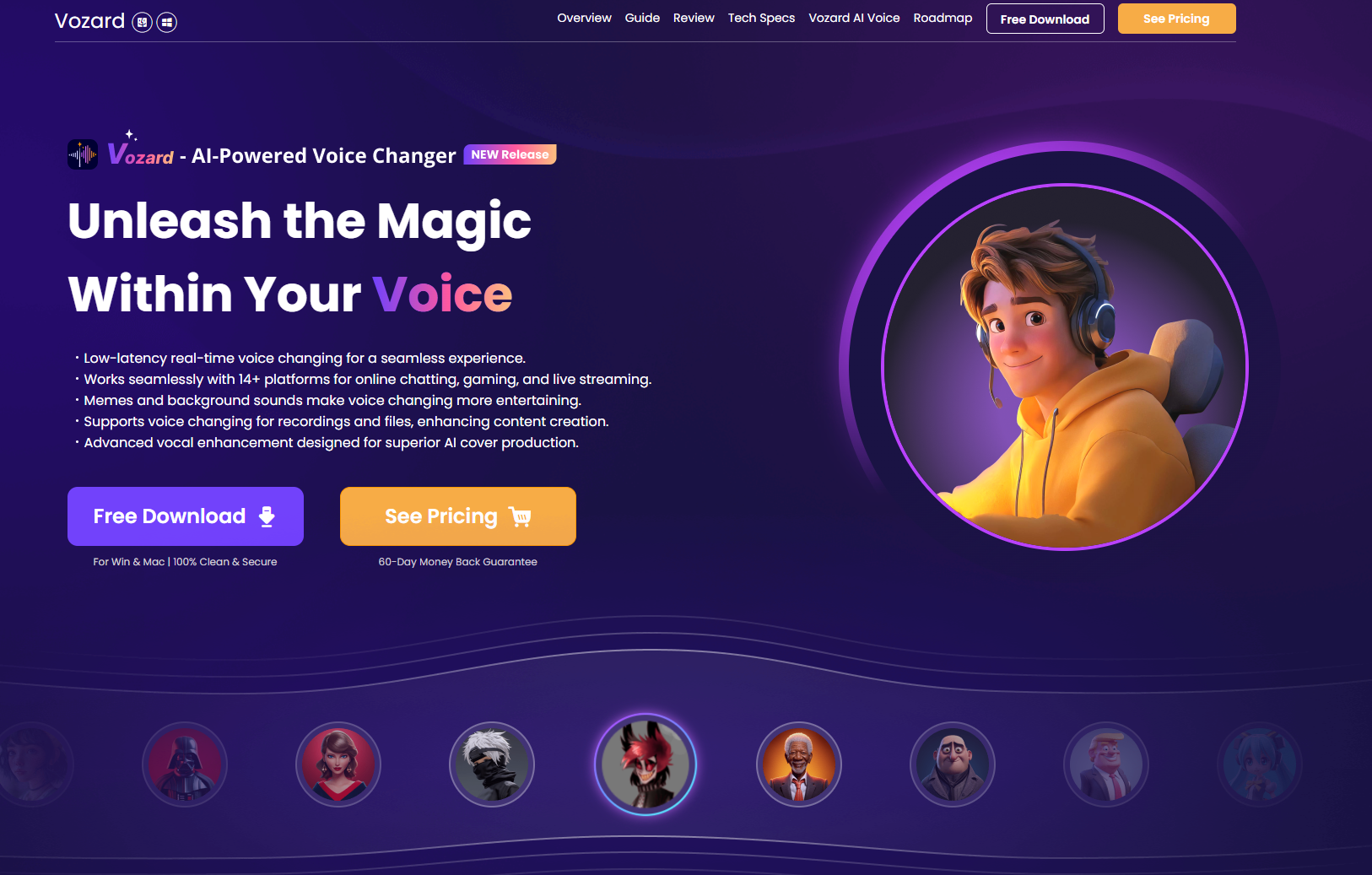
Historical image: Vozard’s purple homepage with a headset-wearing cartoon character and download and pricing buttons. Its “100% Clean & Secure” and “60-Day Money Back Guarantee” wording is promotional, not an independent security assessment or a refund promise for every plan. See the current privacy and refund details below.
What Vozard does
- Live voice effects: choose a microphone and speaker, select an effect, and adjust the output and background sound in Real-Time Voice Changer. The live-mode guide documents monitoring and noise-reduction controls.
- Recorded voice editing: File Voice Changer lets you record new audio or import an existing audio/video file, apply an effect, and download the resulting audio. Its file-mode guide lists common inputs such as MP3, WAV, MP4, and MOV, and an audio-file limit of 4 GB. Importing video should not be read as a promise of a finished video export.
- Effect customization: the effect library groups voice effects, background sounds, and memes. Adjustable parameters vary by effect; saved configurations appear in My Sounds.
For supported chat or streaming software, iMobie instructs users to select Vozard Microphone as the receiving app’s input device. This requires configuration in both apps; check the setup guide and try your actual microphone and destination app before a live session.
Windows and Mac differences
Windows: the published specifications list Windows 10 64-bit or Windows 11, an Intel i3 or comparable multicore processor at 2 GHz or higher, 4 GB RAM, and 2 GB VRAM. Listed graphics baselines are Intel HD Graphics 5000, NVIDIA GeForce GTX 700, or AMD Radeon R5. Recommended resources include a sixth-generation Intel i5 or newer, 8 GB RAM, and 4 GB VRAM.
Mac: the general requirement is macOS 10.13 or later on Intel or Apple Silicon. However, the basic-information guide says AI effects in recorded/imported-file mode require macOS 10.15 or later, and real-time AI effects are currently Windows-only. Do not assume the two desktop editions have identical capabilities.
The supported-app lists also differ by operating system. These are vendor compatibility claims, not results of our testing. The FAQ describes Vozard as a Windows/macOS desktop application and says there is no Android version.
Pricing and free access
The English store displayed these dollar amounts when checked. Its page text did not specify a currency code, so confirm the billing currency at checkout.
- 1 month: $12.99, renewing monthly
- 3 months: $19.99, renewing quarterly
- 1 year: $29.99, renewing annually
- One-time purchase: $49.99, advertised as lifetime access with free lifetime upgrades
Each offer is for two computers, including Windows or Mac. Subscription upgrades are included while the subscription remains active. The store says renewal reminders include a cancellation link. Check the renewal amount before paying; the advertised price should not be assumed to remain unchanged. iMobie’s payment terms state that displayed prices exclude VAT or sales tax unless otherwise noted.
The FAQ permits two computers at the same time. For multiple people, check licensing with iMobie: its EULA requires a multi-user licence before making the software available to multiple users.
A limited free/guest experience is documented, with paid access needed for the full effect collection. The homepage and version comparison give inconsistent effect totals and free allowances. Check which effects your installed version actually unlocks rather than buying on an advertised catalogue count.
Refunds have conditions
The refund policy specifies a 7-day window for monthly plans, 30 days for quarterly plans, and 60 days for annual and one-time purchases. Eligibility also depends on the circumstances. The policy includes qualifying duplicate purchases, unintended renewals, and unresolved technical issues, while excluding some cases such as improper operation or failing to review the description or trial. Try the available version first and read the full policy before purchase.
Privacy and responsible use
Changing how a voice sounds does not establish anonymity. Do not rely on Vozard to hide your identity or protect confidential conversations.
iMobie’s company-wide privacy policy describes collection of product usage, device and account information, IP addresses, logs, crash data, and file size/format information. It also describes service-provider disclosures. The reviewed pages do not clearly establish Vozard-specific audio retention, processing location, or a complete local-only data flow. Detailed FocuSee-specific AI provisions should not be treated as proof of Vozard’s practices. Before using sensitive recordings, ask iMobie how that particular Vozard feature processes and retains them.
Use your own voice or recordings you have permission to edit. For public or paid work, confirm the relevant recording, voice, and character permissions. A preset’s presence does not establish permission to impersonate a real person or imply their endorsement. iMobie’s product FAQ limits its recommended use to lawful personal purposes and advises checking the destination platform’s rules.
A fictional workflow to try
Illustrative and untested: imagine making a 20-second narration for an original space-explorer character.
- Write a short original line and record yourself in a quiet room, without personal or confidential details.
- Open File Voice Changer and import the recording. Start with an available generic effect rather than a named person’s voice.
- Adjust only the controls offered for that effect, apply it, and export the audio from History. Follow the documented recording workflow for the exact steps.
- Listen for intelligibility, clipping, background noise, and unwanted changes. Keep the original recording so you can compare or redo the edit.
- If you publish it, make the fictional/altered nature clear and check any rights or platform restrictions first.
For a live performance, make a separate test call with a consenting collaborator and confirm that the receiving app gets the altered microphone feed. Recorded-file success does not establish live latency or reliability.
Who should consider it
Vozard is worth evaluating if you want to transform an existing voice performance on a supported desktop. Start with the trial and the exact mode you need, especially on Mac. If your starting point is a written script, our ElevenLabs guide covers another audio-creation workflow to compare. That is a separate product, not a claimed Vozard integration.
Visit the official Vozard website to check the current download, documentation, and offers.