Updated on October 20, 2026.
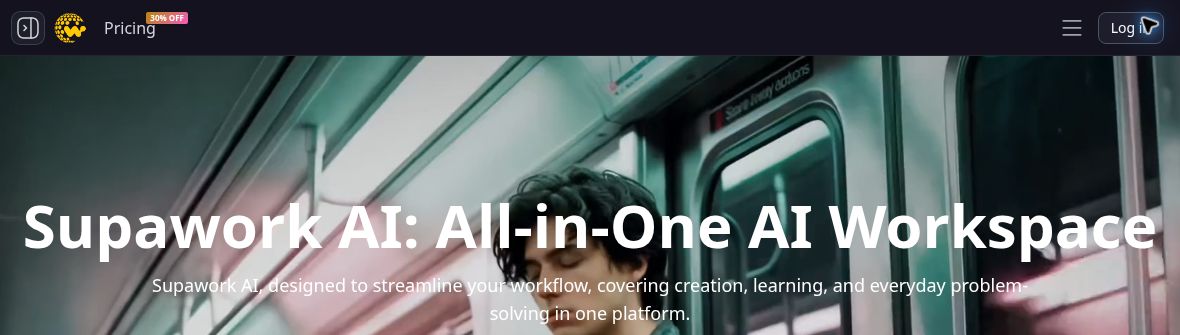
Featured image: screenshot of Supawork AI’s official website, captured October 20, 2026. Vendor presentation for editorial identification; no hands-on product test. The animated background is the provider’s presentation, not generated output from our testing.
Supawork AI is a browser-based workspace combining video and image generation with writing, resume, translation, and study tools. Its current official homepage emphasizes creative workflows, while the career tools covered in our earlier overview remain in the product menu. It is useful to evaluate each tool separately: a free headshot page does not mean every model or export across the platform is free.
What can Supawork AI do?
- Video creation: image-to-video, text-to-video, reference-based video, lip sync, and motion effects provide different starting points for short visual projects.
- Image work: image generation, photo editing, headshots, and background or object editing support profile pictures and creative assets.
- Career documents: the resume builder includes templates, keyword suggestions, job-focused summaries, cover-letter assistance, and imports from an existing resume or LinkedIn profile. The official navigation also lists Resume Translator, Resume Checker and AI Apply; the homepage describes job matching and application autofill. These are listed capabilities, not verified guarantees of compatibility with every job site or successful applications.
- Other tools: the site also lists academic/PDF translation, writing utilities, and subject-specific study tools. Their outputs still need checking against the original material.
The headshot page advertises free use without signup and more than 30 styles. It describes choosing a look and supplying a clear selfie. Those are provider statements, not a guarantee that a generated face will preserve every identifying detail or meet passport-photo rules.
A practical way to try the workspace
Choose one task before uploading anything. For a resume, use a copy with unnecessary personal details removed, target one job description, and inspect each revised achievement for accuracy. AI suggestions should improve wording without inventing qualifications, employers, or results.
For a short product animation, start with an image you own and describe one visible movement. The public image-to-video form currently shows a free anonymous LTX 2 Distilled Turbo option and accepts JPG, PNG, WEBP, or HEIC files up to 20 MB. Check the chosen model, aspect ratio, available duration, and any cost displayed before generation. Review the output for distorted objects, altered text, or misleading product details before using it publicly.
Free access and coin pricing
On October 20, 2026, the public pricing page displayed these pay-as-you-go packs with a dollar sign but no explicit currency code:
- 400 coins for $9.99
- 800 coins for $14.99
- 3,000 coins for $37.99, shown as a promotional price
- 8,000 coins for $89.99, shown as a promotional price
These are pack prices, not monthly allowances or fixed numbers of videos. Coin consumption depends on the tool and computation required. The page says purchased coins do not expire; the privacy policy separately describes expiring Silver Coins, so do not assume every balance has the same validity. Currency, tax, current promotions, and the particular tool’s access conditions should be checked before payment.
The pricing FAQ describes refunds of coins for verified generation problems and possible prorated refunds for remaining coins through support. It also contains a subscription-cancellation FAQ, but the visible pack cards are labeled pay-as-you-go. Confirm the commitment shown for the offer you actually select.
Privacy and limits
Supawork’s privacy policy says uploaded photos and videos are deleted within 24 hours and are not used to train AI models. Account-linked content has separate storage rules, and the policy describes limited sharing with service providers. These are vendor commitments, not an independent security assessment. Obtain permission before uploading another person’s likeness or documents.
There is no verified basis here for promising more recruiter visits, flawless output, or unrestricted use of other people’s images. This overview checks public product information; it does not report hands-on generation tests. Browse our AI tools directory to compare other creative workflows.
Product information and linked official sources checked October 20, 2026.