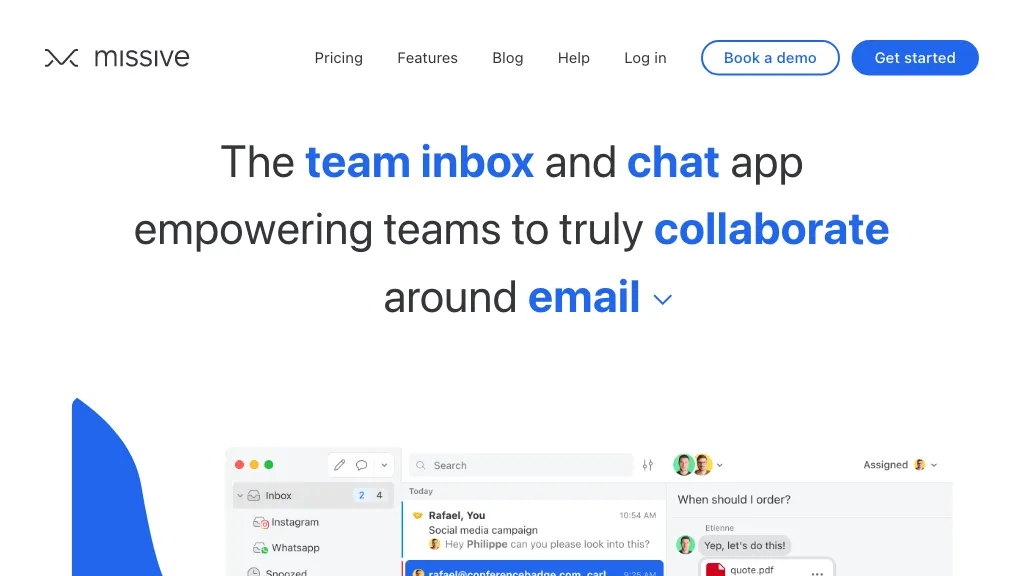
Missive team inbox website showing shared email and internal team chat
Email Assistant

Missive: Shared Team Inbox, AI Features and Pricing

Visit website

Compare Missive’s shared inbox tools, current monthly and annual per-user pricing, trial, AI costs and desktop or mobile access for your team.

Missive team inbox website showing shared email and internal team chat

Updated October 24, 2026.

Name Missive
Overview Missive combines team email, internal discussions and tasks in shared inboxes. It supports Gmail, Outlook/Microsoft 365 and IMAP, with additional messaging channels and integrations depending on setup and plan. Teams can discuss a conversation internally, assign ownership and collaborate on replies without treating every message as a separate project.
Key features & benefits
  • Collaborative email management and shared inboxes.
  • Internal team discussions and collaborative drafts.
  • Task assignment and follow-up workflows.
  • External integrations and rules on Productive and Business.
  • AI drafting, summarization and assistant workflows on Productive and Business, using Missive credits or your own supported provider API key.
Use cases and applications
  • Enhanced team collaboration efficiency.
  • Organized email management.
  • Tracking and delegating tasks effectively.
Who uses?
  • Project Managers
  • Team Leaders
  • Developers
  • Marketing Teams
  • Sales Teams
  • Customer Support Agents
Pricing A 30-day Productive trial is offered without a credit card. Current prices per user per month are:

  • Starter: $14 with yearly billing or $18 monthly; up to 5 users.
  • Productive: $24 with yearly billing or $30 monthly; up to 50 users.
  • Business: $36 with yearly billing or $45 monthly; unlimited users.

Yearly figures are monthly equivalents, not month-to-month rates. AI usage is separate through Missive credits or your own provider billing. Check shared-account allowances and any additional charges before committing.

Tags team collaboration, email management, task management, AI email assistant
App available? Yes: web, macOS, Windows, iOS and Android.

A Practical Team Trial

Use one approved shared inbox first. Assign a conversation, add an internal comment and prepare a collaborative reply; verify which participants can see each item before sending. Check that your required integration is included in the chosen plan rather than assuming every connection is one-click. Review AI drafts against the original conversation, including names, amounts and commitments, and confirm your organization permits sending that data to the selected AI provider.

Official Sources

Missive pricing and trial, Missive billing and plan comparison, Missive AI assistant, Missive downloads
KEEP EXPLORING

More tools to discover.

Earlier Mailr landing page with its wordmark and a paused promotional video panel.

Learn how Mailr is described, its MailWiz acquisition notice, Chrome extension status and the pricing and privacy details to check before use.

Email AssistantExplore
Earlier GhostWrite homepage with branding and an illustrative email-composition window.

Review GhostWrite’s email-drafting role, published usage restrictions, uncertain current pricing and privacy considerations before sharing correspondence.

Email AssistantExplore
Historical Lindy homepage with a navy background, personal assistant headline, email field and Join Beta buttons.

Explore Lindy’s email drafts, scheduling, meeting notes and messaging access, with current pricing, privacy cautions and permission limits.

Email AssistantExplore
Earlier NetworkAI landing page with Wonsulting branding, a networking headline and free-access buttons.

Understand NetworkAI’s LinkedIn introductions and email tools, conflicting free-plan quotas, suite pricing limits and responsible outreach checks.

Email AssistantExplore
Find your next starting point