Updated on October 20, 2026.
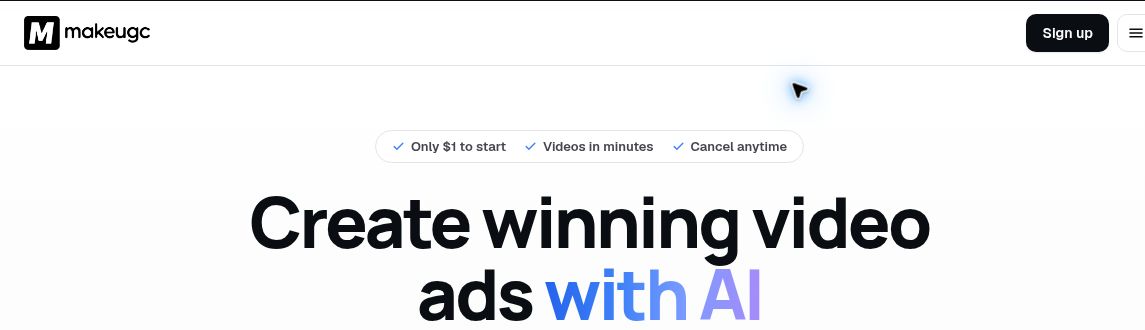
Featured image: screenshot of Make UGC AI’s official website, captured October 20, 2026. Vendor presentation, not a hands-on test. The displayed $1 entry offer is a paid trial; check its renewal terms at checkout.
MakeUGC creates AI-presenter videos, product demonstrations, and other advertising assets from scripts and source media. E-commerce brands, agencies, SaaS teams, and creators can use it to prepare variations for campaigns. These are synthetic UGC-style ads, not evidence that a real customer used or endorsed a product.
Features and practical uses
The current MakeUGC platform combines talking actors, script assistance, video and image generation, editing, batch variations, and an API. Its editor offers captions, music, B-roll, and trimming. The wider actor catalog is advertised at more than 1,000, but access depends on the plan.
- Product-led creative: Product in Hand combines a clear product photograph, an actor, and a script. Review the packaging, label, and hand interaction before publishing.
- Founder-led content: a custom avatar can be created from a short video, with an optional voice sample. Growth includes one custom avatar, Pro includes three, and Starter includes none.
- Localized ads: the language feature advertises more than 50 languages. Prepare the script in the intended language and select a suitable voice, then have a fluent reviewer check wording and pronunciation.
- Creative testing: vary a hook, presenter, or product angle while keeping the offer consistent. Measure performance with your own campaign data.
Render-time and campaign-performance statements on the vendor’s site are marketing claims, not results established in this review. No fixed cost-per-video or return-on-ad-spend result is promised here.
Plans, billing, and credits
The public pricing page displays the following amounts with a $ symbol but does not identify the currency. Annual figures are monthly equivalents, not month-to-month charges; confirm the currency and full commitment at checkout.
| Plan | Monthly billing | Monthly equivalent, billed yearly | Credits per month | Published export options |
|---|---|---|---|---|
| Starter | $59 | $29 | 500 | 480p and 720p |
| Growth | $79 | $39 | 1,000 | HD, 2K, and 4K |
| Pro | $149 | $79 | 2,000–5,000, depending on configuration | HD, 2K, and 4K |
Enterprise is custom-priced. Export resolution also depends on the model. Credits refresh monthly and do not roll over. The advertised $1 entry offer is a paid trial that renews at the selected plan price unless canceled; its duration and renewal amount are shown at checkout. The quarterly selector displays monthly equivalents of $41 for Starter, $55 for Growth, and $104 for Pro, billed quarterly. Starter permits one video and one image generation at a time and excludes Batch Mode; Growth and Pro include it.
API access draws on the same account balance. The API credit guide makes an important distinction: one API credit unit represents 100 displayed credits. Its standard talking-actor example uses 100 displayed credits, while other models depend on duration, resolution, and inputs. Do not treat a subscription as a fixed number of every kind of video or interpret unlimited parallel jobs as unlimited free output.
Rights and responsible use
MakeUGC advertises commercial use and watermark-free exports, but input permissions still matter. Its custom-avatar policy makes users responsible for rights to voices, likenesses, images, music, and brands. It prohibits misleading impersonation and requires lawful authority or consent for someone else’s likeness.
Use an AI presenter to explain a product accurately. Do not write invented customer experiences, fabricate testimonials, or portray generated product interactions as a genuine demonstration of performance. Check the advertising and disclosure requirements for the channel where you intend to run the video.
MakeUGC has a browser-based studio and API; a dedicated consumer mobile app was not verified. No avatar, video generation, paid plan, or campaign was tested. Sources checked: October 20, 2026. Browse related AI tools.