Tabletop is a Google Labs experiment for making small interactive tools that a group can use together. Instead of asking a chatbot to return another itinerary as text, you describe a shared task and build an interactive space around it. The practical question is whether the group needs something to use together, such as a poll or a bracket, rather than simply a document to read.
What can Google Tabletop do?
In its November 11, 2026 launch announcement, Google says you can begin with a starter template or add links, files, and ideas and enter a prompt addressed to @tabletop. Examples include trip itineraries, dinner polls, expense splitters, and tournament brackets. After a space is ready, you can share its invite link so the group can use it together in real time.
The distinguishing feature is the shared interactive space. A chat answer can suggest tournament pairings; a bracket gives the group one place to see and work with the pairings. That does not mean an AI-generated bracket knows your tournament rules or that its results are correct. Check the rules and test edge cases, including what happens with an odd number of entrants.
Example: Create a shared poll to choose a volunteer shift
Suppose a volunteer group needs to choose one of three setup windows for a community event. Each person should be able to mark more than one time, and the organizer wants the count without asking everyone to edit a spreadsheet. An illustrative starting prompt:
Make a shared availability poll for Saturday setup. The options are 8:30, 9:00, and 9:30 a.m. Let people select multiple times. Show a count for each option but do not choose a winner automatically. Add a note that the organizer will post the final decision separately.
Use placeholder participants while reviewing the result. Check whether the same person can accidentally vote twice, whether the count changes correctly after a selection changes, and what information other participants can see. Confirm the time zone and date in the interface rather than assuming they are clear from the prompt. Before pasting the link into a group chat, inspect available access settings and leave out private contact details or unnecessary files.
Keep a simple backup, such as an ordinary poll or a short note with the final decision. If a group includes people who cannot open the tool, send a separate summary and offer an accessible way to respond. This workflow is an example, not a hands-on test of Tabletop’s generated behavior or access controls.
Who can try it?
Google announced a U.S. waitlist rollout for people aged 18 or older. Its launch post directs readers to the official Tabletop access page. A waitlist is not immediate access, and access for an organizer does not establish access for every invitee. The launch announcement does not state a price, so do not assume it will remain free or that availability is global.
Should you use Tabletop or a simpler tool?
Try Tabletop if a group activity benefits from a small interface tailored to the decision, and everyone can participate. Use an ordinary poll or shared document if the question is simple and consistent access matters more than customization. For a decision involving actual expenses, independently check totals and what was agreed; a shared expense tool is not evidence that anyone was charged.
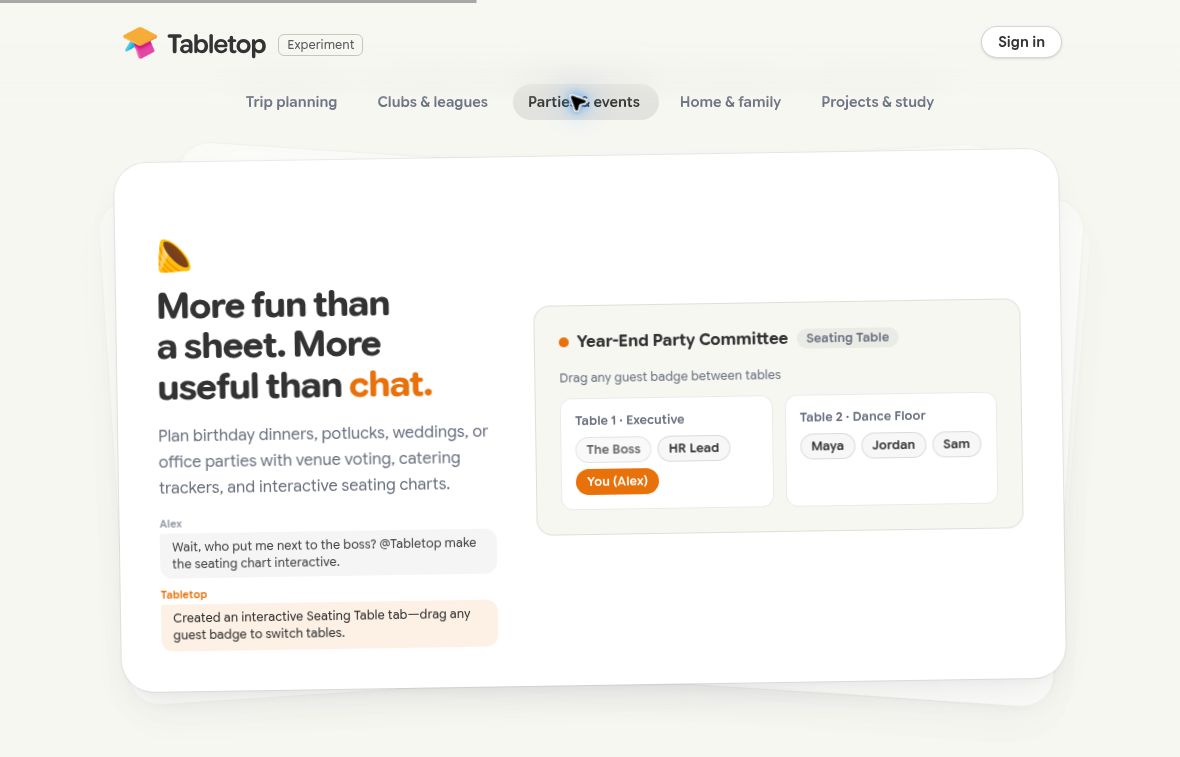
Featured screenshot: the Parties & events demo on the official Tabletop site, not an independently tested workspace. Google is a trademark of Google LLC. GPTOnline is not affiliated with or endorsed by Google.