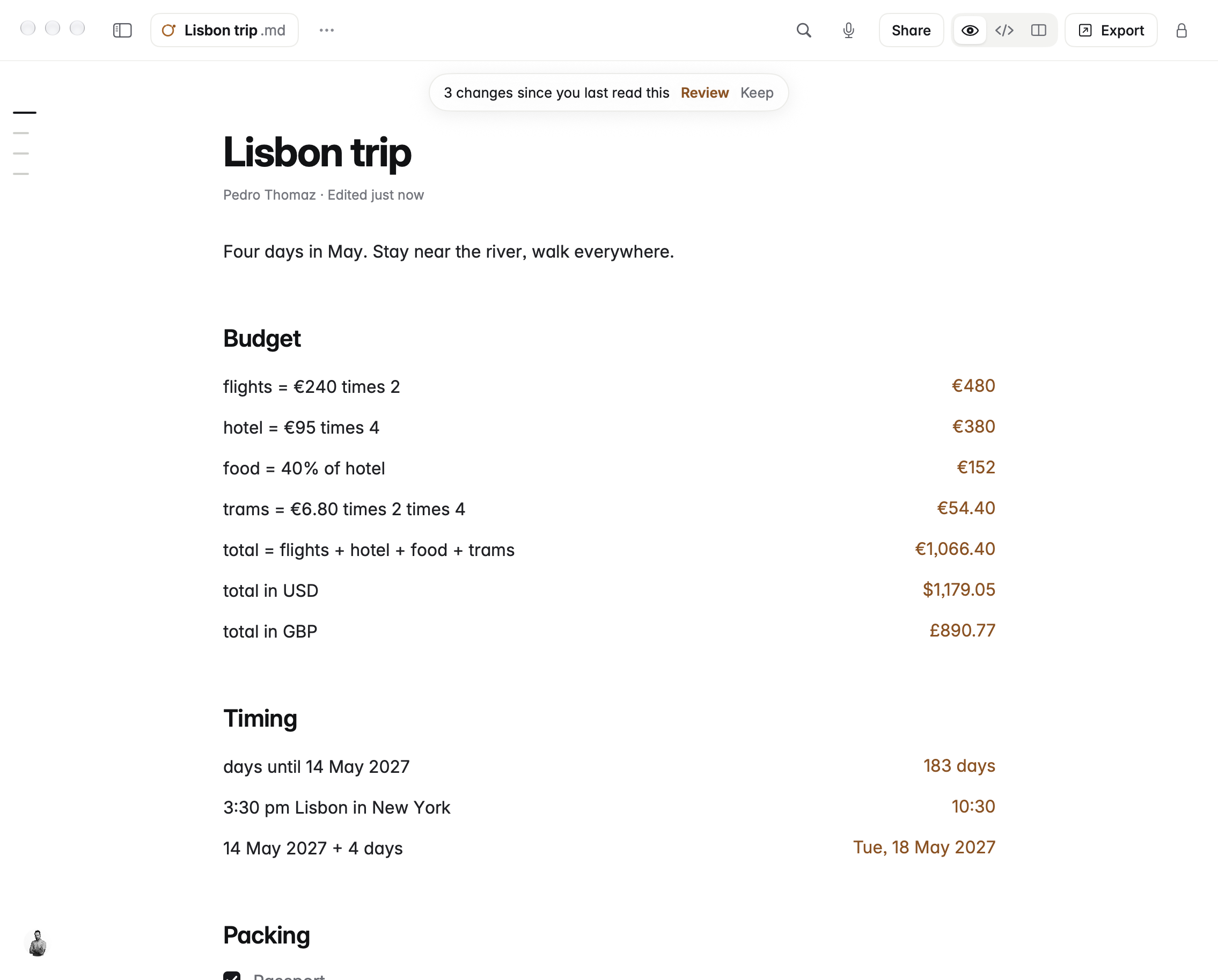
Coffee is a Markdown editor for the Mac that helps you review changes another app has made to a note. If an AI editor rewrites a document and you only want some of its changes, Coffee can compare the current file with the version you last read and let you keep or undo individual changes. Notes are ordinary Markdown files in a folder you choose.
What makes Coffee useful for reviewing AI edits?
Coffee’s AI-edit review guide says the editor remembers a note as you last read it. When the file on disk changes, Coffee shows a count. Select Review to see the previous and current text under their corresponding headings, then use Keep or Undo on a change. The comparison responds to the file changing, not to the tool’s identity. An edit made by a coding assistant, a Git pull, or another editor can all show up.
The editor compares whole lines. For a paragraph stored as a single line, that can mean reading the old and new paragraph rather than seeing one replaced word highlighted. A change made before Coffee first opened the file does not have that baseline. The review does not identify who changed the file and is not a substitute for Git when you need a change record that other people can inspect. Coffee’s guide also says that private notes are skipped by this review feature.
Example: Review an AI rewrite of an onboarding note
- Start with a disposable copy. Put the note in a folder you control and open the copy in Coffee before letting any other app edit it.
- Give the assistant a narrow task. Ask it to shorten the introduction and clarify two existing instructions. Tell it to leave deadlines, owners, and links unchanged.
- Review the file after it changes. Keep a clearer instruction if it preserves the workflow. Undo an edit that moves an approval from the manager to the new hire, even if the sentence sounds better.
- Read the whole note again. Check that headings, links, and references still make sense after combining kept and reverted changes. Verify any dates or other facts against the source before you share the note.
This is a hypothetical workflow, not a hands-on test. Its point is to reduce the amount you must compare at once, not to delegate the decision about which statements are true.
Do you need to connect an AI service?
No connection is needed just to detect changes already made on disk. Coffee says optional Model Context Protocol (MCP) access is off until enabled and that you choose whether connected apps can read or write notes. A connected app has its own data handling rules. Review what it can access and start with a non-sensitive sample. Coffee’s separate on-device Ask feature has additional Apple Intelligence requirements, so do not assume every Mac that runs the editor can use Ask.
Mac requirements and pricing
According to the official press kit, Coffee launched in November 2026 and its Mac editor supports macOS 15 or later on Apple silicon and Intel. The maker lists a 14-day trial and prices of €3 per month, €29 per year, or €79 once with two years of updates. Check prices in your currency before subscribing. This profile focuses on the Mac review workflow rather than assuming the same controls are available on mobile.
Choose Coffee if you work primarily in Markdown and want an editor-level review after another tool writes to the file. If you need live collaboration, author attribution, or an approval trail, keep a workflow designed for those jobs.
Featured image: Coffee press-kit screenshot of a sample Markdown note with changes awaiting review.