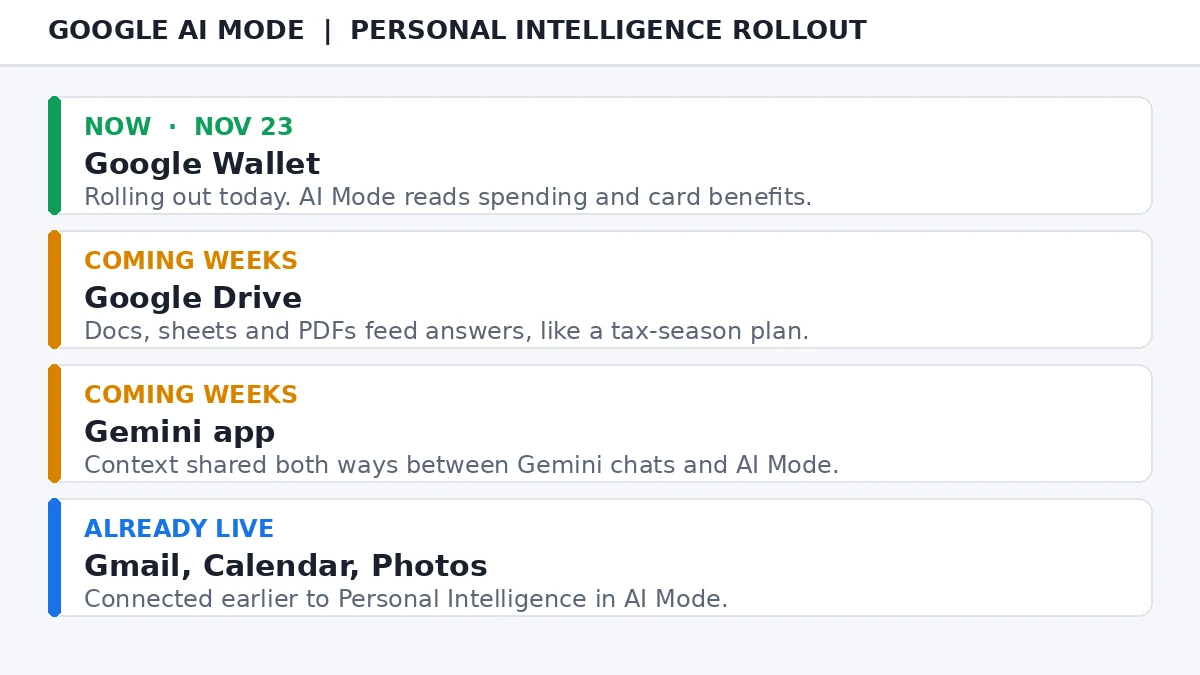
Google announced on November 23 that Google AI Mode can now connect to Google Wallet through Personal Intelligence, bringing spending context directly into Search, with Google Drive and the Gemini app set to follow in the coming weeks. The expansion turns AI Mode from a general answer engine into a search tool that can draw on a user’s own accounts, documents and chats, as long as the user opts in.
The update was announced in a blog post by Robby Stein, vice president of product for Google Search, who said Search is getting “even more tailored with the ability to connect more of your apps to Personal Intelligence.” Wallet is starting to roll out now, while Drive and Gemini support arrives in the coming weeks. The three join Gmail, Calendar and Photos, which already feed Personal Intelligence in AI Mode.
What Wallet, Drive and Gemini Add
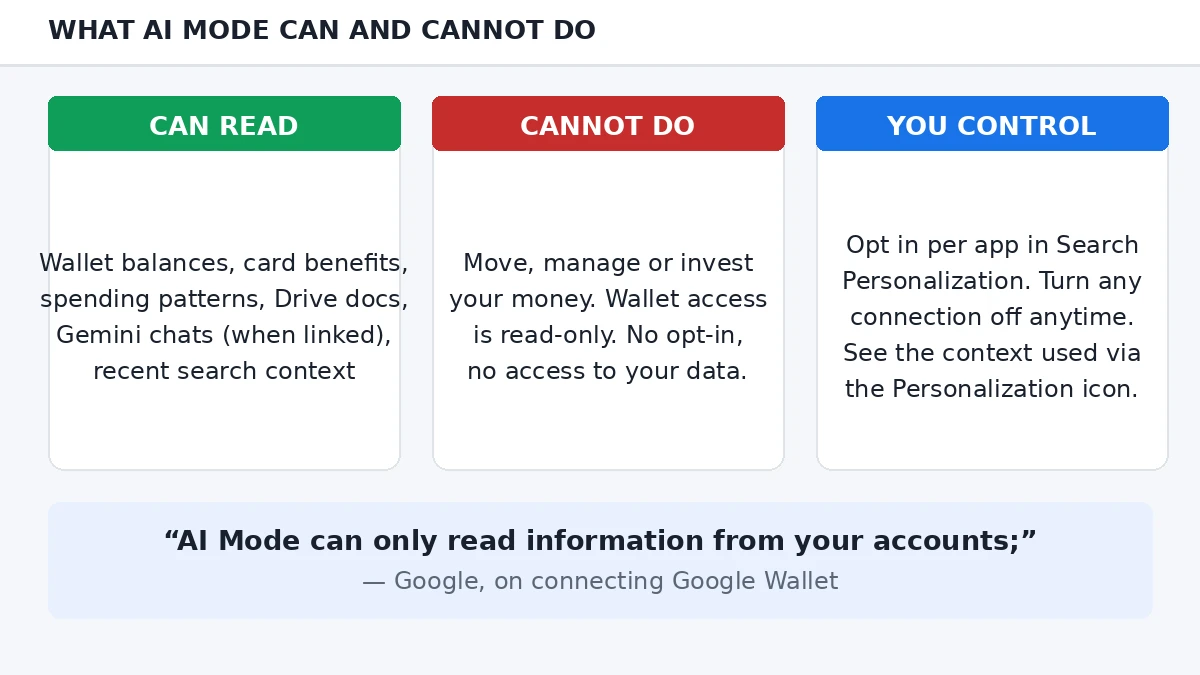
Connecting Google Wallet lets AI Mode read spending and card information to map financial milestones, find ways to trim everyday spending and get more from credit card benefits. Google lists cash back categories, travel perks and reward points as examples, based on the cards linked through Wallet. The company stresses a hard limit on what the feature can do: “AI Mode can only read information from your accounts; it can’t move, manage, or invest your money.”
Google Drive support will let AI Mode take documents, spreadsheets and PDFs into account when answering. Google’s example is a personalized preparation plan ahead of tax season, built from files scattered across Drive. The Gemini app connection works in both directions: an idea explored in the Gemini app can carry over into AI Mode, and vice versa. According to 9to5Google, once live, AI Mode will be able to access Gemini chats, shared photos, files, audio and video attachments, screens asked about, and associated insights and locations.
Graphic: GPTOnline
Privacy Controls and Transparency
Every connection is optional. Users open Search Personalization, select Connected Apps, and choose which apps to link, and they can turn any connection off at any time. Google says a “Personalization” icon will soon appear below tailored responses, showing the context AI Mode used for that answer. Users will also be able to correct that context in plain language inside the thread, for example by telling AI Mode: “I’m no longer a vegetarian.”
Google is also making AI Overviews and AI Mode more personally relevant based on recent search context. Someone researching and planning a trip should be able to pick up where they left off in a new search thread without repeating the earlier conversation. As with the app connections, personalization can be adjusted or switched off in Search Settings.
Graphic: GPTOnline
Why It Matters
The move deepens Google’s bet that the next version of search is personal, not just generative. Rivals can match AI Mode on general knowledge, but few can reach into a user’s email, calendar, photos, documents, wallet and chat history in one place. That breadth is also the risk: the more of a user’s life Search can see, the more trust the opt-in controls and the read-only limits on financial data have to carry. Google’s answer so far is transparency, with the coming Personalization icon meant to show exactly what context shaped each answer.
The rollout is gradual, with Wallet first and Drive and Gemini to come, so the full picture will only emerge over the next few weeks. For users who opt in, the test will be simple: whether answers that know their documents and spending feel genuinely helpful, or just uncomfortably familiar.