
Updated October 29, 2026
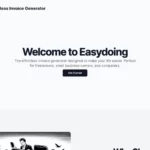
Historical image: the retained screenshot shows the earlier Easydoing homepage; reviewed October 29, 2026 (UTC). Its original capture date was not separately recorded. The Get Started invitation and ease-of-use wording do not establish current access, invoice accuracy or effortless results.
Availability note: the retrieved official website displays an “Under maintenance and upgrade” notice. That retrieved copy was about five months old; current invoice creation was not tested. The notice is not evidence of permanent closure.
| Field | Details |
|---|---|
| Name | Easygoing / Easydoing — both spellings appear on the provider’s website. |
| Overview | The website describes an invoice generator that turns ordinary-language details into invoice drafts. Its intended audience includes freelancers and small businesses. Treat this as the advertised workflow, not confirmation of current availability or a tested accounting system. |
| Key features & benefits |
The retrieved page marks customizable templates as coming soon and spoken input as planned. They should not be assumed to be available features. |
| Use cases and applications |
These are possible workflows, not guaranteed accuracy or productivity gains. |
| Who uses? | Freelancers and small businesses considering assistance with invoice preparation. |
| Pricing | The page includes a free-signup invitation but no verified current tariff, currency, free allowance or usage limits. Confirm availability and purchase conditions before relying on that invitation. |
| Tags | Invoice Generator, Automated Invoicing, Natural-Language Input, Billing Preparation |
| App available? | The website describes the service, but a dedicated iOS or Android app was not verified. |
A practical invoice-review example
For a hypothetical design project, first write down the agreed service, quantity, unit price, invoice date, recipient and payment terms using fictional names for any evaluation. Compare a proposed draft with those details and calculate the totals independently. Check that the currency, discounts and any applicable tax treatment are correct for your situation before using a real invoice. This is an illustrative review process, not an invoice generated or a calculation tested with Easygoing.
An invoice generator is not a substitute for checking local invoicing requirements or obtaining qualified accounting advice where needed. Do not assume it handles tax filings, bank connections, payment collection or compliant electronic invoicing merely because it prepares an invoice draft.
Privacy and verification limits
The provider’s linked Terms and Conditions page returned a not-found response during this review. Detailed contractual and privacy conditions, including retention, AI-training use and handling of customer financial information, were not verified. Do not upload confidential billing records or bank details until you understand the applicable data arrangements and have permission to share the information.
Sources checked October 29, 2026 (UTC): the original official address, which resolved to www.easydo.ing, and its linked terms page. No account was created, invoice generated, bank connected, file uploaded or payment made.