Updated October 29, 2026
About the social links: The Twitter/X, Facebook and YouTube links in the “Find them online” section were retained from the earlier version of this article. We could not confirm their current affiliation with Simpla AI during this review; their presence should not be read as a verified official-account listing. Use the official Simpla AI website for current provider information. The LinkedIn company page and Instagram link were corroborated by provider-linked or company-domain evidence, although Instagram page content could not be retrieved.
| Name | Simpla AI |
| Overview | Simpla AI is a web-based tax and accounting assistant marketed to businesses. Its official website describes three tools: Advise for tax and accounting questions, Process for document data extraction, and Analyse for financial statements. Process and Analyse are labelled Beta. These descriptions are provider claims, not independently tested results. |
| Key features & benefits |
|
| Use cases and applications |
|
| Who uses? | Small business owners, accountants, finance managers and tax professionals assessing an AI-assisted workflow. Confirm support for your jurisdiction, documents and required accounting tasks before subscribing. |
| Pricing | The official pricing page lists Base, Starter, Growth and Enterprise options, with a 14-day trial advertised for Base. Monthly and yearly billing controls are shown; this review did not verify the selected billing mode or checkout total. Check current prices, usage allowances, renewal terms and any advisory-validation limits before subscribing. The earlier Basic, Standard and Premium prices in this article are not supported by the current page. |
| Tags | financial management, AI tools, tax solutions, accounting assistant |
| App available? | The official website links to a browser-based application. This review did not verify a separate native iOS or Android app. |
A practical review workflow
For an invoice-processing task, first confirm that the document can be shared with the service. Compare extracted invoice numbers, dates, currency, line items and totals with the original. For example, if an invoice lists two items costing 40 and 60 before tax, their subtotal is 100; this simple check does not establish which tax rate applies. Investigate discrepancies and have a qualified professional review tax treatment where needed. This is an illustrative workflow, not a test of Simpla AI.
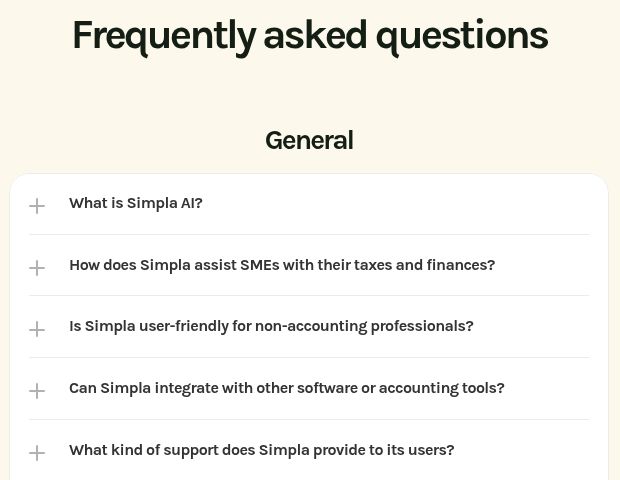
Image source: screenshot of the official Simpla AI FAQ, captured October 29, 2026 (UTC). It shows collapsed questions, not answers, financial advice or tested document-processing results.
Financial and data limitations
AI answers and extracted figures can be incomplete or incorrect. Do not assume that document processing files tax returns, guarantees compliance, reduces your tax bill or replaces professional judgment. Check cited sources and their applicability to your jurisdiction and reporting period.
The Terms of Service describe the service as provided without warranties and limit responsibility for the accuracy or applicability of partner human advice. The provider also makes security claims, but this review did not independently verify its controls. The linked Privacy page primarily describes cookies; it does not establish the complete handling of uploaded financial documents. Before uploading confidential business or client records, clarify access, retention, deletion and any use of document data with the provider, and ensure you have permission to share them.
Sources and review scope
Reviewed the official Simpla AI website, pricing and policy pages on October 29, 2026. No account was created, documents uploaded, subscription purchased or AI output tested. Feature availability and plan terms can change.