Updated October 23, 2026. Product details checked against Dropbox’s official documentation.
| Name | Dropbox Dash |
| Overview | Dropbox Dash helps users find, organize and share work content across connected apps. It combines search with AI-assisted questions, summaries and collections called Stacks. Dropbox documents standalone Dash access and Dash within Dropbox for eligible accounts. Its usefulness depends on connected sources, permissions and supported content, rather than access to every file in an organization. |
| Key features & benefits |
|
| Use cases and applications |
|
| Who uses? |
|
| Pricing | Dropbox documents paid Dash for Teams and Dash for Business plans, with trials for eligible accounts. This is not simply an unspecified free beta. Check the current Dash offer for your account, region and billing period; ordinary Dropbox storage-plan prices should not be treated as Dash prices. See Dropbox’s trial and eligibility guidance. |
| Tags | AI, Universal Search, Collaboration, Productivity, Document Management |
| App available? | Yes. Dropbox documents a Dash desktop app, web access and browser extension, plus an English-only mobile app in selected countries. Ask, Write and Organize are not available on mobile. Local-file search requires the desktop app; AI summarization is not supported for local files. |
A practical Dash workflow
- Ask your administrator which work apps may be connected. Start with an approved source containing the project material you need.
- Search for a specific brief, decision or asset. Narrow the request with a project name and date instead of assuming every relevant document is indexed.
- Open the source results, check dates and context, and verify an AI summary against the originals.
- Collect useful items in a Stack. Check the recipients’ source-file access before sharing it.
Permissions, privacy and availability
Dropbox says Dash respects the access permissions of connected apps. Connecting an app requires authorization, and some integrations require an administrator to enable them first. A missing result may reflect source access or integration limitations, not proof that the file does not exist.
Permission-aware search is not a blanket privacy guarantee. Review your organization’s rules and Dropbox’s data-handling terms before connecting confidential sources. Do not assume that using the desktop app makes all processing local.
Dash for Teams eligibility depends on the Dropbox plan, region and account settings. The deployment guide currently lists the United States, United Kingdom and Australia, an English account language, and additional restrictions. Check eligibility before planning a rollout.
Sources and review scope
- Dropbox Dash features and permissions
- Deployment, platform and integration limitations
- Dash plans and trial eligibility
- Supported app integrations
Reviewed October 23, 2026. This overview is based on documentation, not a hands-on search-accuracy or security test. Availability and plan terms can change.
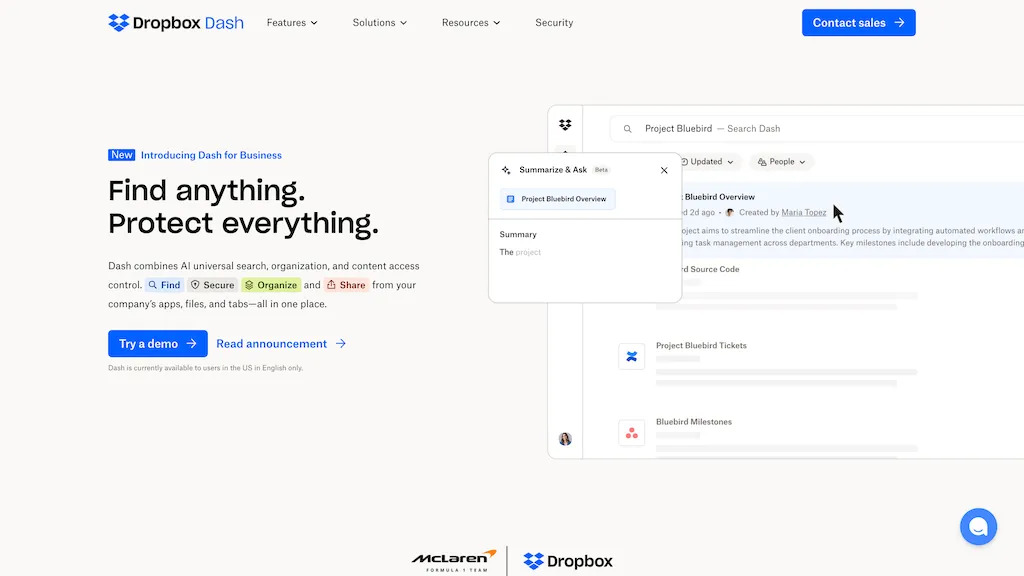
Image: historical Dropbox Dash homepage illustration showing search and a summary panel, retained for product identification. Original capture date unknown; reviewed October 23, 2026. Launch labels, regional availability and beta wording in the image are not a statement of current availability. Source: Dropbox. This independent guide is not affiliated with or sponsored by Dropbox, Inc. See Dropbox branding guidance.