Turnstone is a Mac application for working with persistent AI agents across writing, research and everyday tasks. You can give agents different responsibilities, connect the services they need and choose the AI providers behind them. Its appeal is continuity: a project can stay with an agent instead of starting again in a fresh chat each time.
The November 1, 2026 release added interactive answers and conversations involving several agents. More recent updates introduced configurable model fallback and purchased credits. This overview explains those changes, the difference between free software and paid AI usage, and a practical way to evaluate Turnstone without connecting everything at once.
What does Turnstone do?
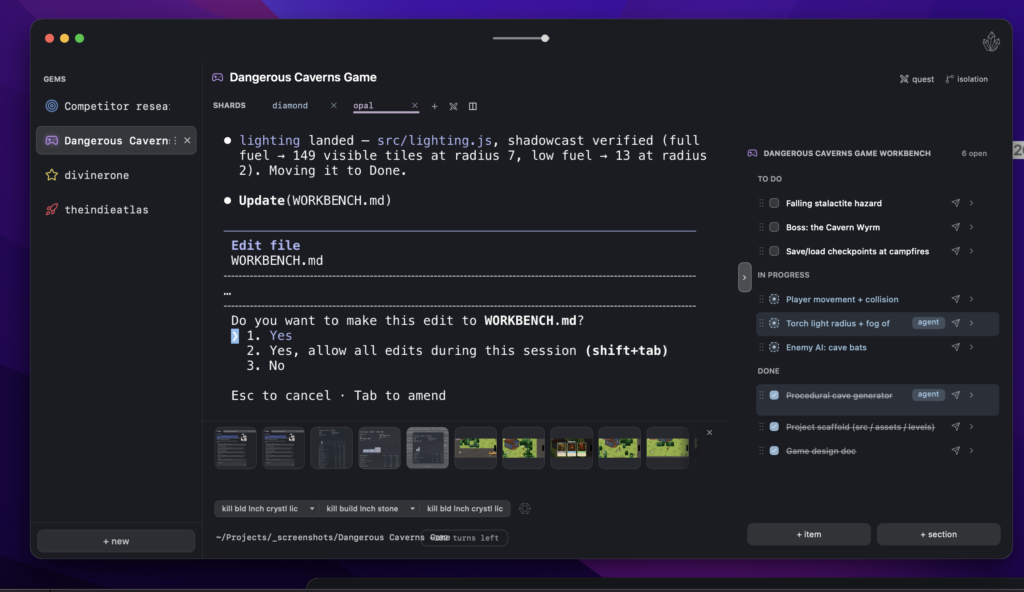
The official product page describes a local-first workspace with specialist agents, saved conversations and memory. Agents can pass tasks to one another, use connected apps, work through browser tabs and run scheduled tasks. The Mac download supports Apple Silicon and Intel machines.
Different agents can use different connected models. Turnstone lists subscription-account connections, API access and Ollama for locally hosted models. Availability depends on the provider and the access you actually have; installing Turnstone does not grant access to every advertised model.
This arrangement may suit someone who repeatedly needs a researcher, a writer and a reviewer for the same project. For a single occasional question, setting up a team and its connections may add more administration than value.
What changed in November 2026?
Turnstone 0.8.0, released November 1, lets agents return interactive explanations, charts, calculators and small interfaces inside a conversation. Its Messages view also supports persistent conversations between agents and messages addressed to several agents.
An interactive answer could make an assumption easier to inspect. For example, a calculator with adjustable attendance and catering inputs can help you explore a fictional event budget. You should still check its formula and units: a working slider does not establish that the underlying calculation is correct.
The November 7 update adds a priority order for connected providers and models when the current choice is unavailable. That is useful operational flexibility, but switching providers can change output quality, cost and data handling. Choose acceptable destinations before relying on fallback. The November 6 release also documents purchased Turnstone Credits for OpenRouter models, so a blanket description of the product as credit-free would be misleading.
Turnstone pricing and Cloud availability
The current pricing page separates bring-your-own-AI options from bundled Turnstone AI subscriptions. The displayed prices below are monthly and in USD.
Bring your own AI
- Free: $0 for the Mac application. You supply eligible AI access, such as a supported subscription or API account, and that provider’s charges and usage limits still apply.
- Cloud add-on: $49 per month, labelled coming soon with a waitlist. This is announced pricing, not confirmation that any new account can purchase immediate access.
Turnstone AI subscriptions
The page also lists Plus at $20 per month, Pro at $50 per month and Ultra at $100 per month. All three cards advertise Turnstone Cloud included, Fast and Smart Agents, and unlimited Steady usage. That last label applies to the named Steady tier; it should not be read as unlimited access to every model or type of work.
Each paid-plan button asks visitors to sign in to see availability. Listing a price therefore does not establish that the plan or its Cloud access is available to every account. Check your signed-in offer, included usage and conditions before choosing a subscription.
Separately, the November 6 changelog documents purchased Turnstone Credits for OpenRouter models at their listed cost. Check the top-up screen and selected model before adding funds. For local-only schedules, the Mac must remain on. Verify your account’s Cloud eligibility before assuming agents can keep working while it is closed.
A useful first workflow
Start with a fictional event-planning task. This is a suggested evaluation, not a report of hands-on testing.
- Define the deliverable. Provide invented attendance numbers, a budget ceiling and a short list of requirements. Ask for a plan and a list of assumptions.
- Separate responsibilities. Ask one agent to draft the plan and another to review missing information and arithmetic. Specify that neither should contact vendors or book anything.
- Request an interactive answer. Ask for a calculator that changes the catering estimate when attendance changes. Include the formula and price assumptions beside the controls.
- Check known cases. Try zero attendees, the expected attendance and a deliberately high number. Compare totals with a manual calculation and check how fixed costs are handled.
- Review before expanding access. If the small task is useful, consider one relevant connection. Inspect its permissions and the information the agents can read before using real project material.
GPTOnline’s AI assistant acceptance-test worksheet provides additional checks for scope, uncertain answers and review boundaries. For writing tasks, the guide to removing sensitive details from AI prompts can help you prepare a smaller, safer input.
Privacy and practical limits
Local storage and local inference are different choices. Turnstone says agents, chats and memory are kept on your Mac, but requests to a remote model or a connected service can still leave it. Review the selected provider’s policies and your organization’s rules before adding confidential material.
Persistent memory also deserves maintenance. A remembered preference or project fact can become outdated; check important context before asking an agent to reuse it. Multiple agents can share the same mistaken assumption, so agreement between them is not independent evidence.
Turnstone is worth considering when repeat projects benefit from saved context and distinct agent roles. Begin with a bounded task, measure the review effort it saves, and expand only after you understand the provider costs, permissions and operating requirements.
Sources checked November 9, 2026. This is a documentation-based overview, not a hands-on performance or security test.
Image credit
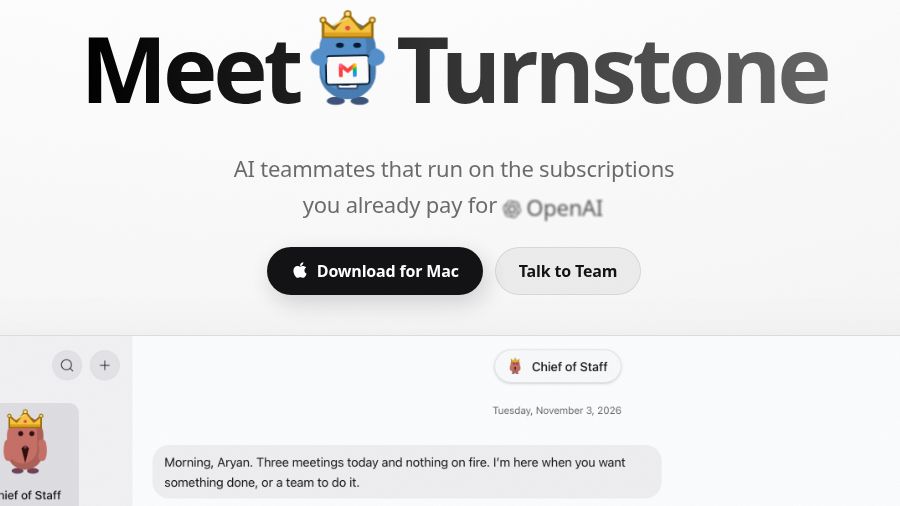
The featured image is a screenshot of Turnstone’s official homepage, captured November 9, 2026. It shows the product heading and part of the vendor’s public demonstration, not a GPTOnline hands-on test. WordPress generates resized versions and cropped thumbnails for the site’s layouts. Product and provider marks belong to their respective owners; their appearance does not imply endorsement.