GitHub Replica is an open-source toolkit for turning product ideas into interactive prototypes with guidance from your team’s design system. It works with the GitHub Copilot app, where you describe an interface and inspect the result beside the conversation. An optional self-hosted Hub adds shared publishing and comments.
GitHub announced Replica on October 28, 2026. It is a separate prototyping project, rather than a new Copilot model or an automatic route to production-ready software. Its practical starting point is a local experiment that helps a team discuss behavior before committing to implementation.
What GitHub Replica includes
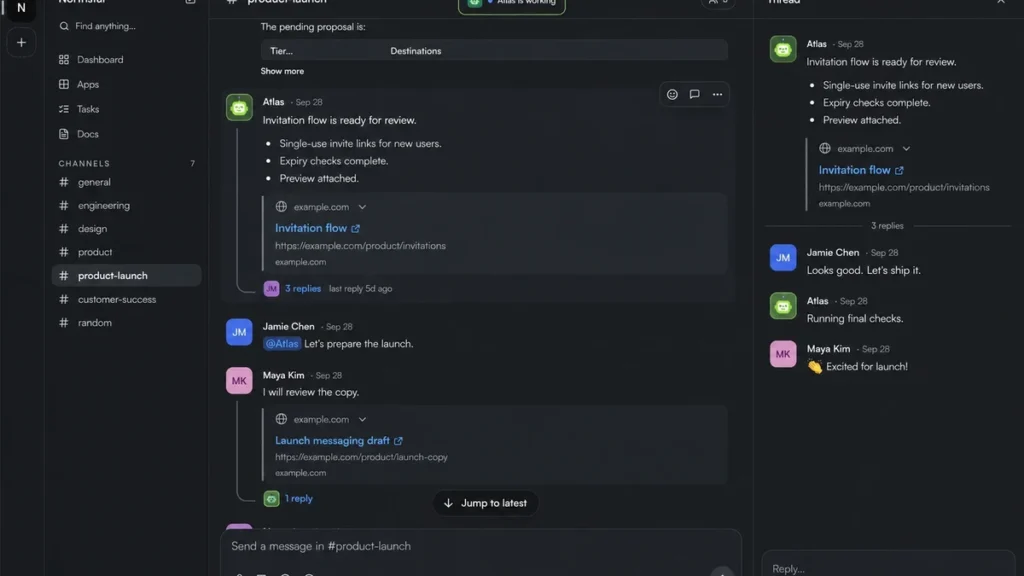
According to the official repository, Replica combines starter applications, a plugin with a preview canvas, an optional Hub and build tooling for publishing. The canvas shows a running prototype alongside the Copilot conversation so you can request a change and inspect its effect.
The current starter choices include a minimal application to adapt to your own design system and a CoreAI Sandbox with an existing layout and interface components. Designers supply approved components, patterns and documentation; product managers and engineers can then use those references when exploring an idea.
That guidance is valuable when a team wants to discuss a specific product flow rather than an unrelated visual concept. It still needs review. Supplying a component library does not guarantee that generated code uses every component correctly or follows accessibility requirements.
Local prototypes versus Replica Hub
The local setup guide supports macOS and Linux. It requires the signed-in GitHub Copilot app, Git, a compatible Node.js/npm installation, standard shell utilities and lsof. The repository determines the required Node version. The plugin and canvas must also be enabled; successful dependency installation alone does not establish that the preview is ready.
A local trial does not require Hub, Docker, a public domain or a remote GitHub repository. This makes it possible to evaluate the workflow before arranging shared infrastructure. Opening a local project and publishing it are separate steps.
Hub becomes relevant when colleagues need hosted prototypes and shared review comments. The hosting guide covers the additional environment and permissions. Plan for a Linux server, dedicated domain, wildcard DNS, HTTPS and the necessary GitHub access. Assign someone to operate that service rather than treating hosting as an incidental button in a design exercise.
Is GitHub Replica free?
The toolkit is available under the MIT licence, with no separate Replica licence charge. That does not include every dependency’s operating cost.
- AI access: the documented workflow needs GitHub sign-in and either a Copilot plan for GitHub-hosted models or supported access through your own model provider.
- Bring your own provider: GitHub describes this option as a public preview. Provider pricing, terms and availability apply.
- Shared hosting: budget for the infrastructure and any build or storage usage required by your chosen setup.
- Reviewers: the README says viewing a finished prototype or reviewing it in Hub does not require a Copilot subscription.
For a first evaluation, price the local authoring path separately from a team-wide Hub deployment. There is no reason to assume you need both immediately.
A practical first prototype
Try a searchable list of fictional support requests. The following is a suggested exercise, not a hands-on benchmark.
- Choose one question. For example: can a teammate find an unresolved request and understand what to do next?
- Provide design references. Identify your approved input, button and list components. Specify spacing, terminology and any patterns that must stay unchanged.
- Use sample records. Include a few invented requests, a long title and an empty result. Do not connect a live support database just to demonstrate filtering.
- Ask for states explicitly. Request the normal list, a search with no matches and a clear way to reset the filter. Keep the task focused on the interaction you want to discuss.
- Inspect the result. Check keyboard navigation, focus visibility, labels, small-screen layout and the actual filtering behavior. Compare the implementation with the design references.
- Decide how to share. A local walkthrough may be enough. If asynchronous comments would help, arrange approved Hub access and review the prototype’s contents before publishing.
Record which observations came from the prototype and which remain assumptions. GPTOnline’s AI assistant acceptance-test worksheet offers a useful structure for checking an assistant’s output and boundaries before expanding its role.
What still needs human review?
A prototype can look convincing while missing authorization checks, realistic failure handling or production-quality data flows. Treat it as evidence for a design discussion, then review security, accessibility, tests and integration requirements before using generated code in a live product.
Self-hosting Hub also does not make the whole workflow offline. GitHub services and your chosen model provider retain their own data-handling rules. Keep confidential design material and account access within your organization’s approved tools and scope.
Replica is a sensible option to evaluate when a team already has reusable interface guidance and wants to explore behavior together. A small local prototype is the clearest first step; add shared infrastructure only when the collaboration need justifies it.
Sources checked November 9, 2026. This overview is based on official documentation; no installation, product benchmark or security test was performed.
Replica image credit and MIT license
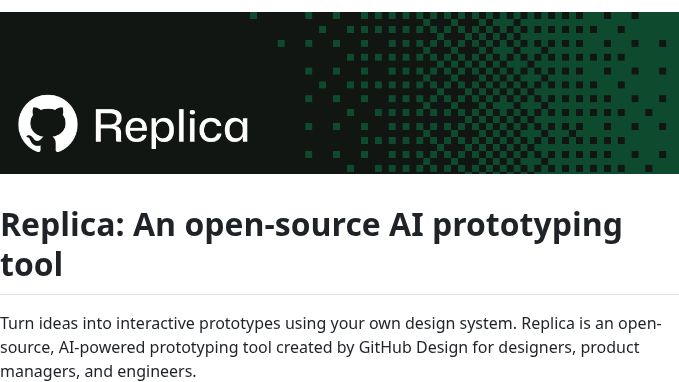
The featured image is a screenshot of the official GitHub Replica README, captured November 9, 2026. It shows the complete project banner, heading and introductory documentation, not a running prototype or a GPTOnline hands-on test. Copyright GitHub, Inc. The repository artwork and documentation are provided under the MIT license below. Original project banner. WordPress generates resized versions and cropped thumbnails for the site’s layouts. This article is independent coverage and is not endorsed by GitHub.
MIT License
Copyright GitHub, Inc.
Permission is hereby granted, free of charge, to any person obtaining a copy of this software and associated documentation files (the "Software"), to deal in the Software without restriction, including without limitation the rights to use, copy, modify, merge, publish, distribute, sublicense, and/or sell copies of the Software, and to permit persons to whom the Software is furnished to do so, subject to the following conditions:
The above copyright notice and this permission notice shall be included in all copies or substantial portions of the Software.
THE SOFTWARE IS PROVIDED "AS IS", WITHOUT WARRANTY OF ANY KIND, EXPRESS OR IMPLIED, INCLUDING BUT NOT LIMITED TO THE WARRANTIES OF MERCHANTABILITY, FITNESS FOR A PARTICULAR PURPOSE AND NONINFRINGEMENT. IN NO EVENT SHALL THE AUTHORS OR COPYRIGHT HOLDERS BE LIABLE FOR ANY CLAIM, DAMAGES OR OTHER LIABILITY, WHETHER IN AN ACTION OF CONTRACT, TORT OR OTHERWISE, ARISING FROM, OUT OF OR IN CONNECTION WITH THE SOFTWARE OR THE USE OR OTHER DEALINGS IN THE SOFTWARE.