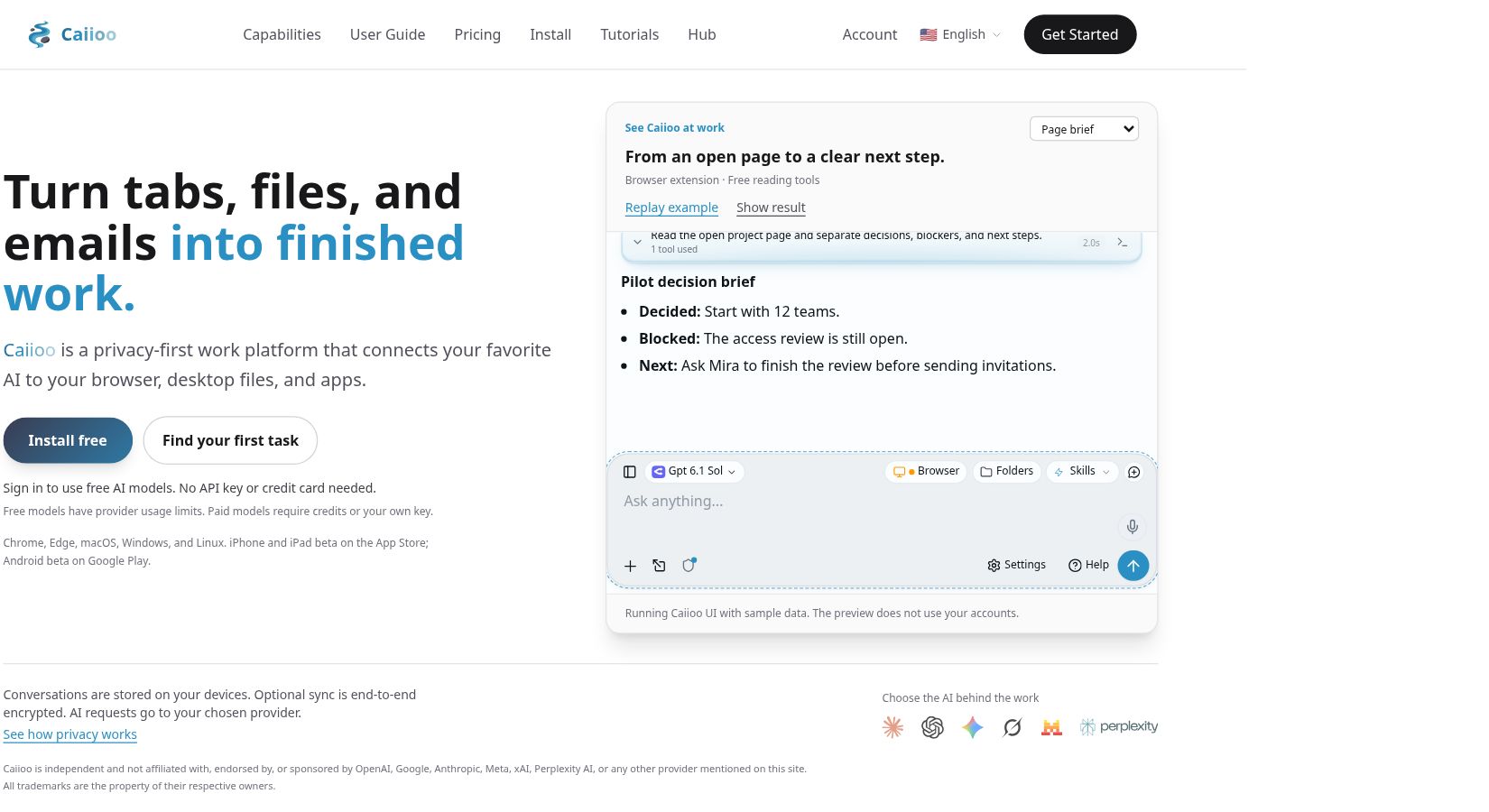
Caiioo is an AI workspace for working with browser pages, connected apps and desktop files. It is better understood as a place to connect models to tasks than as a new AI model. The product was previously called PebbleFlow; its official announcements record the name change in May 2026.
The useful question is not whether an assistant can produce a convincing answer, but whether you can inspect what it proposes to change. Caiioo’s October 29 update makes that question particularly relevant for document work.
This overview is based on official product pages and release notes checked on October 31, 2026. It is not a hands-on performance test.
What Caiioo does
The official website describes a free tier for reading, research and planning, with Pro adding file editing and connected-app automation. Chrome and Edge extensions sit alongside macOS, Windows and Linux applications. Mobile apps are offered in beta, so check the exact platform rather than assuming feature parity.
For example, reading a public project page is a different task from changing a spreadsheet. The latter involves write access, the correct account and a decision about which proposed rows should actually be saved. Treat those as separate steps.
What changed in the October 29 release?
Version 0.9.825, dated October 29, 2026, adds an annotation-and-send workflow for images, video and audio in Slate. The notes list browser extension, desktop, browser-tab and Android availability, but not yet iPhone or iPad.
For text and structured files, the release fixes how suggested edits are reviewed in code, JSON, CSV and HTML documents. Suggestions are marked for review instead of being silently applied; code view is read-only while suggestions are displayed. This is a documented change, not evidence that every future edit will be correct.
The same release says proactive conversation reviews start switched off unless the user has chosen a frequency. A scheduled review is therefore something to configure deliberately, not a reason to assume the assistant is constantly monitoring your work.
A small, review-first workflow to try
Here is a fictional evaluation task, not a report of a completed test. Suppose a community group has a public event description and a draft checklist. Start with a copy containing no private participant details.
- Define a narrow result. Ask for a list of dates, responsibilities and unanswered questions. Specify that missing facts must stay marked as unknown.
- Compare the summary with the source. Check every date and name yourself before moving on. A fluent summary is not confirmation that the source supports it.
- Prepare a separate output. If using a supported editing workflow, request a revised copy rather than replacing the original. Keep the folder scope limited to this example.
- Review proposed changes. Look for invented deadlines, altered numbers and commitments nobody approved. Reject changes that do more than the requested task.
- Open the saved result. Check the actual file and location, not just the assistant’s completion message. Keep the original until you have compared both versions.
A starting prompt could be: “Use only the supplied event description. List confirmed dates and unresolved questions separately. Propose changes to the checklist, but do not overwrite the original or send anything to other people.” A prompt expresses your intent; it does not replace checking the app’s permissions and the resulting actions.
Free access, Pro and model costs
Caiioo offers free models after sign-in, subject to provider limits. Paid models use credits or your own API key; feature access and model usage are separate. The site also offers a 14-day Pro-feature trial without a card, but that trial does not include paid AI credit.
Check the official pricing and checkout for the current subscription amount, currency, tax and included credit conditions before purchasing. We have not stated a numeric subscription price here because the reviewed public pricing text did not explicitly identify its currency code. Do not assume that paying for the workspace means unlimited access to every model.
Local storage does not mean all processing stays local
Caiioo’s terms of service distinguish local data storage from AI processing: prompts and related content are transmitted to the applicable AI provider when those features are used. Check that provider’s terms and your organization’s rules before supplying sensitive material.
The terms also advise reviewing AI output and maintaining backups before file operations. Subscription charges recur, and cancellation takes effect at the end of the billing period. Neither local storage nor a review interface guarantees accurate output, uninterrupted access or a suitable setup for confidential work.
Who should consider Caiioo?
Caiioo is worth evaluating if your work crosses pages and files and you want a deliberate proposal–review–save process. Start with a low-risk task you can verify independently. It is less suitable as a shortcut for unattended changes to important records, or if your requirement is that no content ever reaches an external model provider.
Browse our AI tools directory for other workflows. When comparing options, use the same small task and judge the saved output, access requested and total model costs—not just the quality of the first response.