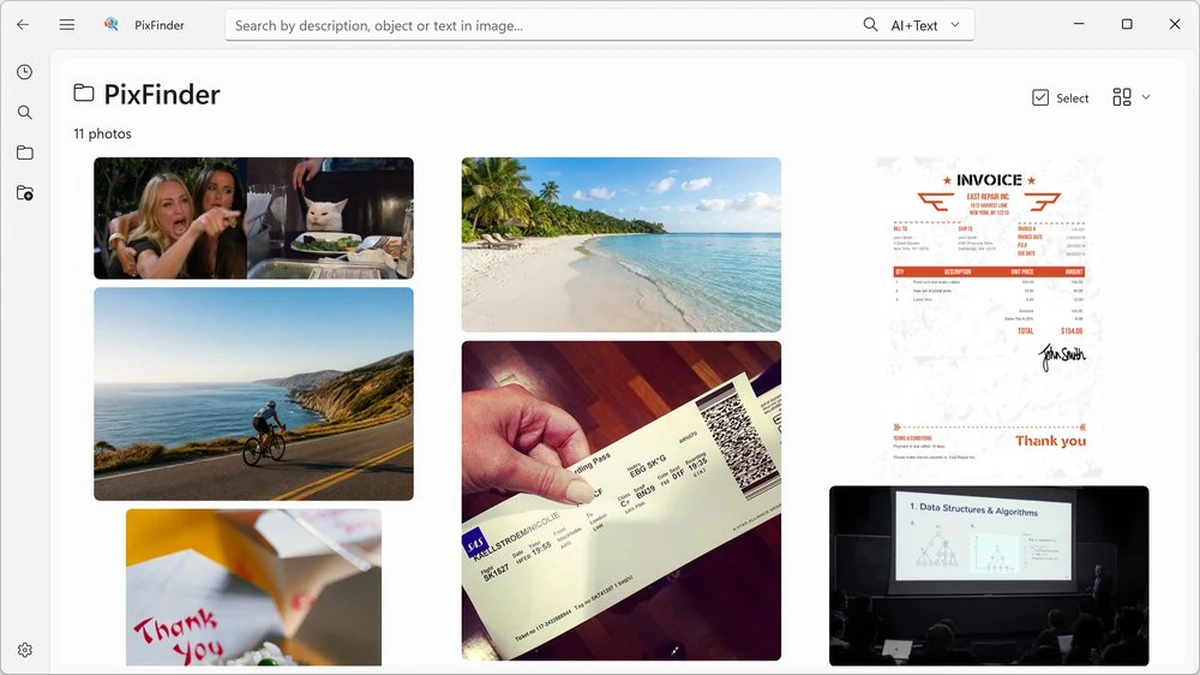
PixFinder is an offline AI image search and photo manager for Windows. It launched on Product Hunt on October 26, 2026. It finds any image by typing what you see: a meme, a screenshot, a family photo, a receipt, or that boarding pass from three years ago, without remembering the filename. Everything runs locally on your Windows PC, with no cloud upload, no account and no tracking.
What PixFinder does
- AI vision search: instantly find images by describing them. Type “beach with white sand”, “blue sneaker mockup” or “boarding pass” and get the photo, design or travel document.
- OCR text search: search any image by the text it contains, invoices, receipts, contracts, business cards, screenshots, whiteboard captures, serial numbers and scanned documents. PixFinder indexes the text so you retrieve it in seconds.
- Similar image search: found one image you like? Get every image like that. Track down duplicates and near-duplicates, gather all the shots from the same moment or person, or find other versions of a meme, mockup or screenshot scattered across your folders.
- Multilingual and offline: language models run locally, so your Italian photos, Japanese chats and English screenshots are all searchable privately, with no cloud and no translation servers.
- Built for huge libraries: smooth scrolling and quick loading, with a Windows-native look and feel. More than 10,000 images load without stutter.
PixFinder supports JPEG, PNG, GIF (stays animated), WebP and BMP, on Windows 10 or higher. No internet connection is required.
Who it is for
PixFinder targets anyone with a large photo collection on Windows: people who save screenshots, receipts, invoices, memes, lecture slides and family photos and need to find one of them by what it shows or what it says, without uploading anything to a cloud.
Pricing
PixFinder is free. Download it free from the Microsoft Store, with no account required. Pricing may change, so check pixfinder.app for current terms.
Sources
- PixFinder on Product Hunt (launched October 26, 2026)
- Official website: pixfinder.app (features and pricing verified October 27, 2026)